Field note
3 Step AI Marketing Prompts That Push Copy Into Branded Templates
Copy-ready AI marketing prompts and a 3 step workflow that turn drafts into publish ready copy and visuals. Learn how to map outputs into branded...
Copy the prompts below and you get outputs a marketing team can actually publish, not another blog post about "the power of AI." This library covers content, social, email, ads, SEO, and product visuals, built on one reusable formula and a three-step iteration workflow that turns a rough draft into something on brand. Where you need to move from raw output to a finished, branded asset, a tool like assets dev fills that gap.
TL;DR:
- Clear role, context, task, format, and constraints are essential to produce usable AI marketing outputs, reducing the need for multiple rewrites.
- Structuring long-form content, social posts, and visuals into staged prompts improves accuracy and saves time across all marketing channels.
- Implementing a three-step iteration process with QA ensures factual accuracy, brand consistency, and accessibility before publishing.
- Automating content mapping into branded templates via APIs and tools like assets dev streamlines production and maintains visual consistency at scale.
- Always verify AI-generated claims and avoid sharing sensitive or unverifiable information to uphold ethical standards and prevent misinformation.
Table of Contents
- The AI Marketing Prompts Formula That Actually Works
- Copy-Ready Prompts for Content Marketing and Long-Form Copy
- Copy-Ready Prompts for Social Media: Hooks, Captions, Carousels
- Copy-Ready Prompts for Email Sequences and Subject Lines
- Copy-Ready Prompts for Paid Ads and Landing-Page Hero Copy
- Prompts for SEO, Analytics Summaries, and Reporting Briefs
- Visual Prompts and Product Photography Patterns
- A 3-Step Prompt-Iteration and QA Workflow
- How to Map Prompts Into Branded Templates and Automated Pipelines
- Best Practices for Ethical Use of AI Marketing Prompts
- Common Pitfalls and How to Avoid Them
- How to Measure and Evaluate AI-Generated Marketing Content
- Integration With Marketing Automation Tools
- Security and Privacy Considerations
- Publisher Perspective: Running Prompt-Driven Campaigns
- Try assets dev: Brand-Adapted Templates and Automation
- Sources
- FAQ
The AI Marketing Prompts Formula That Actually Works
Most AI marketing prompts fail for one reason: they skip a slot the model needs to guess at instead of being told. The fix is a five-part structure that shows up, in slightly different words, across nearly every serious prompt library: role, context, task, format, and constraints. Google's own Gemini for Workspace guidance frames this almost identically, insisting that a role, context, a single clear task, and an exact output format are what separate a usable draft from a generic one.
Here's what each slot does and why skipping it costs you a rewrite:
- Role tells the model whose expertise to borrow ("You are a B2B content strategist for a SaaS company"), which shapes vocabulary and confidence level.
- Context supplies the facts the model can't invent: your product, your audience, the campaign goal, prior messaging.
- Task is one instruction, not five. "Write a blog outline" beats "write a blog outline and also suggest keywords and also draft a meta description."
- Format dictates the shape of the output: word count, number of headings, table versus prose, bullet points versus paragraphs.
- Constraints are the guardrails: tone, audience reading level, required CTA, banned phrases, aspect ratio for images, character limits for subject lines.
Watch the difference this makes in practice.
Before: "Write a LinkedIn post about our new project management feature."
After: "You are a product marketer at a 20-person SaaS company. Context: we just shipped a Gantt-chart view for our project management tool, targeting operations managers at agencies. Task: write one LinkedIn post announcing the feature. Format: 3 short paragraphs, no more than 120 words, ending with a question. Constraints: confident but not salesy tone, no exclamation points, include one concrete use case."
The first prompt produces filler. The second produces a draft you could schedule with minor edits, because every ambiguous decision got made for the model instead of left to chance.
Pro Tip: Always specify what you don't want, not just what you want. Telling the model "avoid words like 'revolutionary' or 'game-changing'" often does more for brand authenticity than any positive instruction, because it blocks the clichés every model defaults to.
One habit separates prompts that work on the first try from ones that need three rewrites: ending with the exact output format you need, whether that's a table, a numbered list, or a set of five subject lines under 50 characters. Prompt libraries built for marketers treat this as close to a rule, because models default to loose, essay-style answers unless told otherwise at the very end of the instruction. For a deeper walkthrough of matching prompt language to your brand's tone, our playbook on prompt engineering for branding covers the specific phrasing that keeps outputs from sounding generic.
Copy-Ready Prompts for Content Marketing and Long-Form Copy
Long-form content is where AI marketing prompts save the most hours, provided you break the work into stages instead of asking for a finished 1,500-word article in one shot. Model-agnostic prompt collections built for ChatGPT and similar tools recommend exactly this staged approach: outline, then intro, then draft, then repurpose.
- Blog outline prompt. "You are a content strategist for [industry]. Context: our audience is [audience], and this piece targets the keyword '[keyword]'. Task: create a blog outline. Format: one H1, six H2s, two supporting bullet points under each H2. Constraints: 1,200 to 1,500 word target, include one section addressing a common objection."
- PAS intro prompt. "You are a copywriter using the Problem-Agitate-Solution framework. Context: the reader is [pain point description]. Task: write an opening paragraph for a blog post on [topic]. Format: three sentences, no heading. Constraints: no rhetorical questions, plain language, 8th-grade reading level."
- Long-form draft prompt. "You are a subject-matter writer for [industry]. Context: expand this outline [paste outline] into full sections. Task: write the complete draft. Format: match the outline's headings exactly, 150 to 250 words per section. Constraints: cite general industry practices without fabricating statistics, flag any claim that needs a source with '[VERIFY]'."
- Repurposing prompt. "You are a social media editor. Context: here is a completed blog post [paste post]. Task: turn it into five standalone social posts. Format: one short paragraph per post, labeled Post 1 through Post 5. Constraints: each post needs a distinct angle (a stat, a quote, a question, a myth-bust, a takeaway), no post over 280 characters."
- SEO brief and meta description prompt. "You are an SEO specialist. Context: the target keyword is '[keyword]' and the page is a [content type]. Task: write a meta title and meta description. Format: title under 60 characters, description under 155 characters. Constraints: include the keyword naturally, write for click-through, not keyword density."
Pro Tip: When a draft comes back too generic, don't rewrite the whole prompt. Add one follow-up line: "Make this sound less like a press release and more like a founder explaining it to a friend." That single follow-up often fixes tone faster than starting over.
Every one of these prompts names its expected output shape, whether that's a heading count, a sentence count, or a character limit. That's the detail most marketers skip, and it's the reason a first draft comes back close to publishable instead of needing a structural rewrite. If you're choosing which model to run these through, our comparison of AI marketing tools for growth teams breaks down which models handle long-form accuracy better versus which are faster for short-form iteration.
Copy-Ready Prompts for Social Media: Hooks, Captions, Carousels
Social prompts fail most often because marketers forget that Instagram, LinkedIn, and X have different length ceilings, different hashtag norms, and different visual real estate. Build the platform constraint into the prompt itself instead of editing it out afterward.
- Instagram carousel prompt. "You are a social media copywriter. Context: promoting [product/offer] to [audience]. Task: write copy for a 5-slide carousel. Format: one line per slide, slide 1 is a hook under 8 words, slide 5 is a CTA. Constraints: no emojis in the hook, aspect ratio 4:5, leave the top third of each slide text-safe for overlay text."
- LinkedIn hook prompt. "You are a B2B marketer. Context: announcing [news/feature] to [job title] audience. Task: write three alternative opening lines for a LinkedIn post. Format: numbered list, each under 15 words. Constraints: no buzzwords, each hook should use a different angle: a question, a contrarian statement, a specific number."
- X (Twitter) thread prompt. "You are a growth marketer. Context: [topic/insight]. Task: write a 5-tweet thread. Format: tweet 1 is the hook, tweets 2 to 4 are supporting points, tweet 5 is a CTA. Constraints: each tweet under 250 characters, no hashtags until the final tweet."
- Caption variation prompt. "You are a social copywriter. Context: [product photo description]. Task: write four caption variants for the same image. Format: labeled A through D. Constraints: A is playful, B is informational, C is a question hook, D uses a customer pain point; each under 125 characters."
Platform constraints belong inside the prompt, not in a separate editing pass. If you're building carousels or grid posts specifically, our library of Instagram templates shows the exact aspect ratios and text-safe zones that keep captions from overlapping design elements.
Pro Tip: Run the same core prompt twice with one word changed in the tone constraint. Ask for "confident and direct" in one pass and "warm and conversational" in another. Comparing the two outputs side by side is a faster way to find your brand voice than trying to describe it abstractly.
For A/B testing engagement, don't just generate two random captions. Generate one prompt with the CTA at the end and a second with the CTA embedded mid-caption, then track which structure gets more saves or comments over a two-week window before deciding which becomes the default template.
Copy-Ready Prompts for Email Sequences and Subject Lines
Email is unforgiving about length and clarity, which makes it one of the better places to see why format constraints in a prompt matter more than clever wording.
- Welcome sequence prompt. "You are an email marketer. Context: a new subscriber just signed up for [lead magnet/product] aimed at [audience]. Task: write a 4-email welcome sequence. Format: label each email with subject line, preview text (under 90 characters), and body (150 to 200 words). Constraints: email 1 delivers the promised value immediately, email 4 includes one clear CTA, no email pitches a purchase before email 3."
- Promotional email prompt. "You are a lifecycle marketer. Context: promoting [offer] with a deadline of [date]. Task: write one promotional email. Format: subject line, preview text, three short body paragraphs, one CTA button label. Constraints: urgency without exclamation points, CTA button label under 4 words."
- Subject-line bank prompt. "You are an email copywriter. Context: [campaign topic]. Task: generate 10 subject line options. Format: numbered list with character count noted next to each. Constraints: each under 50 characters, at least three use a question format, at least two use a number."
- A/B pair prompt. "You are an email strategist. Context: here is a draft email [paste draft]. Task: create a second version testing a different angle. Format: keep the same length and CTA, change only the opening hook and subject line. Constraints: version A leads with a benefit, version B leads with social proof or urgency."
A subject line that wins the open doesn't matter if the preview text repeats it word for word. Always prompt for preview text as a separate field, and treat it as the second sentence of your pitch, not filler. On deliverability, keep promotional language out of subject lines your prompt generates; spam filters still flag "free," "act now," and excessive punctuation regardless of how the copy was written. SurePrompts' collection of tested marketing prompts reinforces the same point: small banks of channel-specific templates, reused and tweaked, beat writing a fresh prompt for every send.
Copy-Ready Prompts for Paid Ads and Landing-Page Hero Copy
Paid ads and hero sections live or die on a handful of words, so the prompt's format constraint should almost always be a character limit, not a paragraph count.
- Google Ads headline prompt. "You are a PPC copywriter. Context: promoting [product] to [audience] searching for '[keyword]'. Task: write 10 headline options and 4 description options. Format: headlines under 30 characters, descriptions under 90 characters, numbered separately. Constraints: at least 3 headlines include the keyword, no headline repeats another word-for-word."
- Social ad variant prompt. "You are a performance marketer. Context: [offer/product] targeting [audience segment]. Task: write 3 ad variants. Format: each has a headline (under 40 characters), primary text (under 125 characters), and CTA button choice. Constraints: variant 1 leads with a pain point, variant 2 with a benefit, variant 3 with social proof."
- Landing-page hero prompt. "You are a conversion copywriter. Context: hero section for [product] landing page, primary goal is [signups/purchases]. Task: write a headline, subheadline, and CTA button text. Format: headline under 10 words, subheadline under 20 words, CTA under 4 words. Constraints: headline states the outcome, not the feature; no vague words like 'solution' or 'platform.'"
Test creative variants and message variants separately, not in the same batch. Changing the visual and the headline at once tells you nothing about which one moved the needle. Practical guidance on building AI-assisted landing pages makes the same point: isolate one variable per test round, whether that's the hero image, the headline, or the CTA copy, so the result is something you can actually act on. For headline formats specifically, our set of ad hook templates gives you eight structures to plug into the prompt's task line when you need fresh angles fast.
Prompts for SEO, Analytics Summaries, and Reporting Briefs
The prompts marketers use least, but probably need most, are the ones that turn raw keyword lists and dashboard exports into something a stakeholder can read in 30 seconds.
- Keyword clustering prompt. "You are an SEO strategist. Context: here is a list of keywords [paste list] for [industry]. Task: group them into topic clusters. Format: a table with columns for cluster name, primary keyword, and supporting keywords. Constraints: no more than 6 clusters, flag any keyword with unclear intent."
- Content brief prompt. "You are an SEO content lead. Context: target keyword is '[keyword]', competing against [general content type]. Task: write a content brief. Format: recommended H1, 5 to 7 H2s, target word count, and 3 internal linking suggestions. Constraints: briefs should note search intent (informational, commercial, or transactional) explicitly."
- KPI summary prompt. "You are a marketing analyst. Context: here are this month's metrics [paste numbers]. Task: write a summary for a non-technical stakeholder. Format: 3 bullet points, each stating a metric, the change, and one likely cause. Constraints: no jargon, end with one recommended action."
- Action-item prompt. "You are a growth marketer reviewing campaign data. Context: [paste performance data]. Task: identify the single most important action item. Format: one sentence stating the action, one sentence stating the expected impact. Constraints: no hedging language, be specific about what changes."
Comprehensive, model-agnostic prompt sets built for marketing teams tend to organize this way on purpose: content, social, ads, email, and reporting all get their own small bank of reusable prompts, rather than one giant do-everything prompt that produces mediocre results across every category.
Visual Prompts and Product Photography Patterns
Text prompts get most of the attention, but AI image prompts for marketing follow their own logic, and getting them wrong is expensive because a bad product photo looks unusable in a way a slightly-off blog paragraph doesn't. Structured image prompt libraries settle on a handful of repeatable patterns instead of freeform description.
The three patterns worth memorizing:
- Subject + Surface + Light + Lens + Finish. Describe the product, what it sits on, the lighting setup (soft studio, golden hour, hard flash), the lens feel (macro, 50mm portrait, wide), and the finish (matte, glossy, editorial grain).
- Pose + Framing + Angle. For lifestyle or model shots, specify body pose, whether the frame is tight or wide, and the camera angle (eye level, low angle, overhead flat lay).
- Reference anchoring. Feed the model a reference image alongside the text prompt to lock in product shape, color, and proportions, which prevents the drift that happens when text alone tries to describe a specific SKU.
Structured product photography prompt libraries build around exactly this kind of nine-part prompt structure, pairing composition and lighting instructions with brand constraints so the output stays usable for catalog work, not just a nice-looking render.
Three copy-ready visual prompts to start with:
- Hero banner prompt. "Subject: [product] centered on a [surface material] surface. Light: soft diffused studio light from upper left. Lens: 50mm, shallow depth of field. Finish: clean, minimal, editorial. Constraints: aspect ratio 16:9, leave the right third of the frame empty and text-safe for headline overlay."
- Lifestyle shot prompt. "Subject: [product] in use by [described person] in a [setting]. Framing: medium shot, eye-level angle. Light: natural window light, warm tone. Finish: candid, unposed feel. Constraints: aspect ratio 4:5, product must remain fully visible and unobstructed."
- Catalog shot prompt. "Subject: [product], isolated on a pure white background. Light: even, shadowless studio lighting. Lens: macro detail on texture. Finish: sharp, true-to-color. Constraints: aspect ratio 1:1, no props, no shadows, consistent with previous SKU shots in the same collection."
Before you publish any generated image, run it through a short checklist: does the product's shape and color match the source reference, is the text-safe area actually clear of visual clutter, does the lighting match the rest of your catalog, and is the image rights-cleared for commercial use rather than just a demo render. Stating the intended placement, hero banner versus product listing versus social carousel, before you write the prompt matters more than most marketers realize, because composition and text-safe space change depending on where the image ends up.
For catalog-scale work across dozens of SKUs, pattern-based prompting for product photography recommends saving a working prompt configuration as a named, reusable "recipe" rather than rewriting it from scratch each time, which is the single biggest factor in preventing visual drift across a catalog over several months. For more on keeping generated visuals consistent with brand guidelines across formats, our coverage of AI graphic design tools walks through the workflow in more detail.
A 3-Step Prompt-Iteration and QA Workflow
A single prompt rarely produces a publishable asset on the first attempt, and treating iteration as a bug instead of the actual process is where most marketers waste time. Industry guidance on AI marketing workflows recommends at least two to three refinement passes before an output is ready to ship, and that number holds up in practice.
- Define the baseline and capture the output. Write the full role/context/task/format/constraints prompt, run it once, and save the raw output exactly as generated, before you touch it. This baseline is what you'll compare every revision against, so you can tell whether a change actually helped.
- Make targeted refinements and generate 3 to 5 variations. Instead of rewriting the whole prompt, add one specific follow-up instruction at a time: "make the tone warmer," "cut this by 30 words," "replace the generic CTA with something specific to the product." Generate several variations off the same baseline so you're comparing apples to apples.
- Run a lightweight QA pass, pick a winner, and push to template. Check three things before anything goes live: factual accuracy (did the model invent a statistic or claim), brand fit (does the tone match your existing content), and accessibility (alt text present for images, readable contrast, no walls of unbroken text). Once one variation clears QA, move it into your publishing template.
Pro Tip: Keep a running document of which follow-up phrases actually fixed a problem versus which ones didn't move the needle. "Make it punchier" is vague and inconsistent; "cut every sentence over 20 words" is specific and repeatable. Build your own shorthand list over time.
This is also the point where a templating layer earns its place. Manually copying approved text into a Canva file or an old PDF template is the step that quietly eats the time savings that AI marketing prompts are supposed to deliver.

How to Map Prompts Into Branded Templates and Automated Pipelines
Generating good copy or a clean product image is only half the job. The other half is getting that output into a branded, publish-ready file without a designer manually rebuilding it every time, and that's the gap most AI marketing prompt workflows leave open.
The technical mapping works in three motions: clean the raw output (strip stray formatting, trim to the character limit your template allows), slot the text into the correct template field (headline field, body field, CTA field), and preserve the text-safe space you defined back in the image prompt so nothing gets covered by a logo or a caption bar.
At assets dev, that mapping is built into the platform rather than handled manually. The system learns your brand colors, fonts, and layout preferences in seconds, so a prompt output that would otherwise need a designer's pass can drop straight into a template that already matches your existing LinkedIn, Instagram, or Substack assets. For teams running this at scale, the CLI, API, and MCP integrations let you build a genuine prompt-to-template-to-publish pipeline: generate the copy or image, push it through the API into a pre-approved template, and schedule it, all without opening a design tool.
A few practical notes for teams building this out:
- Start manually for the first few campaigns so you can see where outputs need cleanup before automating the step.
- Keep your text-safe constraints identical between the image prompt and the template, or overlays will clip.
- Use the free tier (currently up to 10 videos or 100 image renderings) to test the full pipeline before committing to a paid plan.
- Save prompt configurations that worked as reusable objects, the same "recipe" approach product photography teams use, so a new team member can reuse a winning formula instead of guessing.
Real campaign examples and specific before/after time savings from teams running this workflow will be added here as case studies come in.
Best Practices for Ethical Use of AI Marketing Prompts
The biggest ethical risk in AI marketing prompts isn't some dramatic misuse. It's quiet drift: a model invents a statistic, and nobody catches it before it goes into a client deck. Treat every factual claim a model produces as unverified until you've checked it against a real source, especially anything involving numbers, dates, or competitor comparisons.
Disclosure matters more in some contexts than others. A blog post drafted with AI assistance and then edited by a human writer doesn't need a disclaimer. A testimonial, a "customer story," or anything presented as a real person's words absolutely does, and inventing one, even a "composite" or "illustrative" one, crosses from AI assistance into fabricated evidence. Never let a prompt generate a fake quote and publish it as though a real customer said it.
Respect the source material your prompts draw on. If you're feeding a competitor's copy or a customer's private data into a prompt for "inspiration," you're on shaky ground both legally and ethically. Keep customer information out of prompts entirely unless you have explicit consent and a clear business reason.
Finally, be honest with your own team about what's AI-assisted and what's fully human-written, particularly for anything going to legal, medical, or financial audiences where a hallucinated detail carries real consequences. A five-minute fact-check pass costs you almost nothing next to the cost of correcting a public mistake.
Common Pitfalls and How to Avoid Them
The most common failure with AI marketing prompts is asking for too much in one instruction. A prompt that requests a blog outline, five SEO keywords, a meta description, and three social captions all at once produces mediocre versions of all four. Split multi-part requests into separate prompts, even when it feels slower, because the quality gap is significant.
The second pitfall is skipping the format instruction and then being frustrated when the output doesn't fit your template. If you need exactly six bullet points under 15 words each, say so. The model won't guess your CMS's character limits on its own.
Generic prompts produce generic output, full stop. A prompt without real context about your audience, your product, and your existing voice will default to the same bland corporate tone every other brand using the same tool gets. That's why the context slot in the formula matters more than most marketers initially think it does.
Another quiet pitfall: never publishing the first draft as-is. Even a well-built prompt needs a human pass for factual accuracy and brand voice. Treat every output as a strong first draft, not a finished asset.
Last, watch for over-reliance on one model for every task. Some models handle long-form nuance better; others are faster for short, high-volume outputs like ad variants. Matching the model to the task, rather than defaulting to whichever one you opened first, saves real time over a full campaign cycle.
How to Measure and Evaluate AI-Generated Marketing Content
Measuring AI-generated marketing content works the same way as measuring any content: track the outcome metric that matters for that asset, not a vanity number. A blog post gets judged on organic traffic and time on page. An email gets judged on open rate, click rate, and conversions. An ad variant gets judged on cost per acquisition. The fact that AI helped write it doesn't change what "good" means.
What does change is the need for a pre-publish accuracy check, since that's a new failure mode AI-assisted content introduces that fully human-written content doesn't carry the same way. Build a short review step into your process: does every statistic have a real source, does every claim about your product match what it actually does, does the tone match your last five published pieces.
For faster comparison across prompt variations, run small A/B tests before scaling a winner. Two subject lines, two ad headlines, two caption structures, tested on a modest sample, tell you more than a gut feeling ever will. Keep a simple log of which prompt structures produced your best-performing assets over time; that log becomes your own internal benchmark, more useful than any generic "best practices" list, because it's built from what actually worked for your audience.
Integration With Marketing Automation Tools
AI marketing prompts become far more valuable once their outputs feed directly into the automation tools you already run, rather than living as isolated text blocks in a chat window. Most modern marketing platforms, from email automation tools to social schedulers, support some form of API or integration layer that can accept generated content as an input rather than requiring a manual copy-paste step for every asset.
The most practical setup for a small team looks like this: generate the content or image using a well-built prompt, run it through your QA pass, then push the approved version into whatever system handles distribution, an email platform for sequences, a scheduler for social posts, or a template system like assets dev for branded visual assets bound for LinkedIn, Instagram, or Substack. The CLI and API integration point matters here specifically for teams that want this connected to an existing automated growth flow instead of a one-off manual export.
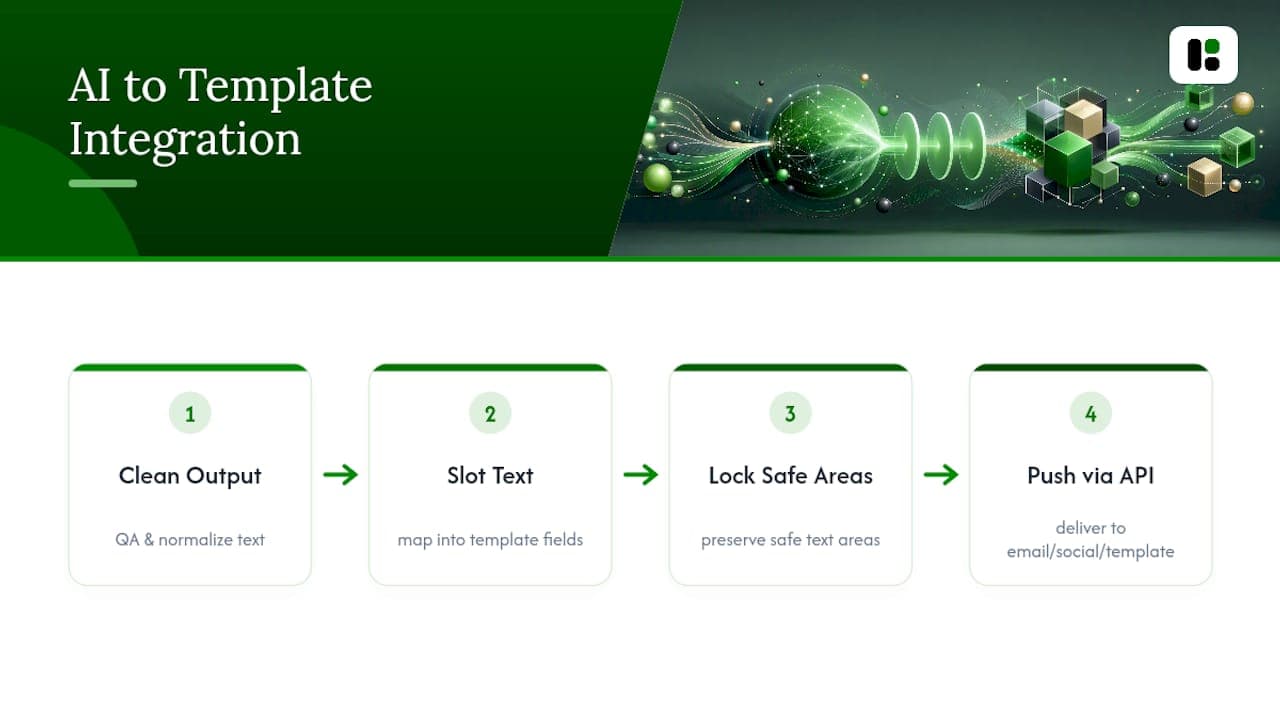
Google's own guidance on AI-assisted marketing workflows treats this kind of end-to-end connection as the direction the whole category is heading: less time spent on manual formatting, more time spent on the strategic decisions a prompt still can't make for you, like which campaign to run in the first place.
Security and Privacy Considerations
Never paste customer personal data, unreleased financial figures, or confidential contract terms into a public AI tool's prompt window. Most consumer-facing AI tools retain conversation data by default for model improvement, and once sensitive information leaves your systems, you've lost control over where it ends up.
If your team handles regulated data, health information, financial records, anything covered by privacy law, use an enterprise or workspace-tier AI product with a data processing agreement rather than a free consumer tool, and confirm in writing what the vendor does and doesn't retain. This matters just as much for prompts about existing customers as it does for prompts describing prospective ones.
Watch for prompt injection risk when you're feeding scraped competitor content or user-generated text into a prompt as "context." A malicious or malformed piece of text pasted into that context field can, in rare cases, alter how the model behaves. Keep a habit of reviewing exactly what you're pasting in, not just what you're asking for.
Finally, treat generated outputs the same way you'd treat any draft from a junior team member: reviewed before it touches a live campaign, and never assumed to be private just because it came from a chat window instead of an email.
Publisher Perspective: Running Prompt-Driven Campaigns
Running a multi-channel campaign the old way meant a content brief, a design request, and a week of back-and-forth before anything shipped. Using a structured prompt library instead of ad-hoc requests compresses that timeline significantly, mostly because the format and constraint slots eliminate the multiple revision rounds that used to eat most of the week.
One habit made the biggest difference: saving working prompt configurations as reusable objects instead of rewriting them from memory every campaign. A prompt that nailed the brand voice for one email sequence becomes the starting point for the next one, tweaked rather than reinvented. That's the same principle product photography teams use when they save a lighting and composition "recipe" to avoid visual drift across a catalog, and it applies just as cleanly to copy.
The gap in most AI marketing workflows isn't the prompt itself. It's the manual step between "the model gave me good text" and "this is now a branded, published asset." Closing that gap is where the real time savings live. Specific campaign breakdowns and verified ROI figures from real accounts will be added here as they're documented.
— Desplega Labs
Try assets dev: Brand-Adapted Templates and Automation
Writing a great prompt still leaves you with a text block or a raw image, not a finished LinkedIn post or Instagram carousel. assets dev closes that specific gap: it's a template platform built to take AI-generated copy and visuals and slot them straight into branded, publish-ready assets, without a designer rebuilding the layout every time.
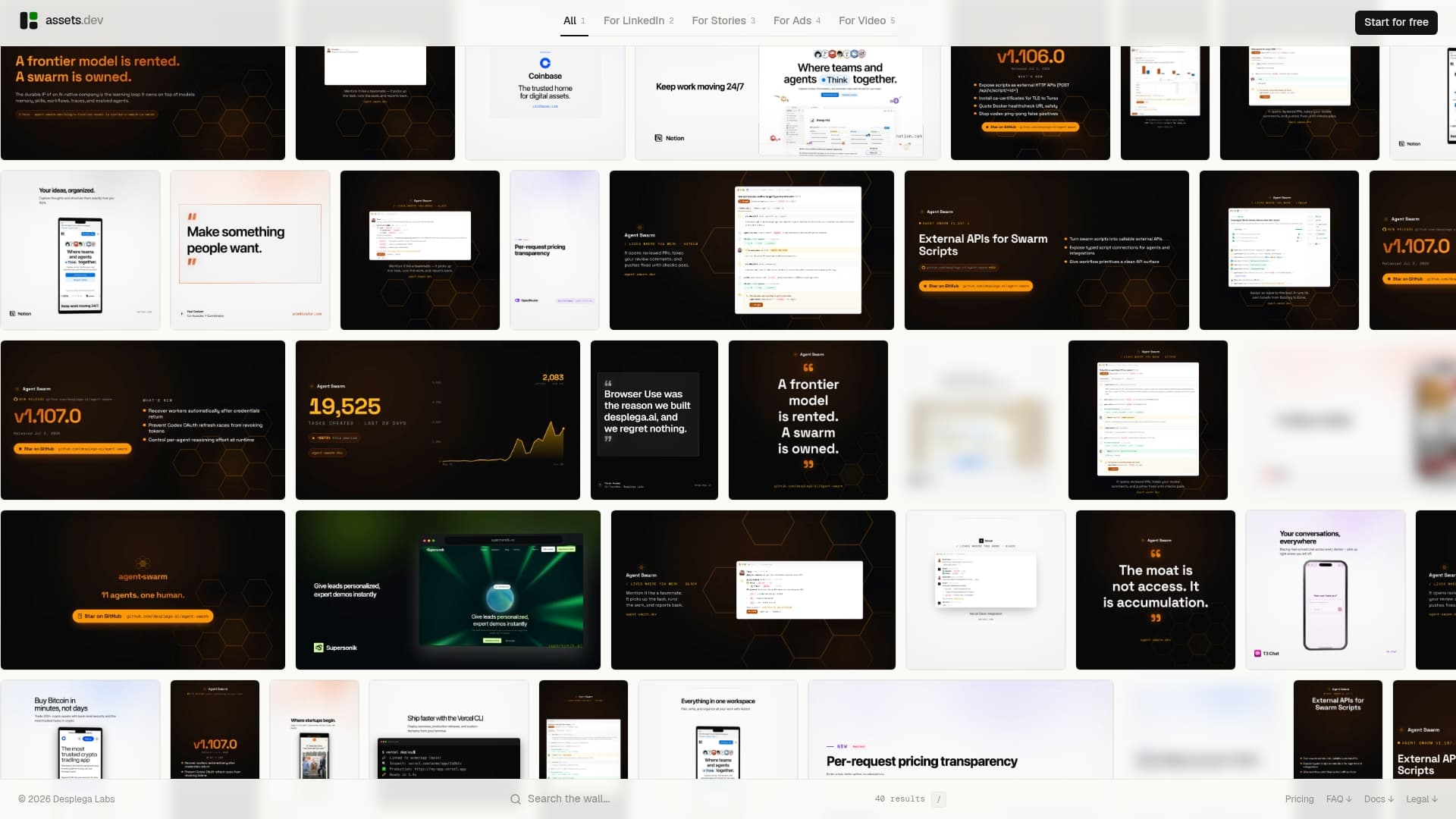
The system learns your brand colors, fonts, and layout in seconds from what you already have, then applies that automatically across images, videos, and PDFs for LinkedIn, Instagram, Google, X, and Substack. If you're running campaigns on a schedule, the CLI, API, and MCP integrations let you wire the whole prompt-to-template-to-publish flow into your existing automated growth process instead of exporting files by hand.
The free plan covers up to 10 videos or 100 image renderings with no credit card required, and anyone signing up in July gets 1,000 credits instead of the usual 100 to test it properly. Pick one prompt from this library, generate the output, and drop it straight into a Assets to see how fast it goes from draft to publish-ready.
Sources
- AI Prompts for Marketing | Gemini for Workspace
- 100 Best AI Marketing Prompts 2026 (Copy-Paste)
- Product photoshoot prompts (GitHub)
- ChatGPT prompts for marketing (HubSpot)
- 6 prompt patterns for realistic AI product photos
FAQ
What are some good AI prompts for creating a marketing plan?
Use a role-context-task-format prompt like: "You are a marketing strategist. Context: [business/audience/budget]. Task: outline a 90-day marketing plan. Format: table with columns for channel, goal, and key action, organized by month." Break bigger plans into channel-specific follow-ups rather than one giant prompt.
What are some examples of AI marketing prompts?
Examples include a blog outline prompt, a PAS-framework intro prompt, a five-caption social variant prompt, a welcome-email sequence prompt, and a product-photo prompt using the Subject+Surface+Light+Lens+Finish pattern. Each works best when it names the role, context, task, format, and constraints explicitly.
Is there an AI tool for marketing?
Yes. General models like ChatGPT and Gemini for Workspace handle copy and strategy prompts, while a platform like assets dev takes those outputs and turns them into branded, publish-ready images, videos, and PDFs through templates and API automation.
What are some effective AI prompts for sales?
Effective sales prompts include a cold outreach email generator ("write 3 opening lines for a cold email to [job title] about [pain point], under 40 words each"), a follow-up sequence prompt, and an objection-handling script prompt formatted as a Q&A table for reps to reference quickly.
How many times should I revise an AI marketing prompt before using the output?
Plan on two to three refinement passes: one to fix tone or length, one to tighten the format, and one final factual and brand-fit check before anything goes live.