Field note
Keep AI On-Brand: A Practical System for Brand Consistency
Ensure your AI-generated content stays on-brand with a practical system that boosts brand consistency and streamlines your marketing efforts.
Use a machine-readable brand layer, a curated set of training assets, and an early validation checkpoint before anything ships. That combination is what keeps AI-generated images, videos, and PDFs from drifting off-brand, and it's a lighter lift than most marketing teams assume.
Do this now:
- Build a machine-readable brand core (colors, type, tone, forbidden patterns) instead of a PDF style guide nobody opens.
- Curate a well-defined set of approved reference assets before you touch a prompt or model.
- Start with controlled prompt templates or a runtime brand layer, not a full fine-tune.
- Run a small pilot batch and validate against your rules before scaling output.
This week's move: assign one owner to assemble the brand core assets and get a pilot batch generated.
Key Takeaways
Brand consistency with AI works when a machine-readable brand layer, curated training assets, and early validation checkpoints govern every generated asset before it reaches a live channel.
| Point | Details |
|---|---|
| Define consistency broadly | Cover both visual (color, logo, imagery) and verbal (tone, voice) dimensions, not just a style guide PDF. |
| Choose the right control method | Match runtime brand layers, prompt templates, or fine-tuning to your volume, budget, and fidelity needs. |
| Validate before you scale | Sample at least 10% of each batch against composition, color, logo, and tone before wider rollout. |
| Govern like an engineering process | Version prompt libraries, log approvals, and document exceptions to catch drift early. |
| Use assets dev for integrated rollout | Its machine-readable brand learning, templates, and MCP/API/CLI integration cover the full workflow from a free plan starting point. |
Table of Contents
- What Does Brand Consistency Mean, and Why Does AI Change the Stakes?
- How Does AI Actually Learn a Brand's Visual Style?
- How Do You Train and Deploy AI for On-Brand Assets?
- What Governance Stops AI Output From Drifting Off-Brand?
- Which Tools Handle Brand Consistency at Each Stage?
- What Does the Research Say About Scaling AI Brand Consistency?
- Who Owns AI-Generated Brand Content Legally?
- How Do AI Brand Assets Fit Into Existing Marketing Workflows?
- What Actually Determines Whether an AI Rollout Succeeds?
- How Assets.dev Puts This Playbook Into Practice
- Where to Read More
- Sources
- FAQ
What Does Brand Consistency Mean, and Why Does AI Change the Stakes?
Brand consistency means every asset, whether it's a LinkedIn carousel or a product PDF, uses the same colors, type, tone, and voice across every channel and every creator. It has two halves: visual (logo placement, palette, imagery style) and verbal (word choice, sentence rhythm, how formal or playful the copy gets).
Get it right and you see faster production, less rework, and stronger recognition, since audiences trust brands that look and sound the same everywhere. Get it wrong and the costs compound quietly: a freelancer's off-palette social graphic gets reused for months, or an AI-generated hero image looks like it came from a stock library instead of your brand.
- Trust: consistent visuals build recognition faster than any single "hero" campaign.
- Speed: templated, pre-approved assets cut production time from days to minutes.
- Lower rework: catching off-brand output before publish beats fixing it after.
- Clearer positioning: consistent tone across channels reinforces what you actually stand for.
How Does AI Actually Learn a Brand's Visual Style?
Generative models don't "understand" your brand the way a designer does. They approximate it through three mechanisms, and picking the wrong one is the most common reason AI output looks generic.
Training or fine-tuning feeds a model a curated set of your actual brand assets so it internalizes color relationships, composition habits, and recurring visual motifs. Prompt templates skip training entirely and instead encode brand rules into reusable prompt structures, useful for teams that need speed over precision. A runtime brand layer sits between the two: a machine-readable profile (often a JSON export) that injects your brand rules, forbidden patterns, and per-platform intensity settings into every generation call automatically, so individual creators don't need to remember them.
The flow looks like this: brand assets and rules go into a control layer, that layer shapes each generation request, the model produces output, and a validation step checks it before publish.
- Fine-tuning: highest fidelity, highest setup cost, slowest to update.
- Prompt templates: fastest to launch, weakest consistency guarantees.
- Runtime brand layer: middle ground, scales across tools without retraining.
Pro Tip: Push creativity in composition and scene variety, but lock down non-negotiables like logo placement, color values, and typography. Loosening the wrong variable is how "on-brand" quietly becomes "off-brand."
How Do You Train and Deploy AI for On-Brand Assets?
Treat this as a rollout, not a one-time setup. Each phase has a clear exit condition before you move to the next.
- Assemble your brand core. Pull logos, color values, type files, and 30 to 50 approved images or videos that represent the range of what "on-brand" looks like.
- Curate and label the dataset. Tag assets by use case (social, ad, PDF) so your control method can apply the right rules per surface.
- Choose your control method. Match the method to your volume and budget: runtime brand layer for scale, few-shot prompting for speed, fine-tuning for high-fidelity flagship content.
- Run a small-batch pilot. Generate 10 to 20 assets and route them through review before touching a live campaign.
- Set validation rules. Define pass/fail criteria for color, logo integrity, composition, and tone before the pilot, not after.
- Build the approval workflow. Assign a human sign-off step for anything above a defined risk threshold.
- Scale gradually. Expand volume in stages, re-checking output quality at each stage increase.
QA checklist before any model or template gets signed off:
- Colors match brand hex values within an acceptable tolerance.
- Logo placement, scale, and clear space follow spec.
- Typography (or type-adjacent styling in images) matches approved fonts.
- Tone and messaging match approved voice guidelines for text-bearing assets.
- No forbidden patterns (competitor visual cues, banned imagery, outdated messaging).
Expect a few weeks to assemble and curate assets, some additional weeks to pilot a control method, and an ongoing cycle after that for scaling. Cost drivers are model or generation usage, human review hours, and render volume, not the tooling itself.
What Governance Stops AI Output From Drifting Off-Brand?
Model drift happens quietly. A prompt template that worked in January starts producing slightly-off color casts by June, and nobody notices until a client flags it. Governance is what catches that early; for platform-specific execution details, see Twitter Brand Safety for Tech and AI Marketers.
- Keep your brand kit in machine-readable form, not a static PDF.
- Maintain a version-controlled prompt library instead of ad-hoc, one-off prompts.
- Require role-based approvals for anything shipping to a paid channel.
- Log decisions (who approved what, and why) so exceptions don't become silent precedent.
For quality sampling, check a reasonable portion of every batch against composition, logo integrity, color accuracy, and tone to ensure quality. Embedding that check directly into the workflow, rather than as a final gate, reduces review bottlenecks and catches problems earlier.
Common red flags: generic stock-photo composition, slightly-off brand colors that pass a quick glance but fail a hex check, and tone that reads corporate when your brand voice is conversational. The fix for all three is the same: catch them in the pilot batch, not after 500 assets are live.
Pro Tip: Document every exception your team approves outside the rules. That log becomes your best training signal for tightening the next version of your brand layer.
Which Tools Handle Brand Consistency at Each Stage?
Different tool classes solve different parts of this problem, and conflating them is why teams either over-invest in one layer or leave a gap in another.
- Brand-kit and template platforms like Canva store approved templates, colors, and logos so non-designers can produce on-brand assets without touching a generation pipeline.
- Generative image and video models like Midjourney produce raw visual content, but need brand rules layered on top through prompts or a runtime profile to stay consistent.
- Enterprise generation platforms like Typeface.ai build brand training directly into the generation step, aiming to combine creation and brand fidelity in one tool.
- Runtime validators and orchestration layers sit between generation and publish, checking output against rules before it reaches a CMS or ad platform.
A typical campaign flow: brand assets live in a template store, a runtime layer applies brand rules to each request, the generator produces the asset, a validator checks it, and it lands in your CMS or ad manager ready to publish. Explore more AI design tool comparisons if you're mapping your own stack.
What Does the Research Say About Scaling AI Brand Consistency?
The strongest signal across industry research is that automation alone doesn't produce brand fidelity. Curated inputs and human oversight do.
- Full automation underperforms curated training paired with iterative human tuning.
- Governance and validation, not model quality, are the most common blockers to scaling.
- Capturing subtle brand details takes repeated prompt and reference-image adjustment, not a single pass.
Successful AI brand management works by training generative models on a precise, curated set of brand assets and iteratively tweaking outputs to balance novelty against staying on-brand, rather than treating creative work as something to fully automate.
Gartner's marketing-technology research points to the same conclusion from the adoption side: as AI tool use grows, governance and validation, not the models themselves, are what teams struggle to scale.
Who Owns AI-Generated Brand Content Legally?
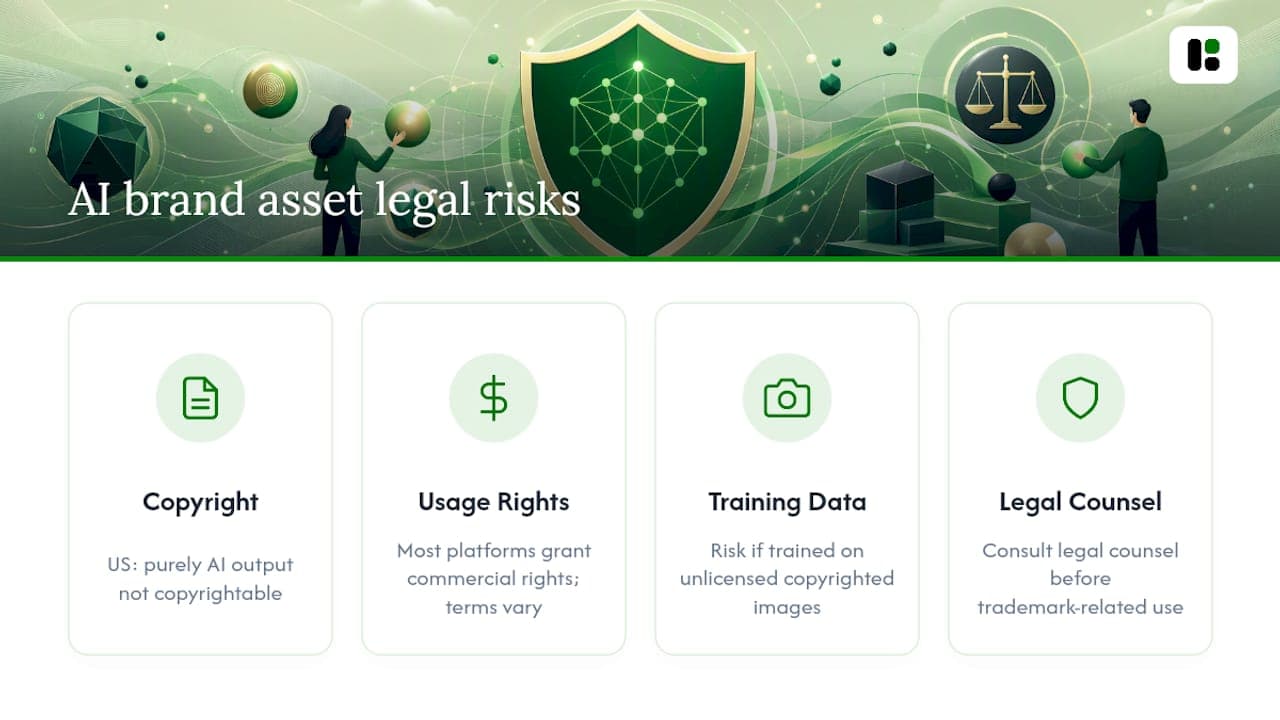
Copyright ownership of AI-generated images is still unsettled in many jurisdictions, and the rules differ depending on how much human creative input shaped the final asset. In the United States, the Copyright Office has generally held that purely AI-generated output without meaningful human authorship isn't eligible for copyright protection, while output that involves substantial human creative direction, selection, and arrangement may qualify. That distinction matters most when you're deciding whether a hero campaign asset can be exclusively yours or whether a competitor could legally reproduce something visually similar.
Usage rights are a separate question from copyright. Most generative AI platforms grant commercial usage rights to paying users through their terms of service, but those terms vary significantly between tools, and some restrict certain use cases (political advertising, certain regulated industries) even when general commercial use is allowed. Read the terms for whichever model or platform generates your brand assets, not just the platform hosting them.
There's also a real risk around training data provenance. If a model was trained on copyrighted reference images without a clear license, output that closely resembles those references can create exposure, particularly for recognizable illustration or photography styles. This is one more reason curated, brand-owned reference assets matter: they reduce your dependence on outputs that echo someone else's copyrighted work.
None of this is legal advice specific to your situation, and rules are evolving quickly as courts and regulators catch up with the technology. Loop in legal counsel before you lean on AI-generated assets for anything trademark-adjacent or high-stakes, like packaging or a logo variant.
How Do AI Brand Assets Fit Into Existing Marketing Workflows?
The biggest integration mistake is treating AI generation as a separate tool that sits outside your existing content supply chain. It should plug into the same asset stores, approval steps, and publishing tools your team already uses, not create a parallel process nobody trusts.
Start with where assets live. If your team already stores approved brand assets in a shared drive or a digital asset management system, your AI generation layer should read from and write back to that same location, not a separate folder that goes stale. Approval workflows should route AI-generated drafts through the same reviewers who sign off on human-designed work, using the same criteria, so brand managers aren't running two parallel QA processes.

Collaboration tools matter more than people expect here. If your team plans campaigns in a shared calendar or project tool, AI-generated drafts should show up there at the draft stage, not appear fully finished with no visibility into what prompt or reference produced them. That visibility is what lets a brand manager catch an off-brand asset before it reaches a scheduling tool, rather than after it's already queued for LinkedIn or Instagram.
CLI, API, and MCP integrations solve a specific version of this problem: they let AI generation plug directly into automated growth flows, like a content calendar tool that triggers asset generation automatically when a campaign is scheduled. That only works well if the generation step respects the same brand rules a human designer would, which is exactly what a runtime brand layer is for. Teams that skip this step end up with AI assets that look fine individually but feel disconnected from everything published around them. For platform-specific execution details, Instagram design workflow guides are worth a look, along with resources on designing for teams at scale.
What Actually Determines Whether an AI Rollout Succeeds?
Teams that succeed start small: one campaign, one asset type, a tight pilot batch reviewed against explicit rules before anything scales. They measure drift on a schedule instead of waiting for a client or exec to notice a mismatch, and they write down every exception instead of letting undocumented workarounds pile up.
The teams that struggle skip governance because it feels slow, under-curate their training assets because gathering them is tedious, or validate only after a campaign goes live. Each of those shortcuts costs more time later than it saves upfront.
How Assets.dev Puts This Playbook Into Practice
Everything in this playbook, the machine-readable brand layer, curated asset training, early validation, is what assets dev builds around from day one, instead of treating brand fidelity as an afterthought bolted onto a generic image generator.
The platform learns your branding in seconds from the assets you already have, then applies it automatically across every template you generate, so you're not rebuilding brand rules for every new campaign or channel. It covers images, videos, and PDFs for the platforms marketing teams actually publish to, LinkedIn, Instagram, Google, X, Substack, and connects into automated growth flows through CLI, API, and MCP integration rather than forcing manual exports.
You can start on the free plan with no credit card required, and if you sign up in July you get 1,000 credits instead of the usual 100. If your team is past the free tier's volume, the paid plan runs $9 a month. Set up your MCP integration this week and run your first pilot batch through it before your next campaign ships.
Where to Read More
- How AI Can Power Brand Management — HBR on curated training and iterative tuning.
- Marketing technology survey — Gartner on AI adoption and governance gaps.
- How I used AI to design brand-aligned illustrations — a practitioner case study on prompt and reference curation.
- Real-time brand validation — Adobe on validation-as-code.
Sources
FAQ
What Does Brand Consistency Mean?
Brand consistency means every asset, visual or written, uses the same colors, typography, imagery style, and tone across every channel, so audiences recognize the brand instantly regardless of where they encounter it.
What Is the 30% Rule in AI?
There's no single agreed-upon "30% rule" in AI branding; if you've seen the term, it likely refers informally to keeping AI-driven novelty within a limited range while the majority of an asset's composition, color, and brand markers stay fixed. Treat it as a rough guideline, not a fixed standard.
Can You Give an Example of Brand Consistency?
A brand that always pairs its primary logo mark with the same two brand colors and the same photography style, whether the asset is a LinkedIn post, a product PDF, or a paid ad, is showing brand consistency; a one-off graphic that swaps in stock imagery breaks it.
Which AI Tool Is Best for Branding?
It depends on the task: Canva suits template-based, non-designer production, Midjourney suits raw creative image generation, and Typeface.ai builds brand training into its generation step; a platform like assets dev adds a machine-readable brand layer plus API and MCP integration across images, video, and PDFs.