Field note
n8n Marketing Workflows: Automating Brand-Consistent Assets
Unlock efficient n8n marketing workflows to create brand-consistent assets on demand. Automate your creative process today!
n8n marketing workflows in this context means brand-tailored image, video, and PDF generation, wired into your automation stack through a CLI, API, or MCP connection, not a library of pre-built flow nodes. The practical fix for most growth teams is a dedicated asset-generation layer like assets dev, which learns your brand once and then produces on-spec creative on demand every time a workflow calls it.
Bolting a generic image generator onto your pipeline gets you volume, not consistency. Bolting a brand-intelligent generator on gets you both, because the templates enforce your colors, fonts, and layout rules automatically instead of relying on a designer catching drift after the fact.
To get moving:
- Gather your brand kit (a YAML file or a folder of logos, fonts, and hex codes)
- Pick a template family that matches your first use case (ad variant, launch post, one-pager)
- Wire one scheduled CLI or API call to confirm the pipeline runs end to end before you scale it
Key Takeaways
Brand-consistent creative at scale depends on locked templates, a brand kit your tools can actually read, and provider-agnostic integration through CLI, API, or MCP.
| Point | Details |
|---|---|
| Lock the brand, not the workflow | Fix colors, fonts, and logo placement in templates while leaving copy and imagery open to variation. |
| Route providers by environment | Use environment-based provider selection so swapping a generation engine never requires a workflow rewrite. |
| Sample review, don't gate everything | Sample a percentage of new template outputs for human review, then reduce sampling once checks prove reliable. |
| Tag every asset at generation | Attach template ID, variant ID, and campaign metadata the moment an asset renders, not after publish. |
| Test with assets.dev's free tier | assets.dev offers up to 10 videos or 100 image renders free, with CLI/API/MCP access to pilot a real recipe. |
Table of Contents
- How Does an Automated Creative Pipeline Actually Flow?
- Design Templates That Lock the Brand In, Not Out
- How Do You Wire Asset Generation Into a CLI or API Call?
- What Sizes and Formats Do You Need Per Channel?
- What Keeps Automated Creative Compliant Before It Ships?
- Three Workflow Recipes Worth Copying
- How Do You Know Which Creative Is Actually Working?
- Best Practices for Designing Efficient Marketing Workflows
- Common Setup Challenges and How to Fix Them
- Security and Data Privacy in Automated Creative Workflows
- Connecting n8n Marketing Workflows to CRM and Email Tools
- Scaling Creative Workflows Without Losing Control
- Scheduling and Triggering Workflows Around Campaign Timelines
- Sources
- FAQ
How Does an Automated Creative Pipeline Actually Flow?
Every automated asset pipeline breaks into six stages, and knowing what goes in and out of each one is what makes integration painless instead of a guessing game.
- Brief. A JSON payload defines the campaign goal, copy points, and target channel.
- Creative. The generator reads your brand YAML and the brief, then renders images, video, or PDFs from a locked template.
- Compliance. Automated checks scan for logo placement, color accuracy, and crop safety before anything ships.
- Publish. Approved renditions push to a CMS, ad manager, or content repository.
- Metrics. Analytics tools capture performance data, tagged back to the template and variant that produced it.
This mirrors the pattern used by open-source creative automation projects, which route brief, creative, compliance, publish, and metrics stages through swappable provider adapters selected by environment variables. That router pattern matters more than it sounds: it means you can swap your image provider or video engine without rewriting the workflow that calls it. Creative automation platforms turn one master template into hundreds of on-brand variations, producing platform-ready outputs in minutes instead of the weeks a design team would need for the same volume. Integration touchpoints typically include your CMS, ad manager, analytics dashboard, and a content repository where finished renditions land for reuse.
Design Templates That Lock the Brand In, Not Out
A template is only as good as what it refuses to let a workflow change. The fastest way to get brand drift under control is to split every template into locked zones and open zones: logo position, color palette, and typography stay fixed, while headline copy, product imagery, and CTA text stay flexible.
A few operational rules keep this from becoming a debate every time someone builds a new template:
- Cap the palette at six colors max, pulled directly from the brand kit
- Limit typography to one or two fonts, never more
- Bake platform export specs into the template itself, so a LinkedIn carousel and an Instagram story render correctly by default, not by manual resizing after the fact
Store the brand kit somewhere your generation tool actually reads at runtime, whether that's a YAML file or a Figma library synced into the platform. Brand kits work only when production tools can read them directly: hex codes, fonts, logos, and reference images living inside the workflow tool itself, not in a slide deck nobody opens before a launch.
Pro Tip: Build your first template around your most-used asset type, like a LinkedIn carousel slide, before trying to template a whole campaign. One tight template beats five loose ones.
How Do You Wire Asset Generation Into a CLI or API Call?
Most teams connect asset generation to their stack in one of four ways: a scheduled cron job for recurring content, a CI trigger tied to a code or content release, a webhook fired by a campaign event, or a manual CLI run for a one-off push.
- Trigger fires (cron, webhook, or CI event)
- Payload assembles: brief JSON, brand YAML reference, and an optional CSV for personalized variants
- Generator returns rendition URLs, metadata, and the template or variant ID used
- Downstream workflow steps pick up the response and route it to compliance, then publish
Platforms built for this kind of call, like the Abyssale API, support workspace templates and async bulk creation endpoints designed specifically for design-once, generate-many automation.
A few things to build in from day one:
- Add retry logic for transient failures, since batch jobs generating dozens of renditions will hit rate limits eventually
- Make requests idempotent, so a retried job doesn't duplicate output under a new asset ID
- Route providers through environment variables rather than hardcoded endpoints, which keeps vendor swaps cheap when a new engine outperforms your current one
What Sizes and Formats Do You Need Per Channel?
Publish-ready means matching the spec before the platform rejects or crops your asset, not after.
- Feed images: 1080×1080 (square) or 1200×628 (link preview)
- Stories and reels: 1080×1920 vertical
- Display ads: 300×250, 728×90, and 160×600 remain the standard IAB sizes
- PDF one-pagers: US Letter (8.5×11 inches) for print-adjacent use, or a 1:1.414 ratio for digital-first reads
For short-form video, keep clips under 15 to 30 seconds for feed and story placements, export in H.264, and generate a static thumbnail from the first meaningful frame rather than a black or transitional one. Store every aspect ratio variant of an asset under a shared parent ID in your metadata, so a single campaign brief can trace back to all its renditions across formats.
What Keeps Automated Creative Compliant Before It Ships?
Automated checks catch the mistakes a fast-moving team misses at 4 PM on a Friday: logo placement drift, an off-brand hex code, unsafe cropping near a face or headline, and missing attribution on stock imagery or licensed fonts.
- Run automated logo and color-match checks on every rendition before it reaches a human reviewer
- Flag crop-unsafe zones automatically, especially for text near image edges
- Prompt for attribution on any third-party asset pulled into a template
Not every output needs a human set of eyes. A workable policy samples a percentage of renditions from new templates until confidence stabilizes, then reduces the sampling rate once automated checks prove reliable, escalating only flagged outputs to a reviewer. Keep audit metadata on every template version and prompt used, so tracing a bad output back to its source template takes minutes instead of a full afternoon of Slack archaeology.
Pro Tip: Treat your first two weeks on a new template as a review sprint. Sample generously, log every catch, then dial back once the pattern of errors stops surprising you.
Three Workflow Recipes Worth Copying
These three recipes cover the situations that come up most often for growth and content teams running recurring campaigns.
- Weekly ad refresh. A scheduled job pulls a CSV feed of product SKUs or offers, generates a batch of ad variants against a locked template, runs compliance checks, then pushes approved creative directly to the ad manager. No human touches the batch unless a check flags it.
- Product launch social set. A tag pushed in CI kicks off a brief JSON payload describing the launch, generating a hero video plus a matching set of image variants sized for each target platform, then publishing the full set together so nothing goes live half-finished.
- Gated personalized PDF. A form submission triggers a PDF one-pager populated with the submitter's name, company, and relevant data points, then emails a link back to them within minutes, no manual assembly required.
Each recipe follows the same shape: trigger, payload, generation, compliance gate, publish target. Once one recipe runs reliably, adapting the next one is mostly swapping the payload source and the destination.
How Do You Know Which Creative Is Actually Working?
Track click-through rate, engagement rate, conversion rate by variant, and cost per acquisition, all tagged back to the specific template ID and variant ID that produced the asset, not just the campaign as a whole.
- Tag every rendition with template ID, variant ID, and campaign metadata at generation time, not after the fact
- Pull performance data on a regular cadence and rank variants against each other within the same template family
- Feed winners back into the template library and draft new ad buys automatically from the top performers
Creative automation platforms built around templating and export-to-spec output are designed to scale this loop without adding headcount: the same governance that keeps output on-brand also keeps your attribution data clean enough to trust when you're deciding what to scale.
Best Practices for Designing Efficient Marketing Workflows
Start narrow. A workflow that handles one asset type end to end, tested and stable, is worth more than five half-built ones. Expand horizontally once the first one runs without intervention for a few weeks.
Separate concerns cleanly: the trigger, the payload assembly, the generation call, and the publish step should each be a distinct stage you can debug independently. When something breaks, you want to know immediately whether the problem is the trigger firing late, the payload missing a field, or the generator returning an error, not spend an hour untangling all three at once.

Version your templates the same way you version code. When a template changes, the old version should still be traceable to the assets it produced, which matters enormously when a stakeholder asks why last month's creative looked different from this month's.
Keep payloads lean. A brief JSON with ten unnecessary fields is ten more places for a workflow to break when an upstream system changes its schema. Include only what the template actually needs to render.
Build in a dry-run mode wherever possible, generating a preview without publishing, so a new template or a payload change gets validated against real output before it touches a live channel. And document your provider routing decisions. If you're generating video through one provider and images through another, write down why, because the team member who inherits the workflow in six months will need that context to make good calls on when to switch.
Finally, treat your automation stack as a living system, not a set-and-forget script. Campaign timelines shift, brand guidelines get revised, and channel specs change without much warning. A workflow that assumed none of that would happen breaks the first time reality disagrees.
Common Setup Challenges and How to Fix Them
The most common failure point isn't the generation call itself, it's the handoff between systems. A payload that's missing a required field, a brand YAML that's out of sync with the version the template expects, or a webhook that fires before upstream data finishes writing: these account for most early breakage.
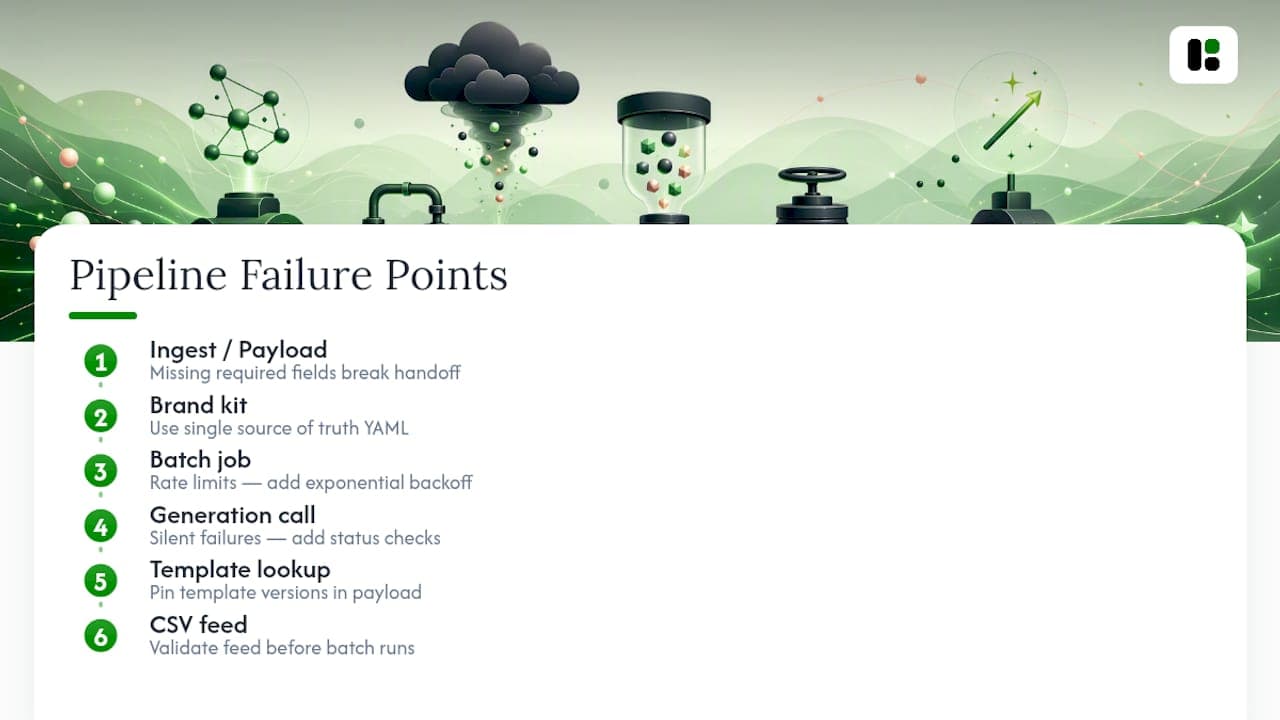
Brand kit drift happens when someone updates the brand kit in one place (say, a design tool) but the automation reads from a stale YAML copy. Fix this by making the brand kit the single source of truth and having every template pull from that one location at generation time, not a cached copy.
Rate limiting surfaces the first time a batch job tries to generate fifty renditions at once. Build exponential backoff into your retry logic from the start rather than discovering the limit in production during a launch week.
Silent failures are the worst kind: a generation call fails, but nothing downstream notices, so a campaign goes live missing half its creative. Add explicit status checks after every generation call, and alert on anything that doesn't return a complete manifest of expected renditions.
Template version mismatches happen when a workflow references a template ID that's since been updated or retired. Keep template versioning explicit in your payload rather than always pulling "latest," so a workflow built in March still behaves the same way in September unless you deliberately update it.
Personalization data gaps in CSV-driven batch jobs (missing rows, malformed fields) will generate broken renditions quietly unless you validate the feed before the batch runs, not after.
Security and Data Privacy in Automated Creative Workflows
Marketing automation touches customer data more often than most teams realize, especially the moment personalization enters the picture. A gated PDF populated with a lead's name and company, a CSV feed driving hundreds of variant renditions, a webhook carrying campaign data between systems: each of these is a point where sensitive information moves between tools.
Keep brand assets and any personalization data behind API keys scoped to only what a given workflow needs, not a single master credential shared across every automation. If a CLI or API key used for asset generation only needs read access to a brand kit and write access to a rendition endpoint, scope it that way rather than granting broader account access out of convenience.
Audit where personalization data lands after a workflow runs. A gated PDF recipe that pulls name, email, and company data from a form submission should have a clear policy on how long that data persists in logs, payloads, or cached renditions, and who can access it. Treat any customer data flowing through an automated pipeline the same way you'd treat it in your CRM: with retention limits and access controls, not an afterthought bolted on after a workflow already works.
Rotate API credentials on a schedule, and separate credentials for production workflows from anything used in testing. A leaked test key doing damage in a sandbox is an inconvenience. A leaked production key with write access to your ad manager is a different problem entirely.
Connecting n8n Marketing Workflows to CRM and Email Tools
Asset generation rarely lives in isolation. A brief JSON payload might originate from a CRM record (a new deal stage triggering a personalized one-pager), or a generated image might need to land directly in an email marketing platform's template library before a send goes out.
The cleanest integration pattern treats your CRM or email tool as either a trigger source or a destination, never both in the same step. A CRM event (a lead reaching a qualification stage, say) fires a workflow that assembles a brief, generates a personalized PDF, and emails a link back through your email platform's transactional API. The generation step sits in the middle, brand-consistent and repeatable, while the CRM and email tool handle what they're actually built for: contact data and message delivery.
For recurring campaigns, feed campaign metadata (audience segment, offer, send date) from your CRM into the brief payload automatically, rather than rebuilding briefs by hand for every send. This is also where tagging matters most: if a generated asset carries the same campaign ID your CRM and email platform use internally, tracing performance back to a specific creative variant becomes a matter of a single query instead of cross-referencing three systems by hand.
Scaling Creative Workflows Without Losing Control
A workflow that handles one campaign cleanly can fall apart at ten campaigns running in parallel, not because the generation itself struggles, but because complexity compounds in the connections between steps.
The fix isn't fewer workflows, it's better isolation between them. Each campaign should trigger its own instance of the pipeline with its own payload, rather than sharing a single monolithic workflow that tries to branch based on campaign type. When one campaign's workflow breaks, it should never take down the other nine running alongside it.
Template libraries need the same discipline as code repositories at scale: clear naming conventions, deprecation policies for retired templates, and a review process before a new template family goes into rotation across multiple campaigns. Without that, a large team ends up with dozens of near-duplicate templates that all drifted slightly from the brand kit in different directions.
Centralize your brand kit and governance rules once, then let individual campaign workflows reference that central source rather than each maintaining its own copy. This is the same principle that keeps a growing codebase from turning into duplicated logic scattered across a dozen files. When ten campaigns all reference the same brand YAML, a single brand update propagates everywhere at once instead of requiring ten manual fixes.
Scheduling and Triggering Workflows Around Campaign Timelines
Most recurring creative needs fall into a predictable rhythm: weekly ad refreshes, monthly newsletter assets, quarterly launch pushes. Map your triggers to that rhythm rather than running everything on the same cadence out of convenience.
Scheduled cron triggers work well for recurring, low-variance content like a weekly ad refresh pulling from a stable CSV feed. Event-driven triggers, fired by a CRM stage change or a CI tag, fit better for campaign-specific pushes where timing depends on something happening elsewhere in your stack rather than the calendar.
Build lead time into any trigger tied to a hard deadline. A product launch social set generated the morning of launch leaves zero room for a failed compliance check to get caught and fixed. Generating it two or three days ahead, with a scheduled review window built into the pipeline, gives your human-in-loop policy room to actually function instead of becoming a rubber stamp under time pressure.
Author perspective: why templates and CLI/API access change the calculus
Most teams treat brand consistency and automation speed as a trade-off. That's a false choice. Locked templates paired with programmatic invocation solve both at once: the lock prevents drift, and the CLI or API access means a growth team never waits on a designer to hit publish. assets.dev's free plan quotas (up to 10 videos or 100 image renders, no card required) and its CLI/API/MCP support exist precisely so teams can test that claim on a real workflow before committing budget. Run one template through a scheduled call this week and judge the result yourself.
— Desplega Labs
Try assets.dev on your next scheduled workflow
assets.dev is the practical route to brand-consistent creative at automation speed: instead of hand-building each rendition or risking drift with a generic generator, you get a system that learns your brand in seconds and locks it into every template output.
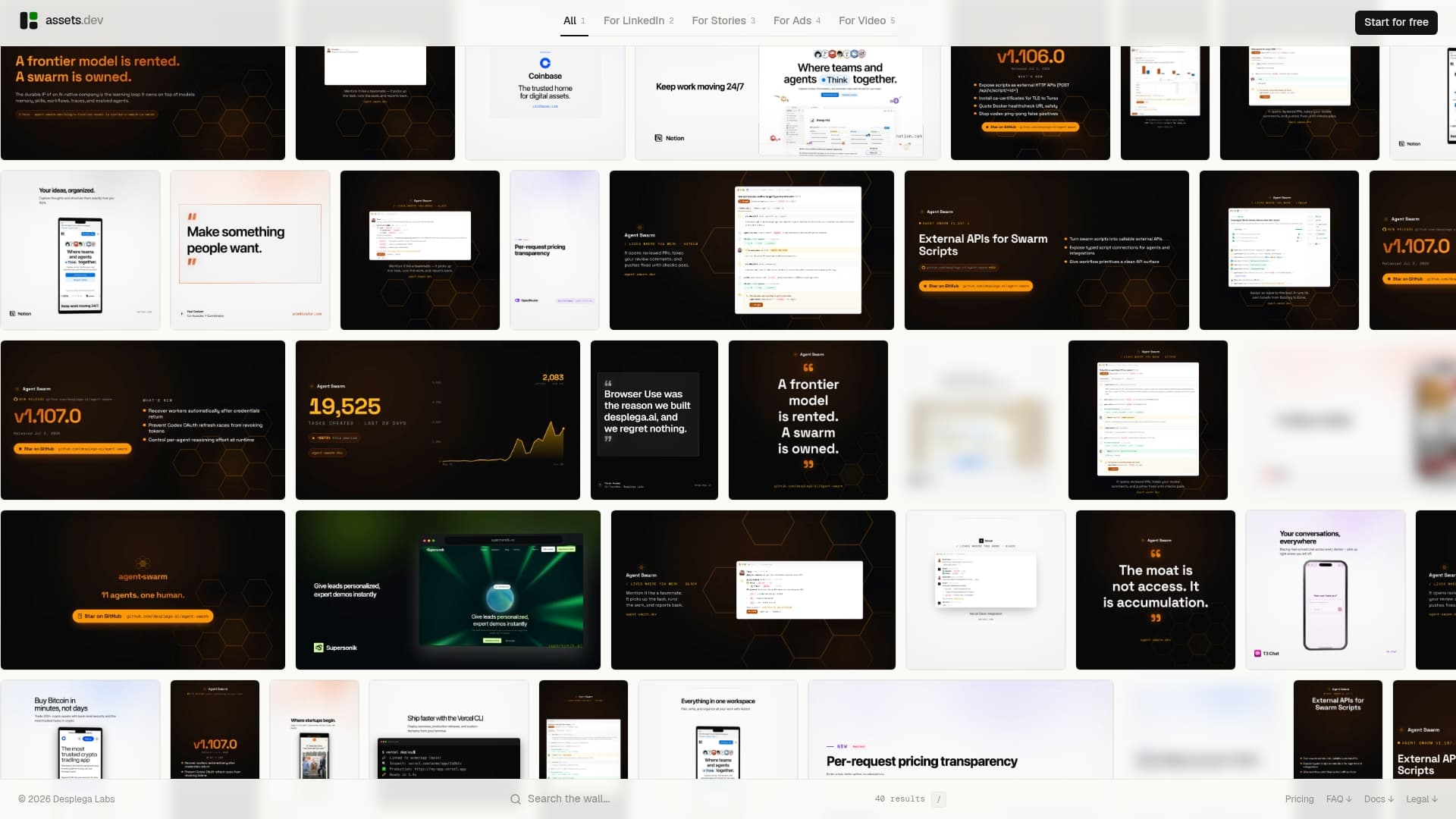
The free plan covers a limited number of video and image renderings with no card required, enough to build and test a real recipe like the weekly ad refresh or the gated PDF pattern covered above. Need more volume once you're past testing? A paid pro plan is available to increase capacity. Through July, new signups get 1,000 free credits instead of the usual 100, which is enough runway to pilot several templates across multiple channels before deciding what to scale. Start at the Assets to sign up and pull the CLI and API docs for your first integration.
Sources
FAQ
What Does "n8n Marketing Workflows" Mean Here?
It refers to brand-tailored image, video, and PDF generation wired into automation stacks through CLI, API, or MCP calls, not pre-built automation flow nodes.
Do I Need a Developer to Set This Up?
Basic CLI or API calls require light technical setup, but tools like assets.dev are built so that marketers can configure a scheduled workflow without a dedicated engineering team.
How Do I Prevent AI-Generated Assets From Drifting Off Brand?
Lock key template zones (logo, colors, fonts) so they can't change, and store your brand kit somewhere your generation tool reads directly at runtime rather than a static reference document.
What File Formats Can I Generate for Marketing Campaigns?
Images, videos, and PDFs are the core formats most creative automation platforms, including assets.dev, support across channels like LinkedIn, Instagram, Google, X, and Substack.
How Much Human Review Do Automated Creative Outputs Need?
A practical policy samples a percentage of outputs from new templates for manual review, then reduces that rate once automated compliance checks prove reliable.