Field note
Brand Kit Automation for Marketing Teams in 2026
Discover how brand kit automation streamlines your marketing process in 2026. Simplify asset management and maintain brand consistency effortlessly.
Brand kit automation is the process of using AI and programmatic tools to extract, generate, store, and enforce your brand assets automatically across every channel and template. If you're evaluating where to start, Assets is a purpose-built option worth running a free trial on today.
Key Takeaways
Brand kit automation delivers the most value when it's connected to your marketing stack via API or CLI, not used as a standalone design tool.
| Point | Details |
|---|---|
| Start with one campaign | Pilot on your highest-frequency format to measure time saved before full rollout. |
| Prioritize API access | Verify CLI/API availability on the free tier before committing to any paid plan. |
| Export formats matter | Confirm SVG, PNG, PDF, and MP4 exports plus editable source files are included. |
| Track concrete KPIs | Measure time-to-first-publish and brand inconsistency incidents from day one. |
| assets dev free plan | assets dev offers 100 image renders or 10 videos free, no credit card required, with 1,000 credits in July. |
Table of Contents
- What does brand kit automation actually mean?
- Why marketing teams are moving to automated branding
- What features should you look for in a brand kit tool?
- How does the automation process work, step by step?
- How to implement brand kit automation in your organization
- Where does brand kit automation deliver the most value?
- Pricing models and practical limits to check before you buy
- How assets dev handles brand kit automation
- The part most teams get wrong about brand kit automation
- assets dev is built for exactly this workflow
- Sources
- FAQ
What does brand kit automation actually mean?
At its core, brand kit automation replaces the manual work of maintaining a brand guide with a system that does it for you. You point the tool at a website, PDF, or existing asset, and it pulls out your color palette, typography, logo variants, and spacing rules. From there, it generates templates and enforces those rules every time a new asset is produced.
The core components you should expect from any automated brand kit:
- Brand import and extraction: Pull colors, fonts, and logos from a URL or uploaded file
- Palette and typography detection: Identify primary, secondary, and accent colors with hex codes; detect font families and weights
- Logo suite generation: Multiple variants (full, icon, reversed, monochrome) in PNG, SVG, and other formats
- Template library: Pre-built and AI-generated layouts for social, email, ads, and documents
- Asset library and storage: Centralized repository for approved assets with version history
- Machine-readable design tokens: JSON or Tailwind-compatible exports so developers can consume brand rules directly
- Multi-brand management: Separate workspaces or profiles for agencies or companies running more than one brand
A quick example of how this plays out: you paste your company URL into the tool, it extracts your brand colors and logo, and within seconds you have an email template filled with your palette and typography. No designer required for that first draft. Wikimedia is a useful resource when you need neutral imagery or mood-board references during that initial extraction phase, particularly for checking licensing before production use.
Why marketing teams are moving to automated branding
The single biggest driver is time. Producing a consistent set of campaign assets manually, from briefing a designer to exporting final files, can take days. Automated brand kits compress that to minutes for repeat formats.
Consistency is the second driver, and it's harder to quantify but easier to feel. When every team member pulls from the same automated kit, the off-brand slide deck or the wrong-shade-of-blue social post stops happening. Brand safety incidents drop because the system enforces rules rather than relying on individuals to remember them.
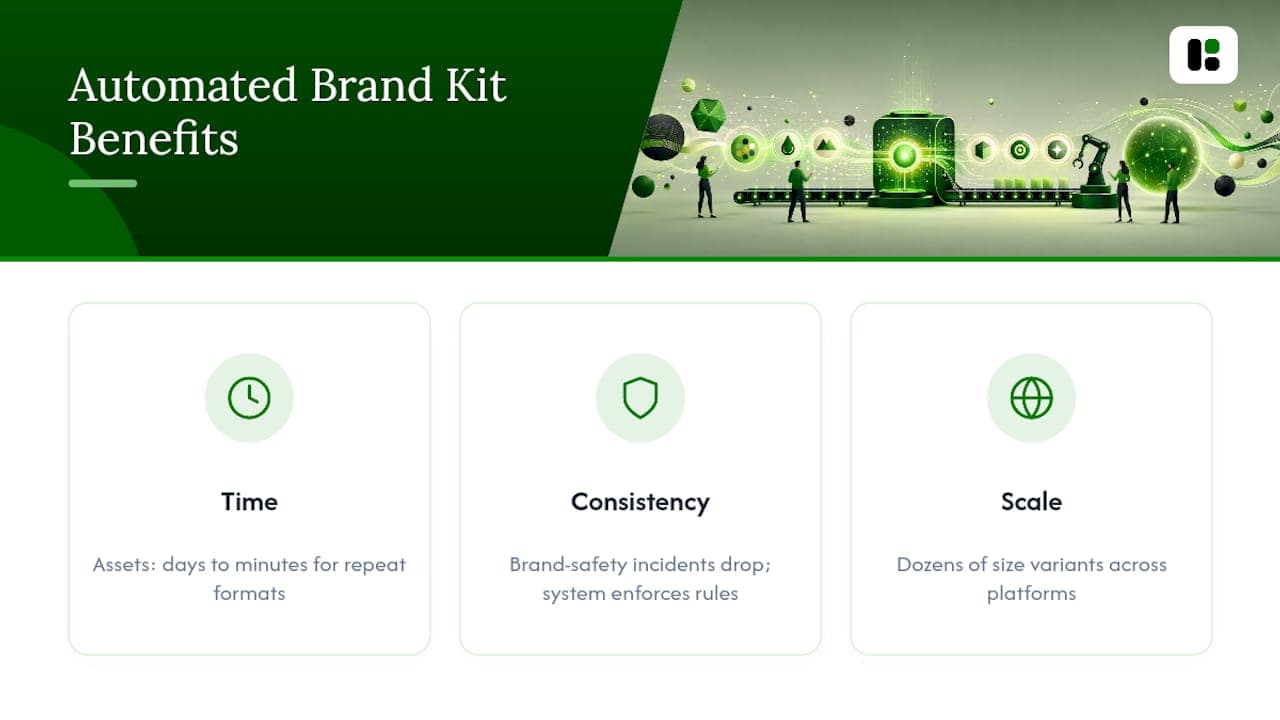
Scale and localization are where automation really separates itself from manual processes. Running a campaign across LinkedIn, Instagram, Google, and Substack means producing dozens of size variants. Doing that by hand is a bottleneck; doing it with an automated template system is a scheduled job. The Oreo Super Bowl tweet is the canonical example of speed plus brand fit: a single on-brand image posted within minutes of a blackout drove massive engagement. That kind of response requires a brand kit that's already loaded, not one you're assembling under pressure.

Developer handoff also gets faster. When your brand kit exports design tokens in JSON or Tailwind format, engineers can consume brand rules directly in code rather than translating from a PDF spec.
What features should you look for in a brand kit tool?
Prioritize accurate extraction, structured design token exports, a solid template library, and API or CLI access. Everything else is secondary.
Must-haves:
- Accurate color and font extraction from web and PDF sources
- Logo suite with multiple formats and variants
- Structured design tokens exportable as JSON or Tailwind config
- Export to production-ready formats (PNG, SVG, PDF, MP4)
- API, CLI, or MCP integration for programmatic asset generation
- Template library covering your primary channels
- Version control or change history for brand assets
Nice-to-haves:
- Automated image tagging and alt-text generation
- Icon library with brand-matched styling
- Multi-brand dashboards for agencies
- RAG-ready documentation export (Markdown or structured text for LLM prompts)
- One-click export to AI project contexts
User reviews on platforms like Capterra consistently flag extraction accuracy, export format variety, and ease of API integration as the top differentiators between tools that stick and tools that get abandoned after the trial.
Pro Tip: Test the API and CLI on day one of any trial, not day seven. Many tools advertise programmatic access but rate-limit it aggressively on free tiers or require enterprise contracts to unlock it. Verify versioning behavior too: find out whether updating a brand token retroactively updates existing templates or only new ones.
How does the automation process work, step by step?
The standard flow is: import your brand assets, let the system analyze and extract rules, generate templates, then distribute outputs through integrations. Here's what that looks like in practice:
- Import: Upload a logo, paste a website URL, or drop in a brand PDF. The system ingests your existing assets as the starting point.
- Analyze and extract: The AI identifies color values, font families, logo geometry, and spacing patterns. It maps these to structured fields: hex codes, font names, token names.
- Generate: The system fills templates with your extracted brand data, producing channel-specific assets (social images, email headers, ad banners, PDFs) automatically. AI brand kit generators can produce a complete kit including logo variants, palette, fonts, OG images, and JSON exports in under a minute from a single prompt, with developer-ready exports like Tailwind tokens included.
- Review and patch: A human checks the output, corrects any extraction errors (a font that didn't resolve, a secondary color that was missed), and adds brand rules the AI couldn't infer (tone of voice, approved imagery style).
- Distribute: Connect the API, CLI, or MCP integration to your marketing stack. From here, asset generation runs programmatically: your growth automation triggers a render, the brand kit applies, and the output lands in your CMS, ad platform, or content queue.
The diagram to keep in mind: Import → Analyze → Generate → Distribute. Human review sits between Generate and Distribute, not at the end of every render.
How to implement brand kit automation in your organization
Start with one campaign or one brand variant. A pilot on a high-frequency format (weekly LinkedIn posts, for example) gives you real data on time saved and consistency gains before you commit to a full rollout.
Implementation checklist:
- Inventory all existing brand assets and identify the canonical versions
- Define asset owners and approval flows (who can update the kit, who approves new templates)
- Set versioning rules: what triggers a kit update, how old renders are handled
- Connect API, CLI, or MCP to your existing marketing automation stack
- Map templates to channels and output formats
- Train internal prompts or AI agents with brand rules from the kit
- Document governance: who can override the kit and under what conditions
KPIs to track from day one:
- Time-to-first-publish for a new campaign asset
- Brand inconsistency incidents per quarter
- Number of assets produced per campaign
- Developer handoff time for new channel integrations
| Role | Responsibilities | Tool or Hook |
|---|---|---|
| Brand Manager | Owns kit accuracy, approves updates, sets governance rules | Web UI, version history |
| Marketing Ops | Connects integrations, manages API keys, monitors render quotas | API, CLI, MCP |
| Designer | Reviews AI-generated templates, patches extraction errors | Template editor |
| Developer | Consumes design tokens, integrates exports into codebase | JSON tokens, Tailwind config |
| Content Creator | Selects and customizes approved templates for campaigns | Template library |
Pro Tip: Pilot on the single highest-frequency campaign your team runs. The more often a format repeats, the faster you'll see ROI from automation, and the faster you'll surface edge cases in extraction or template logic before they affect a major launch.
Where does brand kit automation deliver the most value?
The highest-ROI use cases are email templates, social images, paid ad creative, and localized campaign variants. Those four formats repeat constantly, and every manual iteration is a compounding time cost.
Common use cases with direct KPI ties:
- Weekly social posts (LinkedIn, Instagram, X): Automated size variants per platform reduce production time per post cycle; social media automation tools can trigger renders on a schedule
- Email header and template generation: Brand-consistent headers generated per campaign without designer involvement
- Paid ad creative (Google, Meta): Multiple size variants from a single template; faster ad velocity means more A/B tests per quarter
- Localized campaign variants: Swap copy and imagery while keeping brand rules locked; scales to dozens of markets without proportional headcount
- Substack and newsletter assets: Consistent cover images and pull-quote graphics per issue
- PDF reports and sales decks: Brand-applied document templates that update automatically when the kit changes
- Video thumbnails and short-form video: Automated video creation with brand overlays applied at render time
- On-brand landing pages: OG images and hero graphics generated to match campaign-specific color variants
The Oreo example is instructive here. The speed of that response wasn't luck; it was the result of having brand assets ready to deploy instantly. Automated brand kits make that baseline the default, not the exception.
Pricing models and practical limits to check before you buy
Most brand kit tools follow one of four pricing models: freemium with render limits, tiered monthly subscriptions, per-render credit systems, or enterprise seat licensing. The right model depends on your render volume and how many brands you manage.
Practical checks to run during any free trial or proof of concept:
- Free-tier limits: How many renders, exports, or brand profiles does the free plan allow? Is it enough to validate the tool on a real campaign?
- Export formats: Does the tool export SVG, PNG, PDF, and MP4? Are source files (editable PSDs or Figma files) included, or only flattened exports?
- API rate limits: What's the rate limit on the free or starter tier? Does programmatic access require a paid plan?
- Multi-brand quotas: How many separate brand kits can you manage? Is there a per-brand fee?
- White-label needs: If you're an agency, can you deliver assets under client branding without the tool's watermark?
- Asset ownership: Who owns the generated assets? Check the terms of service for IP assignment clauses, especially for AI-generated logos.
Run an import, trigger an API export, and validate that the editable source files are accessible before you commit to a paid plan. A tool that locks source files behind enterprise pricing will create friction the moment you need to make a non-standard edit.
How assets dev handles brand kit automation
Assets is a SaaS platform built specifically for marketing growth assets, with curated templates and CLI, API, and MCP integrations designed for automated workflows. It's not a general-purpose design tool; it's focused on the formats that repeat most in growth marketing: images, videos, and PDFs for LinkedIn, Instagram, Google, X, and Substack.
The system learns your branding in seconds. Point it at your brand assets, and it extracts your palette and typography, then applies them across every template automatically. From there, you can generate assets through the web UI or trigger renders programmatically through the MCP integration, CLI, or API, making it a natural fit for teams running automated growth flows.
Feature summary:
- AI-powered brand extraction and auto-application to templates
- Curated template library focused on high-quality marketing formats
- Exports for images, videos, and PDFs across major platforms
- CLI, API, and MCP access for programmatic asset generation
- Multi-brand support for teams managing more than one identity
- Generous free plan: up to 100 image renderings or 10 videos, no credit card required
Quick-start steps: Import your brand via the web UI → verify color and font extraction → run a template generation → connect the API or CLI to your marketing automation stack. The whole sequence takes under 30 minutes for a first brand.
For teams evaluating in July, the free plan currently includes 1,000 credits instead of the standard 100, which gives you enough volume to run a real pilot across multiple formats before deciding on the pro plan.
The pro plan is €9 per month, which covers unlimited access for teams that have validated the tool on a pilot campaign. For context on how assets dev compares to broader AI design tools for marketers, the blog covers the category in depth.
The part most teams get wrong about brand kit automation
The conventional advice is to start by building the perfect brand kit before connecting any automation. Get the colors right, finalize the fonts, lock the logo suite, then automate. That sequence sounds logical and it's almost always the wrong order.
The teams that get the most out of brand kit automation are the ones that start automating early, with an imperfect kit, and use the output to surface what's actually missing. When you run your first 50 automated renders, you find out fast which edge cases your brand guide never addressed: what happens when the primary color sits on a dark background, which font weight breaks at small sizes, which logo variant looks wrong on video. A static brand guide never tells you that. Automated output does.
The second thing teams underestimate is the developer handoff value. Most brand managers think about automation in terms of design output. The more durable value is in the machine-readable tokens: JSON exports and Tailwind configs that let engineers consume brand rules directly in code. That's what turns a brand kit from a design artifact into a living system.

What to prioritize first: connect the API before you finalize the kit. Run renders. Fix what breaks. The kit gets better faster under production conditions than it ever does in a planning document.
assets dev is built for exactly this workflow
Most brand kit tools are general-purpose design platforms that added automation as a feature. assets dev is the opposite: a platform built from the ground up for automated marketing asset production, with templates curated specifically for growth formats.
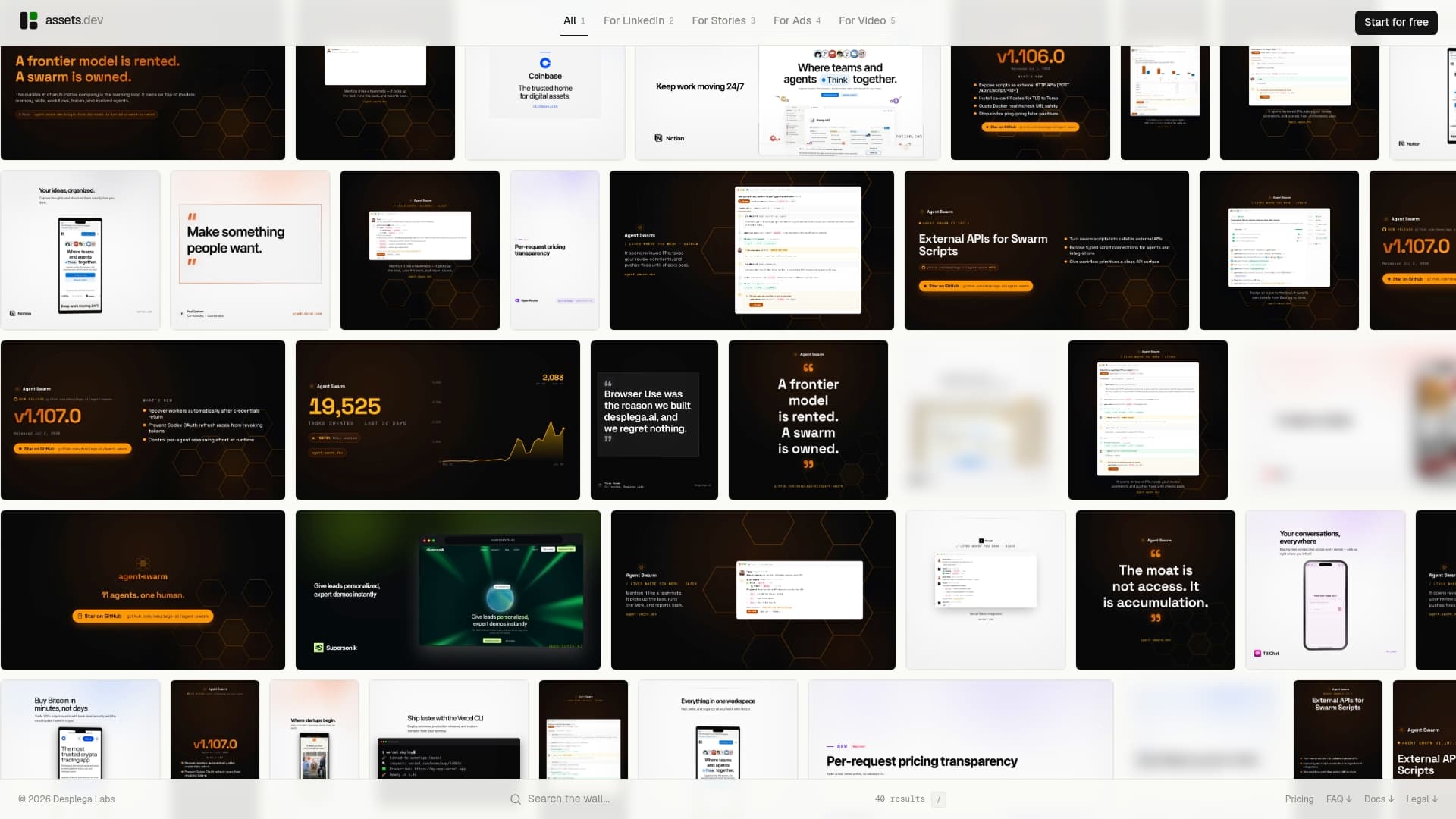
The practical difference shows up in the integrations. CLI, API, and MCP access means assets dev fits directly into automated growth flows, not just manual design sessions. Your brand is learned in seconds, templates are filled automatically, and renders are triggered programmatically. The free plan gives you 100 image renders or 10 videos with no credit card required, and teams signing up in July get 1,000 credits to run a real pilot. The pro plan is €9 per month when you're ready to scale.
Assets and run your first automated brand render today.
Sources
The links below cover product docs, neutral references, and further reading relevant to brand kit automation.
FAQ
What is brand kit automation?
Brand kit automation is the use of AI and programmatic tools to extract, generate, and enforce brand assets (colors, fonts, logos, templates) automatically across channels, replacing manual design work for repeat formats.
Does assets dev require a credit card for the free plan?
No. assets dev's free plan includes up to 100 image renderings or 10 videos with no credit card required. Teams signing up in July receive 1,000 credits instead of the standard 100.
What file formats does an automated brand kit typically export?
Most tools export PNG, SVG, and PDF for static assets, MP4 for video, and JSON or Tailwind config files for design tokens. Verify that editable source files are included before committing to a paid plan.
How do API and CLI integrations fit into a brand kit workflow?
API and CLI access lets you trigger asset renders programmatically from your marketing automation stack, so brand-consistent assets are generated on demand without manual design steps. Verify rate limits and access tiers during any free trial.
Who owns the assets generated by an AI brand kit tool?
Ownership terms vary by platform. Check the terms of service for IP assignment clauses on AI-generated assets, particularly for logos. Most SaaS tools assign ownership to the user, but enterprise contracts sometimes include usage restrictions.