Field note
Best AI Design Tools for Marketers in 2026
Discover the best AI design tools for marketers in 2026. Optimize your workflow with top picks like Canva Magic Studio and Adobe Firefly.
The best AI design tools for marketing growth assets in 2026 are not interchangeable. Each one wins at a specific phase of the workflow, and picking the wrong one for the wrong job costs you time and brand consistency. Here is the short version:
- Canva Magic Studio — best all-in-one for non-designers; Canva Pro runs a paid subscription plan priced at approximately $13 per month
- Adobe Firefly — best for commercially safe generation; trained on licensed content, starts at about ten dollars per month
- Figma — industry standard for UI and product design; professional plans cost approximately fifteen dollars per editor each month
- Storyflow — best for the brief, mood board, and creative direction before any artwork begins; about eight dollars per month (paid annually)
- assets dev — best for automated branded marketing assets across LinkedIn, Instagram, X, and more; free plan available, pro at €9/month
Most productive marketing teams use two or three of these together, not one.
Table of Contents
- What are the best AI design tools for marketing professionals?
- How to choose the right AI design tool for your workflow
- What future trends are shaping AI design tools in 2026?
- What real marketing campaigns show about AI design tools
- What are the real limitations of current AI design tools?
- Security and privacy considerations when using AI design tools
- assets dev fits where the other tools stop
- FAQ
- Key Takeaways
What are the best AI design tools for marketing professionals?
1. Canva Magic Studio
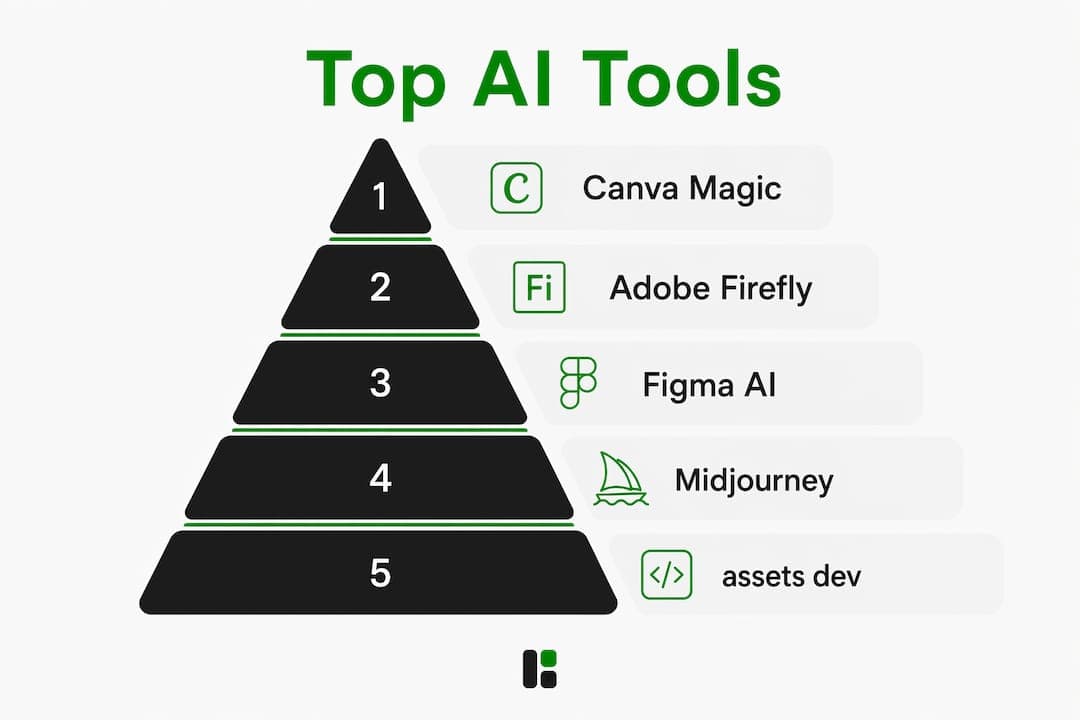
Canva leads for non-designers who need volume. Magic Design generates layouts from a text prompt, and the template library covers virtually every social format. The free tier is genuinely usable; Pro unlocks brand kits, background removal, and expanded AI credits. It offers a low-friction entry point for marketing teams without a dedicated designer, at a subscription cost of approximately $13 per month.

2. Figma with AI features
Figma remains the standard for product and UI-heavy growth assets. The AI layer, including Figma Make and the Figma agent, lets teams go from prompt to prototype without leaving the canvas. Dev Mode connects designs directly to production code, which matters when your growth assets need to ship as landing pages, not just images. Free starter plan is available; professional seats cost approximately fifteen dollars per editor each month.
3. Adobe Firefly
Firefly's defining advantage is commercial safety. It generates outputs trained exclusively on licensed Adobe Stock and public domain content, so every asset is cleared for paid distribution. For agencies running high-volume campaigns, that removes a real legal risk. It also pulls from Google, OpenAI, and Runway models inside one interface, which keeps the creative range wide.
4. Storyflow
Storyflow is where the brief lives. Its infinite canvas holds your audience definition, references, mood board, and creative direction together, and the AI reads all of it before you generate anything. That upstream lock-in is where AI design output is won or lost. It does not generate finished artwork. It makes sure the artwork you generate is the right artwork.
5. Midjourney
Midjourney still sets the bar for aesthetic image quality. No free tier, with plans beginning around ten dollars per month, but for concept frames and hero imagery where the look matters more than precise control, nothing else is close. Most teams use it for the concept phase, then move assets into Canva or Figma for layout.
6. Recraft
Recraft produces production-ready SVG vectors from AI prompts. When the output has to be editable and scalable, not a flat raster, Recraft is the pick. Free plan includes limited generations per day; paid plans start at a monthly fee in the twenties of dollars
7. Adobe Photoshop with AI
Generative Fill and the 2026 AI assistant make Photoshop the strongest tool for pixel-level refinement. It is not typically the starting point for most marketers, but is favored for final production polish on hero images or campaign visuals. Single-app plan costs just under twenty-three dollars per month
8. Ideogram
Ideogram renders readable text inside AI-generated images, a problem that trips up most other generators. For ad creative, posters, or any composition where the copy must be legible inside the image, Ideogram is the specific fix.
9. Khroma
Khroma learns your color preferences and generates personalized palettes. Fully free. It is a narrow tool, but for brand color exploration early in a campaign, it saves hours of manual iteration.
10. assets dev
assets dev is purpose-built for marketing growth assets: images, videos, and PDFs formatted for LinkedIn, Instagram, Google, X, and Substack. The platform learns your branding in seconds and applies it across every template. CLI, API, and MCP integrations let you pipe assets directly into automated growth workflows. The free plan covers up to 100 image renderings with no credit card required. Pro plan costs about nine euros per month. In July, new users get 1,000 free credits instead of 100.
| Tool | Best for | Free plan | Starting price |
|---|---|---|---|
| Canva Magic Studio | All-in-one marketing layouts | Yes | ~$13/month |
| Figma | UI and product design | Yes (limited) | ~$15/editor/mo |
| Adobe Firefly | Commercially safe generation | Yes (limited) | about ten dollars per month |
| Storyflow | Brief and creative direction | Yes | $7.99/mo (annual) |
| Midjourney | Artistic image quality | No | $10/mo |
| Recraft | Production-ready vectors | Yes | $20/mo (annual) |
| assets dev | Branded marketing asset automation | Yes | €9/mo |
How to choose the right AI design tool for your workflow
The biggest mistake marketing teams make is using one tool for every phase. Specialized AI stacks consistently outperform single-tool approaches because each phase of the workflow has different requirements.
Think in four phases:
- Brief: Lock your audience, tone, references, and visual direction before generating anything. Storyflow owns this phase.
- Generate: Produce raw assets at volume. Canva, Midjourney, Adobe Firefly, or assets dev depending on format and safety requirements.
- Refine: Adjust, extend, and polish. Adobe Photoshop for pixel work; Figma for UI components.
- Deliver: Format for each platform and push. Canva, assets dev, or Figma for final export.
For non-designers running social campaigns, Canva plus assets dev covers the generate-and-deliver phases with minimal friction. Product teams building UI-adjacent growth assets belong in Figma. Agencies with commercial safety requirements need Adobe Firefly in the stack.
Pro Tip: Lock a brand-consistent creative brief before you open any generation tool. The brief is the single biggest lever on output quality. Teams that skip it spend three times longer in the refinement phase.
Visual content drives significantly higher engagement across every major platform, which means the quality of your brief directly affects campaign performance, not just aesthetics.
What future trends are shaping AI design tools in 2026?
The most consequential shift is Design Systems as Source of Truth. Leading design teams now sync their design systems with GitHub repos and local codebases so AI agents generate outputs that match real components, not generic templates. Figma's Write to Canvas and Code to Canvas features are the clearest current implementation of this.
Key trends to watch:
- CLI/API/MCP automation: Advanced teams pipe brand assets from codebases directly to automated deployments, removing manual steps from repetitive asset creation entirely.
- Commercial safety as a baseline: Licensed-content training is moving from a differentiator to a minimum requirement for professional marketing environments.
- AI-driven UX analytics: Tools like Attention Insight simulate eye-tracking before any user testing happens, letting teams validate visual hierarchy at the concept stage.
- Multi-model access in one interface: Adobe Firefly's integration of Google, OpenAI, and Runway models inside a single login is the direction the whole category is moving.
Building your brand online with AI-driven strategies now requires understanding which of these integrations your chosen tools support, because the gap between teams that automate and teams that do not is widening fast.
What real marketing campaigns show about AI design tools
Coca-Cola's "Create Real Magic" campaign used Adobe Firefly to let fans generate branded artwork inside a controlled creative environment, producing thousands of unique assets without a single rights issue. The commercial safety angle was not incidental. It was the reason the campaign was legally viable at scale.
Smaller growth teams have used Canva's Magic Design to cut social asset production time from days to hours, running A/B tests across LinkedIn and Instagram with format variants that would have required a designer previously. The volume advantage compounds: more variants tested means faster learning on what converts.
The pattern across successful campaigns is consistent. AI tools handle volume and variation; human creative direction handles brand integrity. Teams that skip the brief phase and go straight to generation produce generic assets that perform like generic assets.
What are the real limitations of current AI design tools?
The upstream brief problem is the most common failure point. Most AI design tools generate competent-looking assets that are wrong for the brand, the audience, or the platform because no one locked the creative direction first.
Other real limitations:
- Brand drift at scale: Without a design system integration, AI-generated assets gradually diverge from brand standards across a campaign.
- Text rendering: Most image generators still struggle with legible type inside images. Ideogram is the exception, not the rule.
- Commercial safety gaps: Tools trained on scraped web content carry copyright risk that is invisible until a campaign is already live.
- Platform format fragmentation: Manually resizing assets for LinkedIn, Instagram Stories, Google Display, and X requires either a tool with native format presets or significant manual work.
Security and privacy considerations when using AI design tools
Brand asset data uploaded to AI platforms is a real exposure point. Most enterprise-grade tools, including Figma and Adobe Firefly, offer admin controls that prevent training on your uploaded content. Verify this setting before uploading proprietary brand files.
For teams using CLI or API integrations, access token management matters. Rotate credentials regularly and scope permissions to the minimum required for each workflow. MCP server connections, which Figma now supports natively, introduce a new attack surface that security teams should audit before deployment.
Data residency is a growing concern for global marketing teams. Check where each tool stores generated assets and whether that conflicts with your organization's data governance requirements.
assets dev fits where the other tools stop
Most AI design tools covered here are built for designers or general creative work. assets dev is built for one thing: marketing growth assets that are on-brand, platform-ready, and deployable at scale.
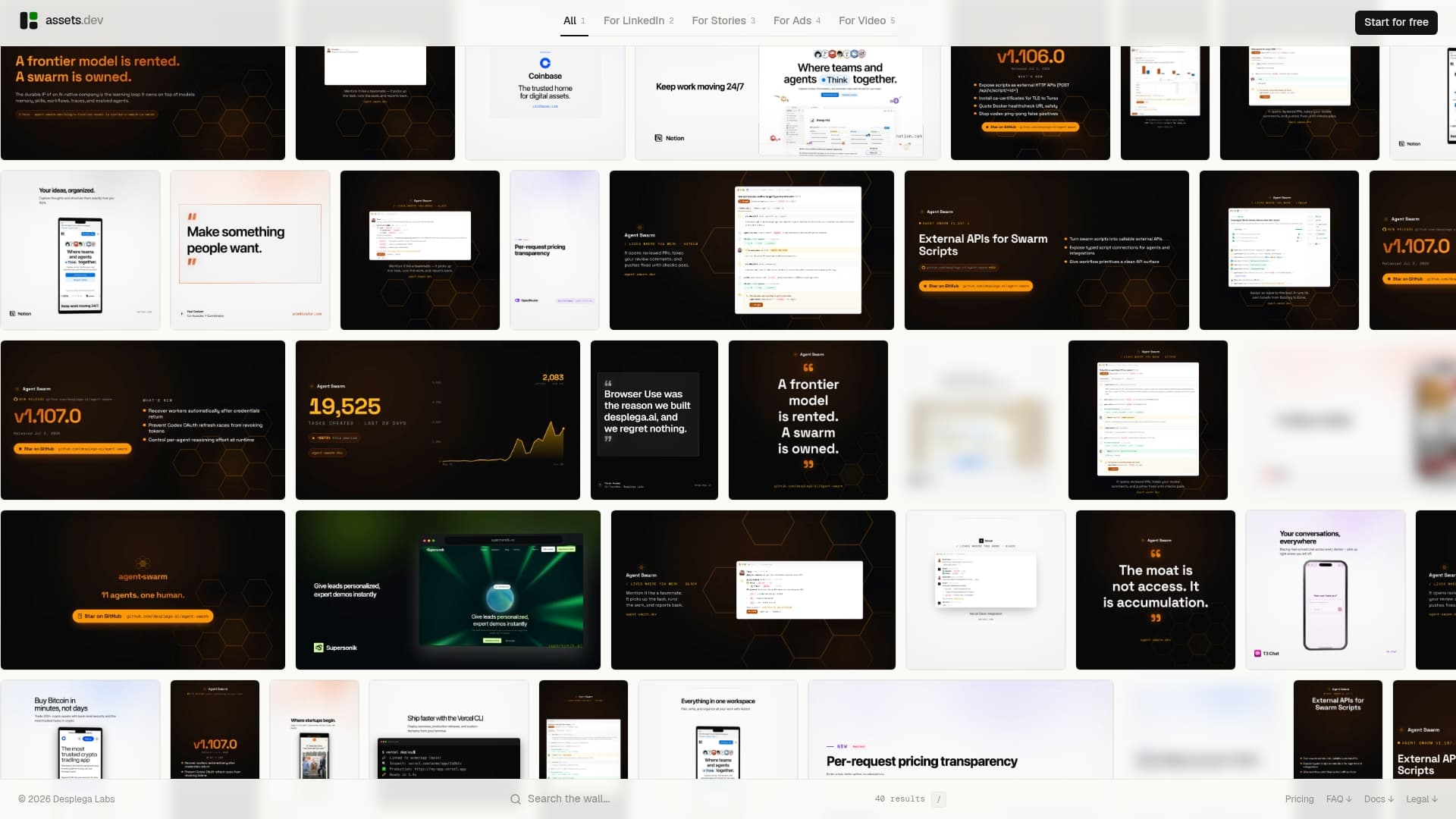
The free plan gives you 100 image renderings and up to 10 videos with no credit card required. In July, that jumps to 1,000 free credits. The pro plan is €9/month, with no long-term commitment. The platform learns your brand identity in seconds and applies it across every template, whether you are generating a LinkedIn carousel, an Instagram story, or a PDF one-pager.
For growth teams that need assets in automated pipelines, the CLI and API integrations connect directly to your existing workflows. No manual export steps, no format guesswork. Start with the free plan at assets.dev and see how fast the first branded asset comes out.
FAQ
What are the best AI design tools for marketing in 2026?
Canva Magic Studio leads for non-designers needing volume, Adobe Firefly for commercially safe generation, and Figma for UI-heavy product assets. Most productive teams use two or three tools together rather than one.
How much do top AI design tools cost?
Pricing ranges from free tiers to professional single-app plans costing around $13–$15 per month. Canva Pro runs a paid subscription plan priced at approximately $13 per month, Figma professional seats around $15 per editor each month, and assets dev pro is €9 per month.
Do I need design experience to use AI design tools?
No. Canva Magic Studio and assets dev are built specifically for marketers without design backgrounds. Both generate platform-ready assets from templates or prompts with minimal manual adjustment.
What is the best AI design tool for social media assets?
assets dev is purpose-built for social platform assets across LinkedIn, Instagram, X, Google, and Substack, with native format presets and brand learning built in. Canva is the strongest general alternative for teams that also need presentation and document formats.
Are AI-generated marketing assets safe to use commercially?
Only if the tool was trained on licensed content. Adobe Firefly is the clearest example of a commercially safe generator. Tools trained on scraped web data carry copyright risk that can halt a campaign after launch.
Key Takeaways
The most effective AI design workflow for marketing teams in 2026 uses specialized tools for each phase: brief, generation, refinement, and delivery, rather than forcing one tool to do everything.
| Point | Details |
|---|---|
| Use a multi-tool stack | Separate tools for briefs, generation, and refinement consistently outperform single-tool approaches. |
| Lock the brief first | Creative direction defined before generation is the single biggest lever on output quality and brand consistency. |
| Commercial safety matters | Only tools trained on licensed content, like Adobe Firefly, are safe for high-volume paid distribution. |
| Design system integration is the future | Syncing AI tools with GitHub or local codebases keeps generated assets on-brand at scale. |
| assets dev for growth automation | assets dev delivers branded images, videos, and PDFs for social platforms via free plan or €9/month pro, with full CLI/API/MCP support. |