Field note
Clipchamp Alternatives for Growth Marketers: 2026 Guide
Discover the best Clipchamp alternatives for growth marketers. Explore automated, brand-governed tools that enhance your asset production today!

TL;DR:
- Platform choices for growth marketers hinge on automation and brand governance support. Assets dev stands out as the best alternative to Clipchamp for API-driven, scalable asset production.
For growth marketers who need automated, brand-governed asset production, the best Clipchamp alternatives are platforms built for API/CLI/MCP automation, template quality, and team-wide brand governance. assets dev is the recommended pick for automation-first workflows.
Clipchamp is a capable consumer editor, but it was designed for quick personal clips, not for teams running multi-channel ad ops at scale. Here is what the shortlist looks like:
- Automation-first, brand-governed production: assets dev (CLI/API/MCP, brand learning, images/videos/PDFs)
- Cloud-based marketing editors: browser-first tools with template libraries, limited API access
- All-in-one creative suites: desktop-heavy, high fidelity, weak on automation
- Audio-first editors: strong for podcast/video hybrid content, minimal brand governance
- Open-source desktop editors: free and flexible, zero automation or brand-kit support
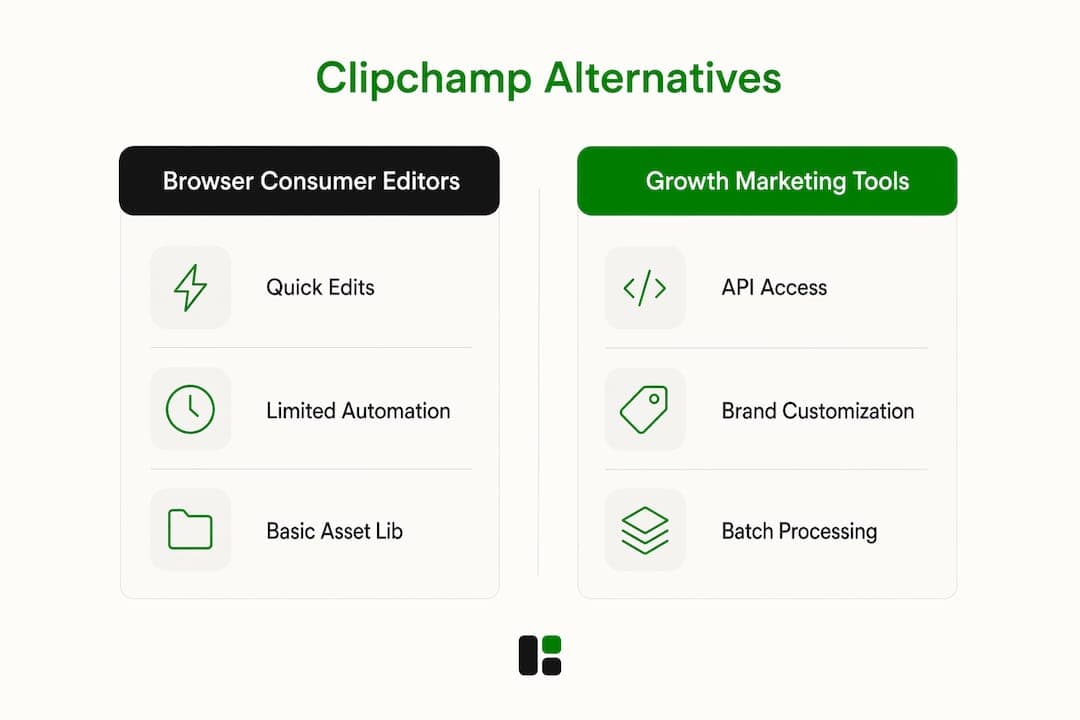
The core problem with browser-based consumer editors is that they are convenient for quick social clips but struggle with large file sets and offer inconsistent brand governance across teams.
Table of Contents
- Which Clipchamp alternatives actually fit growth teams?
- Profiles: what each category actually delivers
- How to choose the right Clipchamp alternative for growth marketing
- How to implement automated asset workflows with API, CLI, and MCP
- What does pricing actually look like at scale?
- Which tool should you pick for your specific need?
- Key Takeaways
- Why the automation gap in video editors is bigger than most teams realize
- assets dev is the Clipchamp alternative built for growth workflows
- Useful sources
- FAQ
Which Clipchamp alternatives actually fit growth teams?
| Dimension | assets dev | Browser consumer editor | Cloud marketing editor | Creative-suite pro | Audio-first editor |
|---|---|---|---|---|---|
| Best for | Automated multi-channel ad ops | Quick personal social clips | Social content, light branding | Film/TV post-production | Podcast, video hybrid |
| Automation (API/CLI/MCP) | Full CLI, API, MCP | None | Limited API | None | None |
| Brand governance | Brand learning, asset library, team permissions | None | Basic brand kit | Manual only | None |
| Asset types | Images, videos, PDFs | Video only | Video, images | Video, audio | Video, audio |
| Template quality | Marketing-focused (LinkedIn, Instagram, Google, X, Substack) | Generic consumer | Marketing templates | None | Minimal |
| Performance / large projects | Server-side rendering | Browser-limited | Browser-limited | Local machine | Local machine |
| Integrations | CLI, API, MCP, Zapier-compatible | None | Some native connectors | None | None |
| Free plan | 10 videos or 100 image renders, no credit card | Free tier with watermark | Free tier, limited exports | Free version available | Free version available |
| Enterprise features | API rate controls, brand permissions | None | Basic roles | Multi-user collab | None |
A note on MCP: the MCP integration at assets dev lets marketing platforms and agencies trigger brand-customized renders directly from their existing automation stack, without manual handoffs.

Profiles: what each category actually delivers
assets dev
assets dev is purpose-built for growth teams that produce recurring marketing assets across multiple channels. The brand-learning system ingests your guidelines and applies them automatically to every render. You access it via web, CLI, API, or MCP, so it fits cleanly into CI/CD-style pipelines or Zapier workflows. Supported asset types cover images, videos, and PDFs, with templates pre-sized for LinkedIn, Instagram, Google, X, and Substack.
- Best for: Automation-first, multi-channel ad ops
- Automation: CLI, API, MCP all supported
- Brand governance: Brand kit learned automatically, team asset library, permissions
- Realistic limit: Template selection is focused on marketing growth assets; it is not a general-purpose video editor
Browser-based consumer editors
This category includes the tools most people reach for first: lightweight, browser-only, no install required. They work well for a solo marketer cutting a quick reel. The problem at scale is browser rendering performance — large file sets slow down or fail, and there is no API to trigger renders programmatically. Brand governance is essentially nonexistent.
- Best for: One-off social clips, personal content
- Drawback: No automation, no brand enforcement, paid tiers required for full features
Cloud-first marketing editors
These platforms sit between consumer editors and enterprise tools. They offer template libraries, some brand-kit features, and basic role management. API access exists in some plans but is usually rate-limited and not designed for high-volume batch rendering. Ad creative quality directly affects ROAS, and these tools can enforce brand colors and fonts, but template versioning and audit logs are often absent.
- Best for: Small teams producing moderate social content volume
- Drawback: Browser rendering bottlenecks at scale; governance features are shallow
Creative-suite pro / desktop post-production
DaVinci Resolve is the benchmark here: Emmy-award-winning color correction, multi-user collaboration, and support for resolutions beyond 4K. The free version handles virtually all 8-bit formats up to Ultra HD. For growth marketing automation, though, it offers nothing. There is no API, no CLI, no brand kit. Every render is manual.
- Best for: High-fidelity color grading, film and TV production
- Drawback: Zero automation; steep learning curve for non-editors
Audio-first editors
Strong for teams that produce podcast-style video or need transcript-driven editing. Brand governance and multi-asset automation are not part of the design. These tools solve a specific problem well and a different one poorly.
- Best for: Podcast video, interview-style content
- Drawback: Not built for image or PDF asset production; no brand-kit enforcement
How to choose the right Clipchamp alternative for growth marketing
Choose the platform whose automation and governance match your volume and team structure. Before you commit, run through these questions:
- Does the platform expose an API or CLI for programmatic renders, or is every export manual?
- What is the render queue model — browser-side or server-side? Browser rendering breaks under batch loads.
- Can the brand kit be enforced org-wide, or can individual users override it?
- Does the platform support SSO/SCIM for team provisioning?
- Are templates versioned? Can you roll back a brand update without re-exporting everything?
- Does the platform log renders for audit purposes?
- How does pricing scale with render volume — per-credit, per-seat, or flat-rate?
Red flags to watch for: browser-only rendering for large batches; no org-wide asset library; no SSO or SCIM; pricing that spikes unpredictably at volume. Also check whether the social ad formats you need are covered by the template library before you sign anything.
How to implement automated asset workflows with API, CLI, and MCP
Automation succeeds when you combine template libraries, CI/CD-style rendering, and governance in the same asset pipeline. Here is the workflow pattern that works:
- Design the template in the platform's editor, parameterizing every brand variable (logo, color, copy, dimensions).
- Parametrize the render call so your pipeline can pass channel-specific values (LinkedIn 1200×627, Instagram 1080×1080, etc.) without touching the template.
- Trigger via API, CLI, or MCP from your CI system, Zapier workflow, or marketing automation platform.
- Queue and render server-side so batch jobs do not depend on a browser session staying open.
- Publish to target channels (LinkedIn, Instagram, Google, X, Substack) via native connectors or downstream webhooks.
Integration checklist: webhooks for render completion events; render queue throttling to stay within rate limits; SSO/SCIM for team provisioning; asset versioning tied to template version; monitoring for failed renders.
Pro Tip: For large batch jobs, always prefer server-side rendering over browser-based rendering. Browser rendering ties render throughput to a single session and fails silently under load. Server-side queues let you scale horizontally and retry failed jobs automatically. assets dev's MCP integration is built on this model.
Teams that combine cloud tooling with offshore creative resources often use template-driven pipelines to reduce back-and-forth, applying the same CI-like automation pattern described above.
What does pricing actually look like at scale?
| Plan type | Free limit | Paid tier | Upgrade trigger |
|---|---|---|---|
| assets dev | 10 videos or 100 image renders, no credit card | $9/month (one plan) | Exceeding free quota |
| Browser consumer editor | Watermarked exports | $10/month typical | Removing watermark, advanced features |
| Cloud marketing editor | 5–10 exports/month typical | $15/month typical | Brand kit, API access, team seats |
| Creative-suite pro (DaVinci) | Full free version | $295 one-time | 10-bit, AI Neural Engine, noise reduction |
| Open-source desktop | Unlimited, free | N/A | N/A |
Per-render credit models suit high-volume automation because costs scale predictably. Seat-based models can get expensive fast when a growth team adds contractors. For enterprise negotiations, push for SLA commitments on render throughput, defined API rate limits, and dedicated support — not just a higher seat count.
Which tool should you pick for your specific need?
- Automation-first, multi-channel ad ops: assets dev. CLI/API/MCP plus server-side rendering and brand learning make it the only option here that actually fits a programmatic workflow.
- Low-budget quick social edits: browser consumer editor category. Fast, free to start, no setup. Accept the governance trade-off.
- Moderate volume, small team, some brand consistency: cloud marketing editor category. Better templates than consumer tools, but test the API limits before committing.
- High-fidelity color grading or film production: creative-suite pro category (DaVinci Resolve). Nothing else comes close for post-production quality, but plan for manual workflows.
- Podcast or interview-style video: audio-first editor category. Transcript-based editing saves real time; just do not expect brand-kit enforcement.
Key Takeaways
For growth teams, the single most important selection criterion is whether the platform supports server-side, API-triggered rendering with org-wide brand governance; everything else is secondary.
| Point | Details |
|---|---|
| Automation is the deciding factor | Only platforms with CLI/API/MCP support can run batch renders without manual intervention. |
| Browser rendering breaks at scale | Consumer and cloud editors rely on browser sessions, which fail under large batch loads. |
| Brand governance requires enforcement | A brand kit that users can override is not governance; look for org-level permissions and audit logs. |
| assets dev free plan | 10 videos or 100 image renders with no credit card required; through July, new accounts receive 1,000 free credits instead of the standard 100. |
| assets dev for automation-first teams | CLI, API, and MCP integrations plus brand learning make it the recommended pick for growth workflows. |
Why the automation gap in video editors is bigger than most teams realize
Most video editing software reviews focus on timeline features and export quality. That is the wrong lens for a growth marketer. The real question is: can this tool render 200 ad variants overnight without anyone touching a keyboard?
Consumer editors were never designed to answer yes. Even the best cloud marketing editors treat API access as a premium add-on, not a core feature. The result is that most growth teams end up with a hybrid mess: a design tool for templates, a separate automation layer to trigger renders, and a third system to manage brand assets. That is three failure points and three vendor relationships.
The platforms that close this gap are the ones that treat automation as a first-class feature, not an afterthought. Brand governance built into the render pipeline, not bolted on afterward, is what separates a tool that scales from one that creates more work as volume grows.
assets dev is the Clipchamp alternative built for growth workflows
If you have been running ad creative through a consumer editor and manually exporting variants for each channel, the cost is not just time. Ad creative quality directly affects ROAS, and inconsistent brand application across channels compounds that cost every campaign cycle.
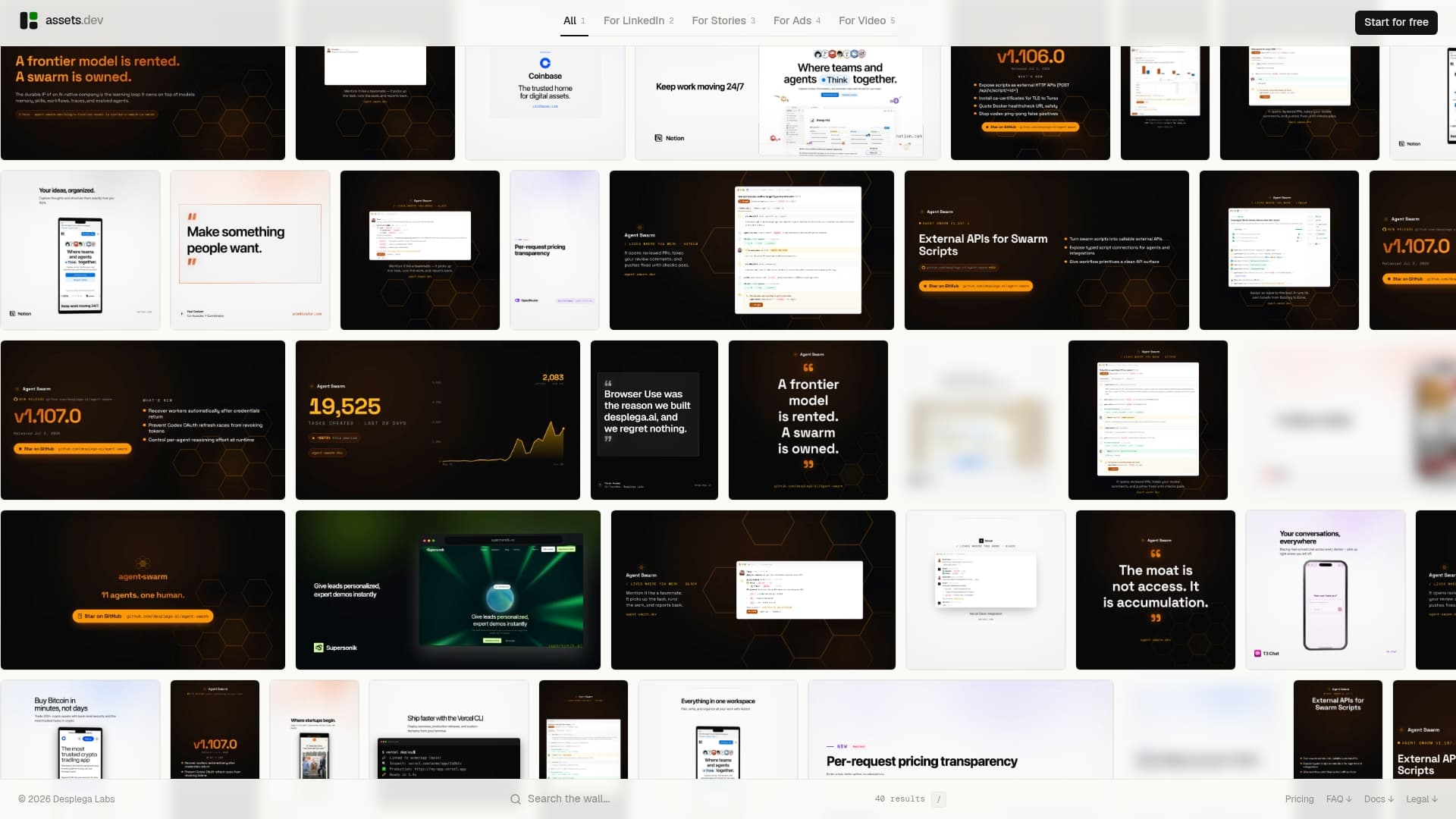
assets dev was built specifically for this problem. The platform learns your brand in seconds, generates or customizes templates for LinkedIn, Instagram, Google, X, and Substack, and renders images, videos, and PDFs via CLI, API, or MCP. The free plan covers 10 videos or 100 image renders with no credit card required. Through July, new accounts get 1,000 free credits instead of the standard 100. The only paid tier is $9/month.
Start by running a sample automated render with your brand kit via CLI or API. Visit assets.dev/pricing to check the free plan details, or go straight to assets.dev to create an account and test a render today.
Useful sources
- assets.dev — Platform overview, features, and free trial sign-up
- Pricing — assets.dev — Free plan limits, paid tier details, and July promo credits
- MCP — assets.dev — MCP integration guide for automated, brand-customized renders
- PCMag: Best Video Editing Software 2026 — Independent testing roundup covering browser editors, desktop tools, and AI features
- DaVinci Resolve — Blackmagic Design — Free and Studio versions; benchmark for post-production color and VFX
- Offshore Video Editor Hiring Guide — Practical guide for teams weighing automation vs. hiring for high-volume campaigns
- Why Ad Creative Quality Affects ROAS — Agency analysis connecting template quality and brand consistency to campaign performance
FAQ
What makes assets dev different from Clipchamp?
Clipchamp is a consumer video editor with no API or automation support. assets dev is a marketing asset platform with CLI, API, and MCP integrations, server-side rendering, and automatic brand learning, built specifically for growth teams running multi-channel campaigns.
Is there a free plan for assets dev?
Yes. The free plan covers 10 video renders or 100 image renders with no credit card required. Through July, new accounts receive 1,000 free credits instead of the standard 100.
Which Clipchamp alternative is best for automated ad production?
assets dev is the recommended pick for automation-first workflows. It supports CLI, API, and MCP triggers, renders server-side, and enforces brand governance org-wide, which no browser-based consumer editor can match.
Can I use DaVinci Resolve for growth marketing automation?
DaVinci Resolve is the industry standard for high-fidelity post-production, but it has no API, CLI, or brand-kit automation. Every render is manual, which makes it impractical for high-volume ad creative workflows.
What should I check before choosing a video editing platform for my team?
Confirm whether the platform renders server-side or browser-side, whether it exposes an API or CLI for programmatic triggers, and whether brand governance is enforced at the org level. Browser-only rendering and no API access are the two clearest signals that a tool will not scale with your workflow.