Field note
Press Release Images Editors Use: One Hero Shot, Packaged Fast
Give editors images they will run: use one hero shot, caption and license it, meet specs like 1200×628 and under 500KB, and automate multi crop press kit...
Yes, include an image, but only if it earns its spot. The single best approach is one literal, story-specific hero image (a product, a person, a location, or a data visual) delivered as a compressed preview for quick review plus separate high-resolution originals for publication. Confirm the license, caption it, and list a media contact so an editor can run it in seconds, not minutes.
TL;DR:
- Editors prefer a single, story-specific hero image that visually communicates the news instantly and helps highlight the key message.
- Use high-resolution images from verified sources, stock media, AI generators, or in-house photography, ensuring licensing, resolution, and release form compliance.
- Press images should be at least 1200×628 pixels for web and social, with JPEG, PNG, or TIFF formats, and properly labeled with consistent credits and descriptive alt text.
- Building a structured press kit with multiple crops, logos, captions, and usage notes ensures faster review and approval by editors.
- Automating image production with platforms like Assets.dev streamlines branding, cropping, and exporting, reducing manual work and ensuring press-ready assets every time.
Table of Contents
- Which Press Release Images Editors Actually Use
- Where to Find Publication-Ready Images Fast
- Press Release Image Size and Format Specs Editors Expect
- Building a Press Kit Editors Can Actually Use
- Licensing and Attribution: What to Check Before You Hit Send
- How Assets.dev Speeds Up Press Kit Image Production
- An Editor's-Eye View on Press Visuals
- Try Assets.dev for Your Next Press Kit
- Sources
- FAQ
Which Press Release Images Editors Actually Use
Editors skip generic stock photography almost on reflex. A handshake photo or a stock office scene tells them nothing about the announcement, and PA Media's guidance on press release imagery notes that literal, story-specific images get used because they carry real information: a new product, a real person, a real place. Editors are scanning fast, often within seconds of opening a release, so the image has to communicate the news instantly.
The types that consistently earn placement:
- Executive headshots for leadership hires, promotions, or spokesperson quotes.
- Product-in-context shots for launches, showing the item being used, not floating on white.
- Site or location photography for openings, expansions, or facility news.
- Interface screenshots for software or app announcements.
- Campaign hero images for marketing or brand initiatives.
- Charts and data visuals for research findings, survey results, or financial news.
- Visual press-release sketches, a one-page graphic combining headline, proof points, and a timeline into a single shareable asset.
Pro Tip: Pick one central visual and build the whole release around it. A release with five competing images confuses editors about what the actual story is; one strong image with a clear crop hierarchy tells them exactly what to run.
Where to Find Publication-Ready Images Fast
You have four realistic sources, and each comes with its own checks.
- Corporate press rooms and press kits. Company press rooms, like Virgin Galactic's Galactic 02 press kit, typically host a compressed folder for quick review and a separate high-resolution folder for publication. Bungie's press rooms follow the same pattern with multiple crops and downloadable ZIPs. If you're building your own press room, mirror that structure.
- Stock media. If nothing story-specific exists, search narrowly (the product category, the industry, the specific action) rather than generic terms. Confirm whether the license is editorial or commercial before sending anything to a reporter, and check resolution against your publication needs. Verified's list of trusted stock media sites is a reasonable starting point for vetting sources.
- AI-generated images. These work when they're high-resolution, story-specific, and not an obvious uncanny stand-in for a real photo, according to editorial guidance on AI images for press use. Label them as AI-generated if the outlet's policy requires it.
- Photographers or in-house assets. For major announcements, hiring a photographer or repurposing owned photography beats stock every time.
Before sending anything, confirm resolution, license terms, and whether a release form is needed for identifiable people or private property.
Press Release Image Size and Format Specs Editors Expect
Get the technical specs wrong and your image gets cropped badly, pixelated, or rejected outright before anyone reads your headline.
- Web and social thumbnails: minimum 1200×628 pixels, horizontal orientation preferred so the image displays cleanly across platforms and wire feeds.
- Print or high-resolution use: 300 DPI minimum.
- File formats: JPEG for photographs, PNG or TIFF when you need transparency or print-grade quality.
- File size: keep preview images under roughly 500KB for fast loading; high-res originals can run several megabytes and belong in a separate download link, not an email attachment.
- Naming convention: something like
companyname_producthero_1200x628.jpg, notIMG_4821.jpg. - Metadata: fill in IPTC caption and credit fields, and write a one-sentence caption that names what's in the frame and why it matters.
- Alt text: describe the image's content and function in plain language. Harvard's accessibility guidance recommends alt text specific enough that someone who can't see the image still understands what it shows and why it's there.
A press-ready image at 1200×628 pixels and under 500KB loads fast enough for a time-pressed editor to preview on a phone before deciding whether to open the full release.
Building a Press Kit Editors Can Actually Use
A usable press kit isn't a folder dump. It's a structured, predictable bundle.
- Hero image, multiple crops. Provide the same shot in landscape, square, and portrait so it works across a wire feed, a social post, and a print layout.
- Logo files. PNG for web use, SVG for scalable print or signage.
- Headshots. Current, high-resolution, properly lit.
- Captions file. A CSV or plain text file matching each filename to its caption and credit line, so nothing gets mismatched in transit.
- Usage notes and contact info. State the license terms plainly and give a real name and email for follow-up.
- B-roll or short video, if you have it.
For delivery, attach a compressed preview directly in your pitch email, then link to a downloadable ZIP or cloud folder for the high-resolution originals. Sending 40MB of unrequested attachments gets a release deleted before it's read. Once you have a folder structure, reuse it every time, and check download or click activity on your hosted assets to see which images editors are actually pulling. Structuring PDFs the same way helps editors open and scan a press kit in under 30 seconds.
Licensing and Attribution: What to Check Before You Hit Send
Never send an image without confirming its license type in writing. Stock photos need a valid editorial or commercial license depending on use, and forwarding an unlicensed image is the fastest way to trigger a retraction request. AI-generated images carry the same risk if you skip labeling: check the outlet's policy and disclose AI origin when required, per current editorial guidance on AI imagery.
- Get model and property releases for any identifiable person or private location, and store them with the asset, not separately.
- Format credit lines consistently: "Photo courtesy of [Company Name]" or "Image: [Photographer Name]."
- Place the credit line directly under the caption, never buried in a footer.
How Assets.dev Speeds Up Press Kit Image Production
Building a fresh hero image, three crops, a compressed preview, and a branded ZIP for every release adds up fast when you're running monthly announcements. Assets.dev handles that workflow directly: the platform learns your branding in seconds, then generates on-brand templates you can export in bulk, from a single hero shot to a full multi-crop set.
The practical flow looks like this:
- Brand capture. Upload your logo and colors once; the system applies them automatically to every export.
- Template generation. Pick a curated template or generate a custom one for your specific release.
- Bulk export. Produce compressed previews and high-resolution originals in one pass, covering the multiple aspect ratios editors and platforms expect.
- Kit packaging. Assemble exports into a folder structure ready to zip and send.
| What you get | Why it matters for press kits |
|---|---|
| Consistent branding across exports | Every crop matches, no manual re-editing |
| Repeatable folder/file structure | Faster turnaround on every future release |
| CLI/API/MCP integration | Plugs into existing automated PR or growth workflows |
| Bulk preview + high-res generation | Covers the exact packaging checklist above |
An Editor's-Eye View on Press Visuals
Editors don't reward creativity for its own sake. They reward speed and clarity: one clear image, a caption that tells them what they're looking at, a license that's already sorted, and a high-resolution file waiting behind a link instead of clogging their inbox. That's the whole checklist from this piece.
What surprises most PR teams is how rarely editors ask for anything elaborate. They want the literal shot, packaged cleanly, delivered without friction. Track which images actually get picked up release after release, and let that data quietly rewrite your next shot list.
— Desplega Labs
Try Assets.dev for Your Next Press Kit
If the checklist above sounds like a lot to rebuild from scratch every release, that's exactly the gap Assets.dev closes. Instead of re-editing crops and rebuilding folders by hand each time, you upload your branding once, generate the hero image and its variants from a template, and export a ready-to-send bundle in one pass.
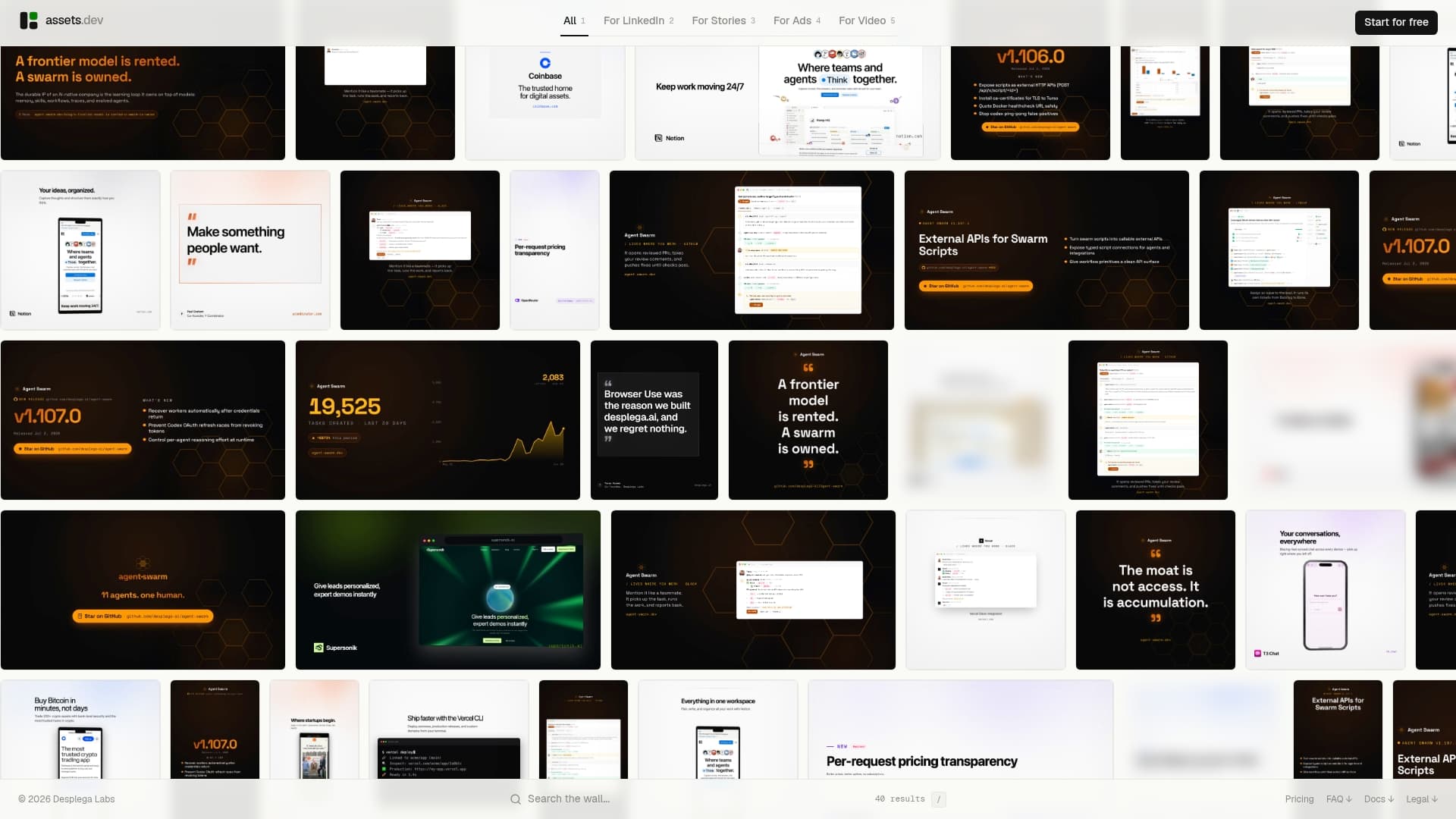
The free plan requires no credit card and allows a limited number of videos or image renderings, enough to test the workflow on a real release before committing. Through July, new users get additional credits to explore the system. For details on usage limits and pricing, visit the Assets.dev landing page. Head to the Assets to set up your brand profile and generate your first press-ready image bundle.
Sources
- Make PR Moments Pop with Visual Press Release Sketches
- AI Image for a Press Release: Newsworthy Visuals That Editors Actually Use
- Galactic 02 Press Kit | Virgin Galactic
FAQ
What does a press release format look like?
A standard press release opens with a headline and dateline, followed by a lead paragraph covering the core news, supporting quotes, background details, a boilerplate about the company, and contact information at the bottom.
What are the five W's in a press release?
The five W's are who, what, when, where, and why: the core facts a reporter needs to understand and verify the story without additional research.
What are the seven main parts of a press release?
The common structure includes the headline, dateline, lead paragraph, body, quotes, boilerplate, and contact information, though some formats also fold in a call to action or media links.
What is the recommended image size for a press release?
A minimum of 1200×628 pixels works well for web and social use, while print or wire distribution typically calls for 300 DPI resolution and horizontal orientation for easier layout placement.
Do press release images need alt text?
Yes. Alt text should describe what the image shows and why it matters, following accessibility guidance so readers using screen readers get the same information as sighted viewers.