Field note
Dynamic Image APIs: A Developer and Marketer Guide
Unlock the power of dynamic image APIs for effortless image creation and transformation. Perfect for developers and marketers alike!
A dynamic image API takes an input (a URL parameter string, a JSON template payload, or a text prompt) and returns a pixel-ready image without you touching a design tool. The two main types are transformation CDN APIs, which modify existing images on the fly via URL parameters, and template/generation APIs, which compose new images from layered data. For on-the-fly resizing and format conversion, use a transformation CDN. For data-driven marketing assets with text overlays, brand colors, and multi-layer layouts, a template rendering API is the right call.
Quick orientation before you pick one:
- Transformation CDN API: best for resize, crop, format conversion, and quality tuning on existing images
- Template/generation API: best for personalized social cards, OG images, ad variants, and any asset where layout and copy change per record
- AI generation API (e.g., OpenAI's Image API): best for net-new creative from text prompts or iterative edits
Pro Tip: Run a single URL-parameter request against a transformation CDN and a single curl against a template endpoint before you commit to either architecture. The latency and output quality difference will be obvious within five minutes.
Key Takeaways
A template/generation API is the right choice for data-driven marketing assets; a transformation CDN API handles resizing and format conversion on existing images.
| Point | Details |
|---|---|
| Pick your API type first | Use transformation CDNs for format/resize; use template APIs for layered, variable marketing assets. |
| Run a smoke test early | Call the API once with a real payload before building your pipeline to catch auth and layer-mapping errors. |
| Version your templates | Use explicit slugs (v2, v3) and visual diff checks to prevent silent regressions after template edits. |
| Set cache rules deliberately | Use Cache-Control: public, max-age=86400 for stable assets; shorter TTLs or no-store for personalized images. |
| assets dev for marketing pipelines | assets dev provides API/CLI access, curated social templates, and 100 free renders (1,000 in July) with no credit card. |
Table of Contents
- How does a dynamic image API actually work?
- Transformation APIs vs template APIs: what's the real difference?
- Copy-paste examples: URL transforms and template render calls
- What parameters and layer fields will you actually use?
- Prerequisites, authentication, and rate limits
- How integration patterns and caching actually work
- When should you use a transformation CDN vs a template API?
- End-to-end marketing workflow: data to delivered image
- What building marketing asset pipelines actually taught us
- assets dev: template-first image generation for marketing workflows
- Useful sources
- FAQ
How does a dynamic image API actually work?
Every dynamic image API follows one of two request pipelines.
Transformation pipeline: Your app constructs a URL with parameters appended (?width=800&format=webp&quality=80). The CDN edge node intercepts the request, applies the transform to the origin image, and returns the result. On the first request, the edge node does the work. Every subsequent request for the same parameter combination is served from the edge cache with no reprocessing. According to Bunny, transformation APIs process the requested transform on first request and then cache the result at the edge for subsequent requests.
Template render pipeline: Your app sends a POST request with a template ID and a JSON payload describing layer values (text, images, colors). The render server composes the image, returns a binary or a hosted URL, and caches the result. First render is the expensive step; everything after that is a cache hit.
The practical difference: transformation pipelines are stateless and URL-addressable, which makes them easy to drop into an <img src> tag. Template pipelines require a server-side call, but they give you full layout control.
Pro Tip: To verify your integration is caching correctly, hit the same URL or template call twice and compare the X-Cache response header. A HIT on the second request confirms the edge is doing its job.
Transformation APIs vs template APIs: what's the real difference?
Both types manipulate images programmatically, but they solve different problems.
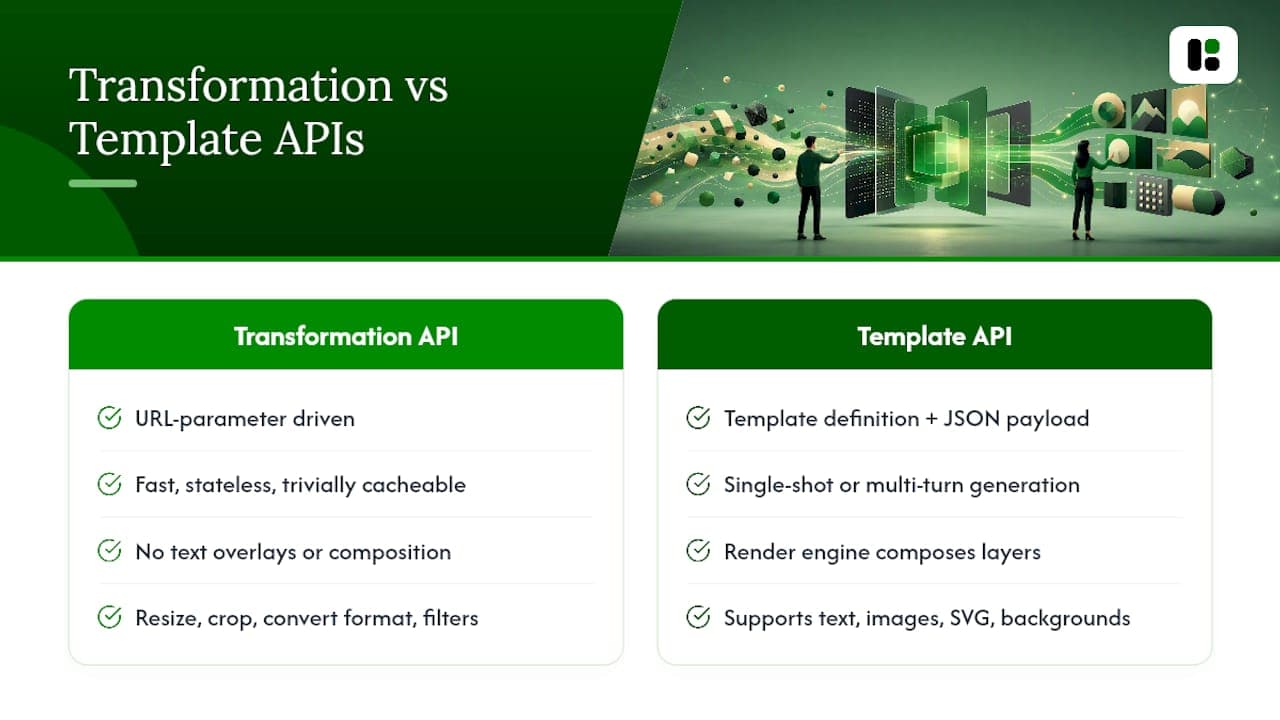
Transformation APIs are URL-parameter driven. You point them at an existing image and append parameters to resize, crop, convert format, adjust quality, or apply filters. They are fast, stateless, and trivially cacheable. The tradeoff is that you cannot add text overlays, swap brand colors, or compose multi-layer layouts through URL params alone.
Template/generation APIs accept a template definition plus a JSON data payload. The render engine composes layers (text, images, SVG shapes, backgrounds) into a single output image. OpenAI's Image API documents two related paths: a single-shot generation/edit endpoint and a Responses API for multi-turn, conversational image generation with streaming partial images. For deterministic marketing outputs, a dedicated template render endpoint is simpler and more cost-predictable than a multi-turn AI generation flow.
Typical capability comparison:
Pro Tip: If your use case involves more than two variable fields per image (name, headline, product photo), go straight to a template API. Trying to fake composition through URL transforms creates unmaintainable parameter strings fast.
Copy-paste examples: URL transforms and template render calls
URL parameter transform
A transformation CDN URL typically looks like this:
https://cdn.example.com/images/hero.jpg?width=1200&height=630&format=webp&quality=85&fit=coverParameters broken down:
width=1200/height=630: output dimensions in pixels (standard OG image size)format=webp: converts the origin JPEG to WebP for smaller file sizequality=85: compression level (1–100); 80–85 is the practical sweet spot for webfit=cover: crops to fill the target dimensions without distortion
Template render via curl
curl -X POST https://api.example.com/v1/render \
  -H "Authorization: Bearer YOUR_API_KEY" \
  -H "Content-Type: application/json" \
  -d '{
    "template_id": "linkedin-post-v2",
    "layers": {
      "headline": { "text": { "content": "Q2 Results Are In", "color": "#FFFFFF" } },
      "avatar": { "image": { "imageFileString": "https://cdn.example.com/avatar.png", "fit": "cover", "cropX": 0.5, "cropY": 0.2 } },
      "background": { "color": "#1A1A2E" }
    },
    "output": { "format": "png", "width": 1200, "height": 627 }
  }'
The response returns either a binary PNG or a hosted URL object:
{ "url": "https://render.example.com/output/abc123.png", "expiresAt": "2026-09-01T00:00:00Z" }Minimal JavaScript SDK example
const client = new ImageRenderClient({ apiKey: process.env.RENDER_API_KEY });

const result = await client.render({
  templateId: "og-image-v3",
  layers: {
    title: { text: { content: pageTitle, color: "#222222" } },
    logo: { image: { imageFileString: logoUrl, fit: "contain" } }
  },
  output: { format: "webp", quality: 90 }
});

console.log(result.url); // CDN-hosted render link
Common error responses to handle: 401 Unauthorized (bad API key), 422 Unprocessable Entity (missing required layer field), 429 Too Many Requests (rate limit hit), and 413 Payload Too Large (image upload exceeds the ~5MB limit common across template render APIs).
Pro Tip: *Always request webp output when the consuming surface supports it.
What parameters and layer fields will you actually use?
Transformation parameters
| Parameter | What it does | Example value |
|---|---|---|
width / height | Output dimensions | 1200, 630 |
fit | Fill mode: cover, contain, fill | cover |
crop | Crop region (x, y, w, h) | 0,0,1200,627 |
face_crop | Auto-detect and center on faces | true |
rotate | Clockwise rotation in degrees | 90 |
flip | Horizontal or vertical mirror | h |
format | Output format | webp, jpeg, png |
quality | Compression level | 85 |
For profile and headshot images, face detection crop (face_crop=true) is worth enabling. It keeps the subject centered regardless of the original framing, which matters when you're improving corporate profile image quality at scale.
Template layer fields
Template APIs expose layered composition through structured field paths. Common ones from the Jasper render API reference:
layers.{name}.text.content— the text string to renderlayers.{name}.text.color— hex color for the textlayers.{name}.image.imageFileString— URL or base64 of the image assetlayers.{name}.image.fit—coverorcontain(overrides crop attributes when set)layers.{name}.image.cropX/.cropY— focal point for cover crops (0.0–1.0)layers.{name}.svg.color/.opacity— fill color and opacity for SVG layersbackground.color/background.imageFile— solid color or image background
Image uploads to template APIs typically cap at around 5MB. Pass assets as URLs where possible to avoid payload size issues.
Pro Tip: Set fit: contain for logos and fit: cover for photos. Mixing them up is the most common cause of stretched or clipped layer output.
Prerequisites, authentication, and rate limits
Before your first API call, provision these:
- API key: every major image API authenticates via a Bearer token or
x-api-keyheader. Store it in an environment variable, never in source code. - CORS configuration: if you're calling the API from a browser, add your domain to the API's allowed origins. Most template APIs are designed for server-side calls; browser-direct calls expose your key.
- Template setup: for template APIs, you need at least one published template with named layers before you can render. Some platforms let you define templates via API; others require a web UI step.
- Font and asset hosting: custom fonts and image assets must be accessible via public URL or pre-uploaded to the platform's asset store. A font that 404s silently falls back to a system font and breaks your brand.
Authentication patterns
| Pattern | When to use it |
|---|---|
| Static API key (header) | Server-side calls from trusted environments |
| Signed URL | Client-side or CDN-level access with expiry |
| Short-lived token | High-security contexts; rotate every session |
URL signing is the most important abuse-prevention control for transformation CDNs. Without it, anyone can construct arbitrary parameter strings against your origin and run up render costs. Sign the URL with an HMAC using your secret key and include the signature as a query parameter; the CDN validates it before processing.
Rate limits vary by plan. A typical entry-level tier might allow 60 requests per minute and 10,000 renders per month. Enterprise tiers commonly remove per-minute caps and bill on render volume. Always implement exponential backoff on 429 responses.
Pro Tip: Set up a separate API key for each environment (dev, staging, production). If a key leaks in a log file, you can rotate one without touching the others.
How integration patterns and caching actually work
The first-render-then-cache pattern is the same across transformation and template APIs, but the invalidation story differs.
On-request generation: the render happens when the first consumer requests the image. The result is cached at the edge (or returned as a hosted URL with its own CDN layer). Subsequent requests for the same parameters or template+data combination are served from cache. Rendering platforms that return a signed hosted URL cache the rendered result on the edge, so a widely-shared resource costs a single render rather than one render per crawler or share.
Pre-warm rendering: you generate images ahead of time (before a campaign goes live) and push the results to your CDN. This eliminates first-request latency for high-traffic moments like email sends or ad launches.
Async batch rendering: you submit a batch job and receive results via webhook when rendering completes. This is the right pattern for bulk personalization (thousands of unique images per campaign).
Cache invalidation considerations:
- Template changes: updating a template does not automatically invalidate cached renders from the old version. Version your template slugs (
linkedin-post-v2→linkedin-post-v3) or append a cache-bust parameter. - Cache-Control headers: set
Cache-Control: public, max-age=86400for stable marketing assets. For personalized or time-sensitive images, use shorter TTLs orno-store. - Purge by URL pattern: most CDNs support tag-based or prefix-based purge. Tag renders by campaign ID so you can invalidate an entire campaign's assets in one call.
| Pattern | Latency | Cost shape | Best for |
|---|---|---|---|
| On-request + edge cache | First req: 200–300ms; cached: <20ms | Pay per unique render | OG images, product pages |
| Pre-warm | Near-zero at serve time | Pay upfront | Email campaigns, ad launches |
| Async batch + webhook | Minutes (batch) | Pay per render, bulk discounts | Personalized bulk campaigns |
When should you use a transformation CDN vs a template API?
Use a transformation CDN API when:
- You're resizing, reformatting, or quality-tuning an existing image
- The image content itself doesn't change, only its dimensions or format
- You need URL-addressable images that work directly in
<img src>tags - Latency is critical and you can't afford a server-side render call
Use a template/generation API when:
- Each image needs unique text (names, headlines, stats, CTAs)
- You're composing multiple layers (photo + logo + text + background)
- You need brand-safe, repeatable output across hundreds or thousands of variants
- You're building a social media automation pipeline that feeds a scheduler
For marketing pipelines specifically, the template API wins almost every time. A transformation CDN can't produce a personalized LinkedIn card with a contact's name and company logo. A template API can, and it can do it at batch scale with async webhooks.
End-to-end marketing workflow: data to delivered image
Here's a workflow you can copy directly.

Step 1: Prepare your data source. Export a CSV from your CRM or connect a Google Sheet. Each row is one image variant. Columns map to template layer fields: first_name, company, headline, avatar_url.
Step 2: Design and publish your template. Build the template in your platform's editor, name each layer to match your CSV columns, and publish it. Note the template_id or slug.
Step 3: Map variables and call the render endpoint. Loop through your CSV rows and POST one render request per row. For batches over ~50 images, use the platform's batch endpoint and pass a webhook URL for completion callbacks.
Step 4: Handle the webhook. Your webhook receiver gets a payload with the rendered image URL for each record. Write the URL back to your sheet or CRM record.
Step 5: Feed results into your scheduler or CMS. Pass the hosted image URL to your social scheduler (Buffer, Hootsuite, or a custom posting script). The URL is CDN-backed, so it serves fast regardless of traffic spikes.
For Instagram content automation specifically, pair your render webhook with a posting API call. The image URL from the render step drops directly into the media attachment field.
Pro Tip: Add a dry_run: true flag (or equivalent) to your first batch call if the API supports it. You'll validate your payload shape and layer mapping without consuming render credits.
Webhook retry logic matters. If your receiver is down when the callback fires, you'll miss the result. Use a queue (SQS, Cloud Tasks, or a simple Redis list) as your webhook target so retries are handled automatically.
What building marketing asset pipelines actually taught us
The conventional wisdom is that template APIs are a "set it and forget it" solution. They're not.
The most common production failure we see is font loading. A template that renders perfectly in a browser-based editor can produce garbled or fallback-font output in a headless render environment if the font URL is behind auth, rate-limited, or simply slow to resolve. Always pre-upload fonts to the render platform's asset store rather than referencing external CDN URLs.
Template regressions are the second trap. A small layout tweak in the template editor can silently break renders that were working fine. Version your templates with explicit slugs and run automated visual diff checks (tools like Percy or a simple pixel-comparison script) against a set of reference renders before promoting any template change to production.
The third pitfall is over-indexing on variants. More variants mean more cache entries, more storage, and more complexity in your invalidation logic. Start with the sizes your actual distribution channels require.
The measurable payoff from getting this right is real. Teams that move from manual design to templated image rendering typically cut per-asset production time from hours to seconds, which makes high-frequency publishing (daily LinkedIn posts, weekly email headers, A/B ad creative) operationally viable for a team of one or two.
assets dev: template-first image generation for marketing workflows
Most of what this guide describes, assets dev does out of the box. You get a curated library of marketing templates pre-sized for LinkedIn, Instagram, Google, X, and Substack, plus an API and CLI that slot directly into the batch workflows described above. The brand-learning step takes seconds: paste in your colors, upload your logo, and every template adapts.
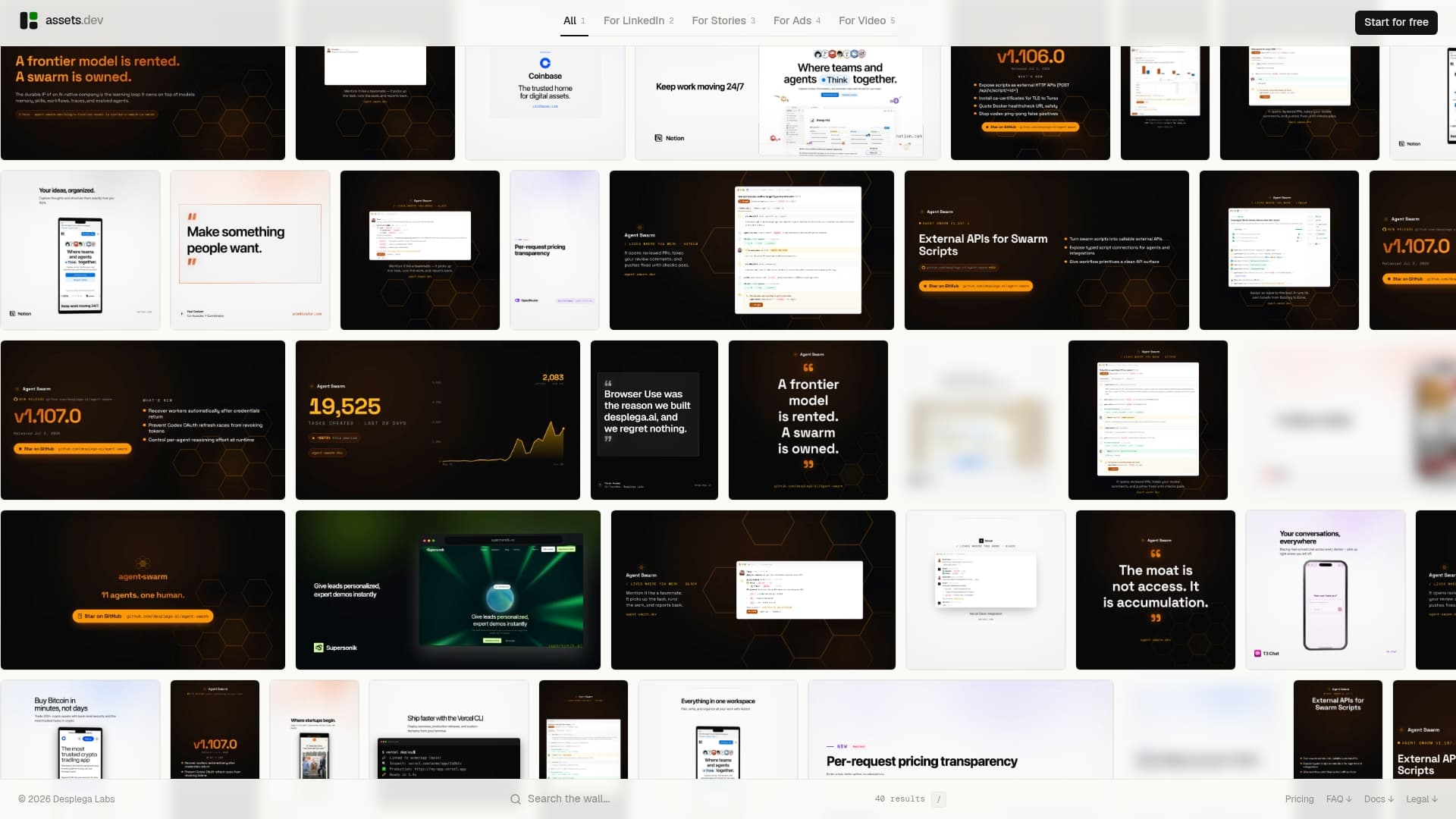
The free plan covers 100 image renderings with no credit card required. In July, it jumps to 1,000 credits free. The only paid tier is $9/month (billed in euros at €9/month), which removes the render cap for teams running ongoing campaigns. API and CLI access are included on both plans, so you can wire assets dev into a Google Sheets script or a GitHub Actions workflow without upgrading first. Start a free render at assets.dev and have your first templated image in under five minutes.
Useful sources
- OpenAI Image Generation API docs: covers the single-shot Image API and the multi-turn Responses API, output formats, and streaming partial images. Start here if you're evaluating AI-generated creative.
- assets dev: platform documentation and template library for marketing asset generation via API, CLI, and web. The right starting point for template-first marketing workflows.
- Bunny.net Dynamic Images overview: authoritative reference for transformation CDN behavior, including edge caching and parameter syntax.
- assets dev: video generation guide: extends the same API/CLI patterns from images to video, useful once your image pipeline is running.
FAQ
What is a dynamic image API?
A dynamic image API generates or transforms images programmatically in response to a request, either by applying URL-parameter transforms to an existing image or by composing a new image from a template and JSON data.
How do I authenticate with an image rendering API?
Most image APIs use a Bearer token or x-api-key header. For client-side or CDN-level access, use signed URLs with an HMAC signature and an expiry timestamp to prevent unauthorized parameter manipulation.
What output formats do template APIs support?
PNG, JPEG, and WebP are universally supported. Some platforms also return PDF output. WebP delivers the smallest file size at equivalent quality and is the best default for web and social delivery.
When should I use assets dev instead of building a custom render pipeline?
assets dev is the faster path when you need brand-safe marketing templates for LinkedIn, Instagram, Google, X, or Substack and want API/CLI access without building a render server. The free plan covers 100 image renders (1,000 in July) with no credit card required.
How does edge caching work for rendered images?
The first request triggers a render; the result is cached at the CDN edge. Every subsequent request for the same image (same parameters or same template+data combination) is served from cache, typically in under 20ms, with no additional render cost.