Field note
Video Generation API: A Developer and Marketer Guide
Discover how a video generation API can automate video creation for developers and marketers. Learn best practices and unlock new potential today.

A video generation API is a programmable interface that automates the creation and editing of videos using AI-driven models, removing the need for manual production at every step. Developers call these APIs with parameters like text prompts, images, and duration settings, then receive finished video files without touching a timeline editor. Marketers use the same infrastructure to produce short promotional clips, social media stories, and personalized ads at a scale no human team can match. This guide covers the technical mechanics, customization options, integration best practices, and real marketing applications of video synthesis APIs so you can build confidently from day one.
What is a video generation API and how does it fit your workflow?
A video generation API accepts structured inputs and returns a generated video file, handling all rendering and AI inference on the provider's infrastructure. The industry term for the broader category is generative video API, though "video generation API" is the phrase developers and marketers search for most. These APIs sit at the intersection of automated video creation and cloud AI, making them the fastest path from idea to finished video asset.
Common inputs include text prompts describing the scene, reference images, existing video clips for editing or extending, and metadata like aspect ratio and resolution. The API processes these inputs asynchronously, meaning your application does not wait idle. It submits a job, receives a unique identifier, and checks back when the video is ready. This model fits naturally into modern marketing pipelines, CI/CD workflows, and content automation scripts.

Use cases span a wide range. A developer building a social media scheduling tool can generate platform-specific clips on demand. A marketer running a product launch can produce dozens of video variants from a single template. The same API call that creates a 9:16 Instagram Story can be adjusted to output a 16:9 LinkedIn video with one parameter change.
How do video generation APIs work technically?
Most commercial video generation APIs function asynchronously, returning a request_id that your application uses to poll for status or receive a webhook callback when the job finishes. This design matters because video rendering takes seconds to minutes, and blocking a thread for that duration wastes compute resources and degrades user experience.
The typical request lifecycle follows four stages. First, your application sends a POST request with the generation parameters. Second, the API returns a request_id immediately. Third, your application polls a status endpoint or waits for a callback. Fourth, when the status returns done, you fetch the video URL and store or serve the file.
Generation status values typically include pending, done, failed, and expired. Each state requires a specific response from your integration. A failed status means you retry with the same or adjusted parameters. An expired status means the video URL is no longer available and you must regenerate. Handling these states correctly separates a brittle prototype from a production-ready system.
Standard parameters across most providers include:
- Text prompt — the natural language description of the video content
- Duration — typically 1–15 seconds per generation request
- Aspect ratio — common options are 1:1, 16:9, and 9:16 for different platforms
- Resolution — usually 480p (default), 720p, or 1080p
- Reference input — an image or video clip used as a visual anchor
Pro Tip: Treat your video generation integration as a state machine. Map every possible status value to an explicit handler in your code. This prevents silent failures where a job expires unnoticed and your pipeline stalls without an error.
What customization and generation modes do video APIs support?
Video generation APIs commonly support five distinct modes: text-to-video, image-to-video, reference-to-video, edit-video, and extend-video. Each mode accepts different inputs and produces different outputs. Mixing modes in a single request is not allowed and returns a 400 error, so your integration must route each job to the correct mode before sending the request.
The table below summarizes the modes, their required inputs, and the scenarios where each one performs best.
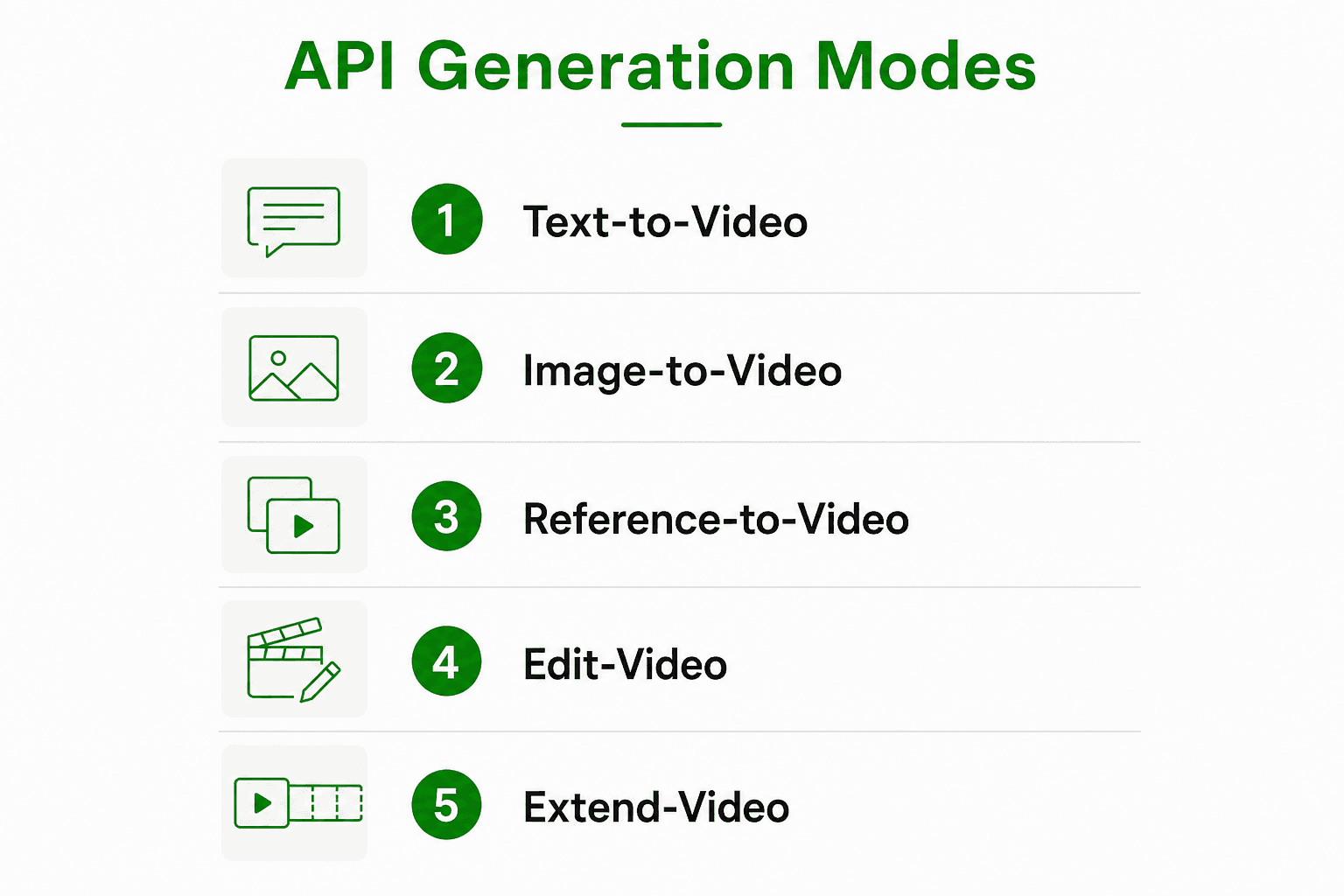
| Mode | Required inputs | Best use case |
|---|---|---|
| Text-to-video | Text prompt | Generating scenes from scratch for ads or explainers |
| Image-to-video | Image + optional prompt | Animating product photos or static brand assets |
| Reference-to-video | Reference video + prompt | Maintaining visual style across a content series |
| Edit-video | Existing video + edit instructions | Updating copy, color, or scene elements in existing clips |
| Extend-video | Existing video + duration target | Lengthening a clip for a longer ad format |
Resolution options range from 480p as the default up to 1080p Full HD, with 720p as a practical middle ground for social platforms where file size and quality both matter. Aspect ratio selection drives platform fit: 9:16 for Instagram Reels and TikTok, 16:9 for YouTube and LinkedIn, and 1:1 for feed posts across most networks.
Storage behavior is another customization layer worth planning for. Generated video URLs expire after a set period, which varies by provider. Your pipeline should download and store finished videos in your own storage immediately after the status returns done. Relying on the provider URL as a permanent link will cause broken assets in production.
A practical example: a marketer running a product catalog campaign uses image-to-video mode to animate each product photo with a subtle motion effect, then uses extend-video to pad each clip to 15 seconds for a pre-roll ad format. Two API modes, one automated script, and no video editor involved.
What are best practices for integrating video generation APIs?
Effective integration starts with choosing between polling and webhook callbacks for handling asynchronous responses. Polling works well for low-volume workflows where simplicity matters more than efficiency. Webhooks are the right choice for high-volume pipelines because they eliminate unnecessary HTTP requests and reduce latency between job completion and downstream processing.
SDKs for these APIs often abstract polling logic, letting you set custom timeout intervals or switch to manual polling for fine-grained control. Use the SDK's built-in polling when you are prototyping. Switch to webhooks before you push to production at any meaningful volume.
Key integration practices that separate reliable systems from fragile ones:
- Implement exponential backoff on retries. A fixed retry interval hammers the API during outages and can trigger rate limiting.
- Store the
request_idimmediately after submission. If your application crashes mid-job, you can resume polling without resubmitting and paying for a duplicate render. - Set hard timeouts on each job. A job stuck in
pendingfor longer than your expected maximum should trigger an alert, not silent waiting. - Batch requests thoughtfully. Most providers enforce concurrent request limits. Queue jobs and release them at a controlled rate rather than firing all requests simultaneously.
- Log every status transition. Debugging a failed batch is far easier when you have a complete audit trail of each job's lifecycle.
Robust integration requires treating video generation as a state machine, where each job can be resumed or restarted from any intermediate state without reprocessing completed steps. This approach prevents costly duplicate renders when partial failures occur.
Advanced workflows use agentic platforms that expose video projects as structured JSON timelines manipulated by AI agents. Projects like OpenMontage and FableCut demonstrate this pattern, where the orchestration logic lives in code rather than in a human editor's decisions.
Pro Tip: Assets supports MCP (Model Context Protocol) integration, which lets you wire video generation directly into agentic workflows. If you are building an AI agent that produces marketing content, MCP orchestration removes the custom glue code between your agent and the video API.
High-volume developers often transition from commercial APIs to self-hosted or hybrid pipelines using tools like Remotion and FFmpeg for cost-effective scaling. Start with a commercial API to validate your workflow, then evaluate self-hosting once your volume justifies the infrastructure investment.
How can marketers use video generation APIs in campaigns?
Video generation APIs enable the creation of short-form videos for social media, personalized marketing, and rapid content production at scale. The practical marketing applications go well beyond simple clip generation.
Concrete use cases that deliver measurable output:
- Batch social content. A single script loops through a product catalog and generates one video per product, formatted for Instagram, LinkedIn, and X simultaneously. What used to take a video team a week runs overnight.
- Personalized video ads. Swap the text prompt dynamically to include a recipient's name, city, or product preference. The API renders a unique video for each audience segment without manual editing.
- Multi-language campaigns. Combine the video API with a text-to-speech API to swap voiceovers across languages. The same visual content reaches French, Spanish, and German audiences with one automated pipeline.
- Template-driven consistency. Define a brand template once, including color palette, logo placement, and motion style, then generate every new video from that template. Brand consistency becomes automatic rather than a review process.
- Rapid A/B testing. Generate five versions of a promotional clip with different opening frames or calls to action. Run them simultaneously and let performance data pick the winner, all without a production budget.
Integration with text-to-speech and image APIs completes the automation loop, enabling end-to-end content workflows where a marketer inputs a brief and receives a finished, platform-ready video. Assets connects these tools through its template system, applying your brand settings to every output automatically.
Key Takeaways
A video generation API is the most direct path to automated, scalable video content when your integration handles asynchronous state management correctly from the start.
| Point | Details |
|---|---|
| Async-first design | Always store the request_id immediately and handle all status states: pending, done, failed, and expired. |
| Mode selection matters | Choose the correct generation mode (text-to-video, image-to-video, etc.) before sending the request to avoid 400 errors. |
| Polling vs. webhooks | Use polling for prototypes and webhooks for production pipelines to reduce latency and unnecessary API calls. |
| Marketing at scale | Batch generation, dynamic prompts, and template-driven workflows turn one API into a full content production system. |
| Scale with intention | Start with a commercial API, then evaluate self-hosted tools like Remotion and FFmpeg when volume justifies the infrastructure cost. |
The part most integration guides skip
The technical documentation for video generation APIs is generally good. What it consistently underestimates is the operational complexity of running these integrations at production scale. I have seen teams build a working prototype in a day, then spend three weeks debugging silent failures in their job queue because they never modeled the expired state.
The shift toward code-as-orchestrator is real and worth taking seriously. Structured JSON timelines and MCP protocols are not just developer conveniences. They represent a fundamentally different way of thinking about video production, where the creative logic lives in data structures that AI agents can read and modify. That is a bigger change than most marketing teams have absorbed yet.
My honest view: the marketers who will get the most from these APIs are not the ones who understand every parameter. They are the ones who invest early in a solid template system and a reliable job management layer. The creative output scales automatically once the infrastructure is right. The teams that skip that foundation spend their time firefighting instead of creating.
The cost question also deserves more attention than it gets. Commercial APIs are the right starting point, but the math changes fast at volume. Building a hybrid approach, where high-frequency, low-complexity jobs run on self-hosted infrastructure and complex or experimental jobs hit the commercial API, is the pattern I see working best for teams past the early stage.
Assets makes video API integration faster
Building a video generation workflow from scratch means managing API calls, brand consistency, template logic, and job state all at once. Assets handles the template and branding layer so you can focus on the integration itself.

The Assets platform includes CLI, API, and MCP integration, which means it drops directly into your existing automated growth flows. The system reads your brand settings in seconds and applies them to every video, image, and PDF it generates. The free plan includes 100 monthly credits with no credit card required, and video uses one credit per rendered second. The Pro plan is €9/mo. Teams signing up in July get 1,000 free credits instead of the standard 100. Check the current pricing tiers to see which plan fits your volume.
FAQ
What is a video generation API?
A video generation API is a programmable interface that accepts inputs like text prompts, images, or existing video clips and returns a generated video file using AI models. It handles all rendering on the provider's infrastructure, so your application only manages the request and the response.
How does asynchronous video generation work?
The API returns a request_id immediately after you submit a job, then your application polls a status endpoint or waits for a webhook callback until the status returns done. This prevents your application from blocking while the video renders, which can take seconds to minutes.
What parameters can I customize in a video generation API?
Standard customization options include duration (1–15 seconds), aspect ratio (1:1, 16:9, 9:16), and resolution (480p, 720p, 1080p). Most APIs also accept text prompts, reference images, and existing video clips depending on the generation mode.
Can I use a video generation API for marketing campaigns?
Yes. These APIs support batch generation, dynamic prompt personalization, and integration with text-to-speech and image APIs, making them well suited for social media content, personalized ads, and multi-language campaigns at scale.
When should I move from a commercial API to a self-hosted pipeline?
Developers typically transition to self-hosted or hybrid pipelines using tools like Remotion and FFmpeg when commercial API costs outpace the infrastructure savings at high volume. Start with a commercial API to validate your workflow before committing to self-hosted infrastructure.