Field note
Customer Testimonial Videos: A Practical Guide for Marketers
Learn how customer testimonial videos can boost conversions. Discover practical tips to effectively capture authentic customer stories.
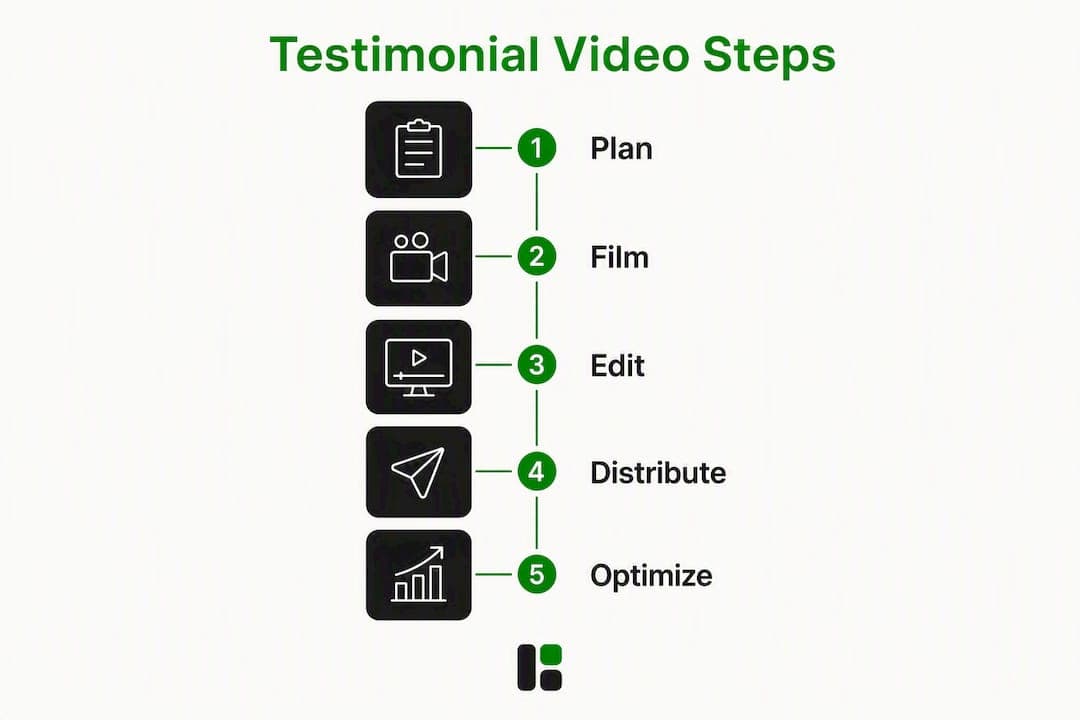
TL;DR:
- Customer testimonial videos feature real customers sharing specific problems, solutions, and measurable results in their own words. They are most effective when anchored to concrete outcomes, especially on decision-driving pages like pricing and sales outreach. Clear structure, authentic language, and visual proof through B-roll enhance their persuasive power across multiple funnel stages.
A customer testimonial video is a short film featuring a real customer describing a specific problem, the solution they found, and a measurable result — in their own words. The single most important production rule: let the customer's own language carry the story, and anchor it to a concrete outcome. Polished production never compensates for vague praise.
These videos do their heaviest lifting at decision moments: landing pages, pricing pages, sales outreach sequences, and retargeting ads. A prospect who is nearly convinced needs to hear from someone who was once exactly where they are. That is what customer testimonial videos do that no feature list can replicate.
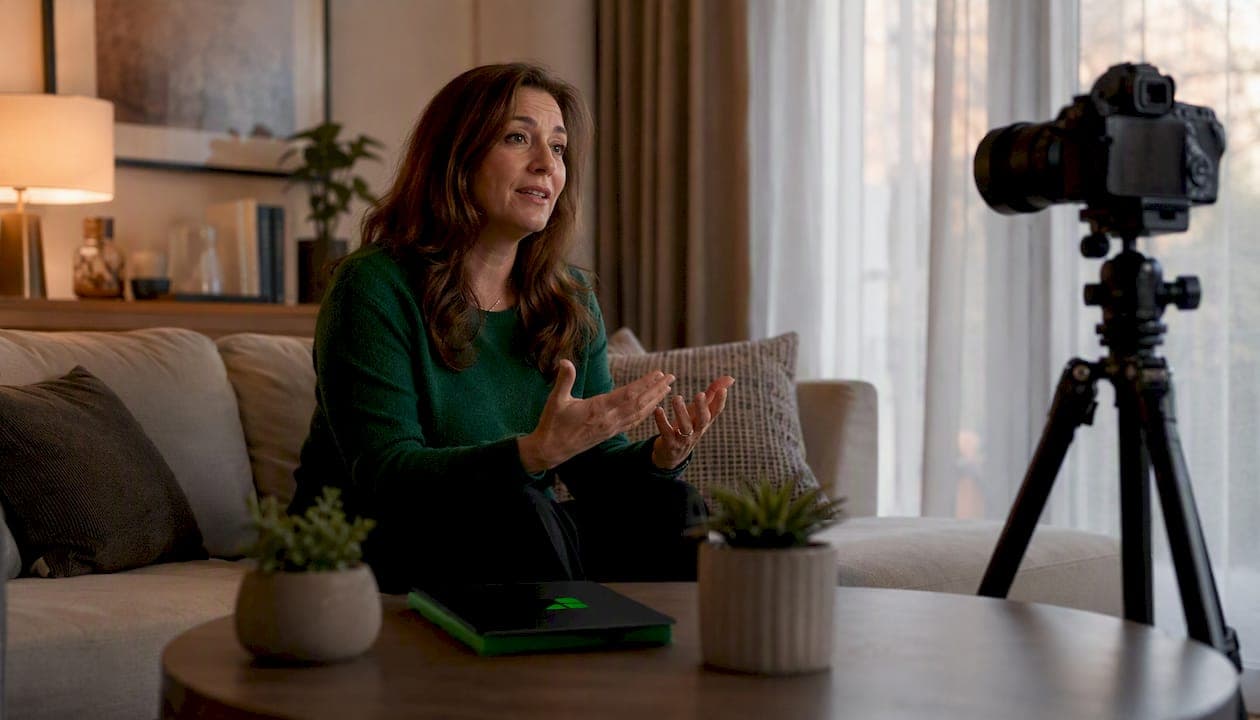
Table of Contents
- Why testimonial videos move prospects more than any other format
- What a high-performing testimonial video actually contains
- Real examples and what makes each one work
- Production checklist: how to film testimonial videos that actually convert
- Editing and storytelling: turning raw footage into a persuasive cut
- Distribution and repurposing: get more from every shoot
- How to measure whether your testimonials are actually working
- Legal basics for U.S. testimonial videos
- Three performance rules the data supports
- Key Takeaways
- The rule most marketing teams ignore
- assets dev cuts your testimonial production time significantly
- Useful sources and templates
- FAQ
Why testimonial videos move prospects more than any other format
The persuasive mechanics here are not subtle. When a buyer watches a real person describe a problem they recognize, the brain does something it never does with a bullet-point list: it identifies. The viewer mentally steps into the story. That identification lowers skepticism before any logical argument even registers.
Social proof amplifies this. Text reviews carry weight, but a face, a voice, and a specific result carry more. You can read a quote and wonder if it was edited. You cannot easily dismiss someone looking into a camera and saying "we cut our onboarding time from six weeks to nine days."
The numbers back this up. Roughly 85% of people say a video has convinced them to buy something, according to industry reporting cited by video production practitioners. That figure covers all video formats, but testimonials sit at the top of the trust hierarchy because they are the only format where the brand is not the one making the claim.
A few high-impact placements where testimonial video consistently outperforms other content:
- Pricing pages: Visitors here are already evaluating cost. A 60-second testimonial from a customer who describes ROI can tip the decision.
- Sales outreach emails: A personalized clip sent after a discovery call shortens the follow-up cycle.
- Retargeting ads: 15–30 second clips aimed at visitors who bounced from a product page are among the highest-converting ad formats.
- Proposal decks: Embedding a relevant case-study clip inside a PDF or slide deck adds credibility no written case study matches.
What a high-performing testimonial video actually contains
Structure matters more than production budget. The most effective client feedback videos follow a clear arc, and the interview questions you ask are what determine whether you get that arc or a string of generic compliments.
The five ordered elements
- Hook/result first. Open with the outcome, not the backstory. "We doubled our qualified leads in 90 days" is a better first line than "We were struggling with our pipeline."
- Brief context (the challenge). One or two sentences on what the situation looked like before. This is where viewers identify.
- The turning point. What changed, and why did the customer choose this solution over alternatives?
- Concrete results. Specific numbers, timelines, or behavioral changes. Vague claims ("it really helped us") kill credibility.
- Short takeaway or CTA. Who would they recommend this to? This is the natural close.
Interview questions that surface conversion-relevant language
Structured interview questions engineered around challenge, turning point, and measurable impact consistently produce better footage than open-ended prompts. Send these to the customer 48 hours before the shoot so they can think, not memorize:
- "What was the specific problem you were trying to solve before you found us?"
- "What made you choose us over other options you considered?"
- "Walk me through what changed after you started using the product."
- "Can you give me a specific number, timeline, or result that stands out?"
- "Who else do you think would benefit from this, and why?"
Pro Tip: Send the questions in advance but tell the customer not to memorize answers. You want them to think on camera, not recite. Spontaneous phrasing is almost always more persuasive than rehearsed language, and supplying prompts ahead of time reduces on-camera anxiety without sacrificing authenticity.
Capture two camera angles during the interview (a medium shot and a tighter close-up) and plan your b-roll around the results the customer describes. If they mention a dashboard, film the dashboard. If they mention a physical space, film the space. B-roll is not decoration; it is visual proof.
Real examples and what makes each one work
The best testimonial videos are not the most expensive ones. They are the ones built around a single customer's specific story. Here are four genre-balanced examples worth studying.
B2B SaaS: single-metric case study
A software company films a customer's operations manager describing how the platform reduced invoice processing time from five days to four hours. The video opens with that number on screen, then cuts to the manager explaining the old process. No actors, no studio, no background music. The persuasive technique is pure specificity: one metric, one person, one before-and-after.
What to copy: Lead with the number. Let the customer explain it in their own words. Keep it under 90 seconds. What to avoid: Don't add a narrator to "contextualize" the story. It signals that you don't trust the customer's words.
B2C e-commerce: emotion-led narrative
A skincare brand films a customer at home, in natural light, describing a years-long struggle with a skin condition and the moment she noticed a change. No metrics, but the emotional specificity is just as concrete. The technique here is narrative identification: viewers with the same condition see themselves immediately.

What to copy: Emotional specificity is as persuasive as numerical specificity. "I stopped hiding my face" is a concrete result. What to avoid: Don't over-light or over-edit. The home setting is part of the credibility signal.
B2B professional services: multi-voice intercut
A consulting firm cuts together three clients from different industries, each answering the same question: "What would you tell someone considering working with them?" The intercut format creates a chorus effect — three independent voices saying similar things without any single voice dominating. Deploy this format when you have multiple strong customers but no single story that covers all buyer personas.
What to copy: The chorus structure works well for mid-funnel content where you need to address multiple objections at once. What to avoid: Don't let any single speaker run longer than 20 seconds per cut. Rhythm is everything in this format.
B2B product demo hybrid
A logistics software company combines a short customer interview with a screen-capture walkthrough of the product in action. The customer describes the outcome; the b-roll shows the exact feature that produced it. This format is particularly effective for technical buyers who need to see the product before they trust the claim.
What to copy: Pair every verbal claim with a visual proof point. If the customer says "the reporting is instant," show the report loading. What to avoid: Don't let the product demo take over. The customer's voice should still drive the narrative.
Production checklist: how to film testimonial videos that actually convert
Pre-shoot
- Select the right customer. Choose someone whose situation closely mirrors your target buyer's. A customer with a dramatic before-and-after story in a recognizable industry beats a satisfied customer with nothing specific to say.
- Send questions 48 hours in advance. Not a script. Questions. Let them think, not memorize.
- Choose a location that shows context. Their office, their workspace, their store. On-location footage consistently outperforms studio shoots for authenticity.
- Get written permission before the shoot. More on this in the legal section below.
Technical checklist
- Camera: A mirrorless camera (Sony A7 series, Fujifilm X-T series) or a high-end smartphone on a tripod. Stability matters more than sensor size.
- Audio: A lavalier microphone clipped to the subject. Room audio from a camera mic is almost always unusable.
- Lighting: A key light at 45 degrees, a fill light or reflector on the opposite side. Avoid overhead fluorescents. Natural window light works well if the sun is not moving fast.
- Two-camera setup: Camera A on a medium shot (chest up), Camera B on a tighter close-up. This gives you edit flexibility and eliminates jump cuts.
- Framing: Leave headroom. Keep the subject slightly off-center (rule of thirds). Eyes at the upper third of the frame.
Shot list
- Interview: medium shot (full setup, primary camera)
- Interview: close-up (secondary camera, tighter on face)
- B-roll: product or service in use (show the result the customer describes)
- B-roll: workspace or environment (establishes context and credibility)
- B-roll: customer at work (not posed, candid if possible)
Pro Tip: For camera-shy subjects, run a five-minute "throwaway" conversation before the real interview starts. Ask them about their weekend or their commute. By the time you get to the real questions, they have forgotten the camera is there. The footage from that warm-up is sometimes the best of the day.
DIY vs. professional shoot: A self-shot testimonial with good audio and natural light beats a studio-polished video with a stiff, over-coached subject. Over-polishing reduces trust. If budget is the constraint, spend it on audio equipment first, then lighting, then camera.
For remote shoots, coach the customer on lighting (face a window) and audio (earbuds in, phone on a stack of books at eye level). Remote capture is better than no capture, but plan to add custom b-roll or motion graphics to compensate for the production gap.
Editing and storytelling: turning raw footage into a persuasive cut
Hook-first editing
Start with the result, not the introduction. Pull the strongest quote from the interview — the one with the specific number or the most vivid emotional moment — and open with it. Then cut back to the context. Viewers decide in the first three seconds whether to keep watching.
Length guidelines by platform
| Format | Recommended Length | Best Placement |
|---|---|---|
| Social clip (paid/organic) | 15–30 seconds | Instagram, X, LinkedIn feed |
| Retargeting ad | 15–30 seconds | Paid social, display |
| Landing page hero | 60–90 seconds | Product and pricing pages |
| Sales enablement | 90–120 seconds | Email outreach, proposals |
| Full case study | Up to 3 minutes | YouTube, dedicated case study pages |
The 30–120 second sweet spot covers most use cases. Anything longer needs a genuinely compelling narrative to hold attention.
Editing techniques that maintain attention
- Multi-angle cuts: Alternate between your medium shot and close-up every 15–20 seconds. This creates rhythm without requiring a second speaker.
- B-roll over talking head: Cut to b-roll whenever the customer describes a result. Showing the dashboard, the product, or the workspace while they speak is more persuasive than watching them talk.
- Jump cuts: Acceptable and often preferred in social formats. They signal authenticity, not poor editing.
- Pacing: Tighten pauses and filler words in the edit. A 12-minute interview can become a 90-second video without losing a single substantive point.
Accessibility
Burned-in captions are non-negotiable for social and landing page contexts. Most video plays silently on autoplay. If the viewer cannot read what the customer is saying, the video fails before the sound ever turns on. Use a caption style that matches your brand typography, and keep lines short enough to read in a single glance. For LinkedIn video uploads, square or vertical aspect ratios with burned-in captions consistently outperform horizontal formats in feed placement.
Distribution and repurposing: get more from every shoot
One well-produced testimonial shoot should yield at least six distinct assets. Here is how to think about it:
- Hero video (60–90s): Goes on the product page, pricing page, and as the primary sales enablement asset.
- Social clips (15–30s): Cut from the strongest 20 seconds of the hero. Use for paid social, retargeting, and organic LinkedIn and Instagram posts.
- Quote card or GIF: Pull the single best line, animate it as a text card, and use it in email sequences and social stories.
- Sales snippet: A 30–45 second clip tailored to a specific objection or persona. Sales reps embed this in follow-up emails.
- Proposal embed: The hero video or a relevant clip embedded directly in a PDF proposal or slide deck.
- Email thumbnail: A static frame from the video with a play button overlay, linked to the hosted video. Increases email click-through rates.
Short clips of 15–30 seconds perform best in paid social and retargeting, while 60–90 second assets are better suited to landing pages and sales sequences. Build your asset library with both lengths from the start.
Tag every clip by persona, use case, and objection it addresses. A sales rep who can search "enterprise / security objection / financial services" and pull a relevant clip in 30 seconds will actually use the library. One that requires digging through a shared drive will not.
For LinkedIn-specific distribution, native video uploads outperform external links. Upload the clip directly, add a caption that opens with the customer's result (not "check out this testimonial"), and tag the customer if they consent.
How to measure whether your testimonials are actually working
Primary KPIs
- View-through rate (VTR): What percentage of viewers watch past the 50% mark? Below 40% usually signals a weak hook or a slow open.
- Click-through rate (CTR) on embedded CTA: For landing page players, track clicks on the CTA that appears after or during the video.
- Conversion rate lift: Compare conversion rates on pages with the testimonial embedded versus pages without it. This is the most direct measure of impact.
- Engagement rate: For social clips, track comments and shares, not just views. Comments that describe personal identification ("this is exactly my situation") are a qualitative signal that the video is working.
Sales enablement metrics
- Track how often sales reps share a testimonial clip in outreach sequences.
- Measure the response rate on emails that include a testimonial clip versus those that don't.
- Count demo requests that can be attributed to a testimonial view via UTM tracking.
A/B testing template
Run a simple page-level test: version A with the testimonial video embedded above the fold, version B without. Run for a minimum of two weeks or until you reach statistical significance. Most teams see a measurable lift in conversion rate within 30 days on pages with meaningful traffic. Use UTM parameters on every video link and embed to track cross-channel attribution accurately.
Legal basics for U.S. testimonial videos
U.S. teams need three things in place before publishing any customer testimonial video:
- Written model/talent release: Covers the right to film, edit, and distribute the customer's likeness and voice. Include the distribution channels (web, social, paid ads), the duration of use, and whether the rights are exclusive or non-exclusive.
- FTC disclosure for compensated testimonials: If the customer received payment, a discount, a free product, or any other material benefit in exchange for the testimonial, that connection must be disclosed. The FTC's guidance is clear: the disclosure must be clear and conspicuous, not buried in fine print.
- Right to review: Best practice is to show the customer the final cut before publishing. This prevents disputes and often surfaces corrections to factual claims.
Keep signed releases on file for the duration of the video's use. For testimonials involving health outcomes, financial results, or professional claims, consult a U.S. attorney before publishing. This article is general information, not legal advice; confirm current FTC rules at ftc.gov or with qualified legal counsel.
Three performance rules the data supports
Rule 1: Specificity beats polish
Testimonials built around a single case study with measurable outcomes consistently outperform generic praise videos. "We reduced churn by 22%" is more persuasive than "the team was really helpful." Producers report that over-polishing a testimonial actually reduces trust — raw, context-rich footage from a real workplace outperforms a studio shoot for credibility.
Implementation: Before every shoot, ask the customer to prepare one specific number or result they can cite on camera.
Rule 2: B-roll is not optional
B-roll showing the product, workspace, or outcome is what holds attention and visually proves the verbal claim. A talking head for 90 seconds straight loses viewers. Cutting to the dashboard, the product in use, or the customer's environment every 15–20 seconds maintains engagement and adds credibility.
Implementation: Plan your b-roll shot list before the interview. Capture at least 5–10 minutes of supporting footage for every 2 minutes of interview.
Rule 3: Optimize for silent autoplay from the start
For social channels and landing pages, burned-in captions and visually descriptive b-roll are required, not optional. Industry reporting puts video's influence on purchase decisions at roughly 85% of viewers — but only when the video actually communicates its message. A video that relies entirely on audio loses most of its social audience before the sound turns on.
Pro Tip: Edit your testimonial with the sound off before you publish it. If the story is not clear from the visuals and captions alone, it will underperform on every social platform.
Key Takeaways
Customer testimonial videos perform best when they lead with a specific result, use the customer's own language, and are distributed in multiple formats across the funnel.
| Point | Details |
|---|---|
| Lead with the result | Open with the customer's strongest outcome — a specific number or vivid result — not the backstory. |
| Structure the interview | Ask questions about challenge, turning point, and measurable impact; send them 48 hours in advance. |
| Shoot for repurposing | One shoot should yield a 60–90s hero, 15–30s social clips, a quote card, and a sales snippet. |
| Measure conversion lift | Compare page conversion rates with and without the testimonial embedded; run the test for at least two weeks. |
| assets dev for production | Assets Dev provides brand-customized templates and automated rendering to produce and distribute testimonial assets across LinkedIn, Instagram, and other platforms without rebuilding layouts from scratch. |
The rule most marketing teams ignore
The conventional wisdom on testimonial videos is that you need a big budget, a professional crew, and a polished final product to make them work. The data says otherwise, and so does experience watching these assets perform across different funnel stages.
The real problem most teams have is not production quality. It is treating testimonials as campaign deliverables instead of permanent pipeline assets. A well-shot testimonial focused on a timeless outcome — one that does not reference a specific promotion, a seasonal offer, or a product version that will be deprecated — can work for three to five years. Most teams shoot it, use it for one campaign, and move on. That is a significant waste of a high-trust asset.
The smarter approach: prioritize shoots by persona and use case, not by campaign calendar. Ask which buyer persona has the lowest conversion rate in your funnel, find a customer who matches that persona exactly, and build the testimonial around the objection that persona carries. That video will earn its production cost back many times over.
Start with one. A single well-structured 90-second testimonial, properly distributed across a pricing page, a sales sequence, and two social clips, will teach you more about what works than a library of mediocre ones. Then build from there, iterating on length, format, and persona coverage as you learn what moves your specific audience.
assets dev cuts your testimonial production time significantly
Producing a testimonial video is one thing. Getting it into the right format for every channel — square for Instagram, horizontal for YouTube, vertical for LinkedIn Stories, captioned for silent autoplay — is where most teams lose hours they don't have.
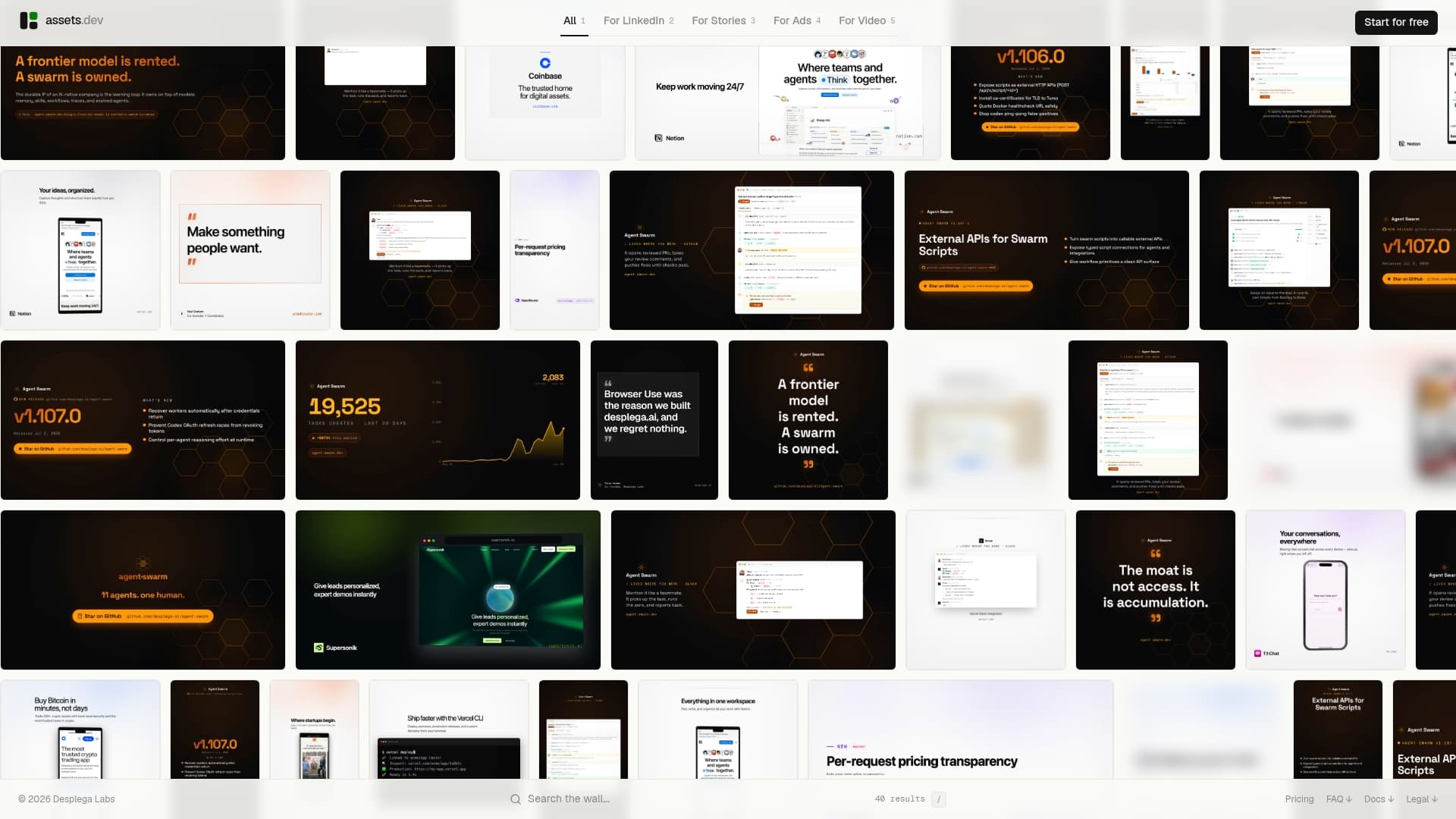
assets dev gives you brand-customized video templates built for exactly this workflow. The platform learns your brand in seconds, applies your typography, colors, and logo to every asset, and exports platform-optimized versions automatically. You get burned-in caption layouts, platform-specific aspect ratios, and reusable social clip templates — all without rebuilding the design from scratch each time.
The free plan includes up to 10 video renderings with no credit card required. For teams producing testimonials at volume, the pro plan runs $9 per month. During July, new users get 1,000 credits instead of the standard 100 on the free plan. If you are building a testimonial library across LinkedIn, Instagram, and Google, that is a meaningful head start.
Start your first testimonial template at assets.dev and have a distribution-ready asset in the time it would normally take to open a design file.
Useful sources and templates
- Testimonial Videos: 10 Powerful Examples — HubSpot: Interview structure and question prompts for eliciting specific customer language.
- Customer Testimonial Video for Growflo — JSB Video: Clip length recommendations by placement (social vs. landing page).
- assets dev — video marketing tools: Guidance on tools for capturing, editing, and distributing testimonial footage.
- assets dev — top video creation platforms: Workflows for video creation platforms that integrate with templating systems.
FAQ
What is a customer testimonial video?
A customer testimonial video is a short film in which a real customer describes a specific problem, the solution they used, and a measurable result — in their own words. It functions as social proof at key decision moments in the buyer journey.
What should a customer testimonial video include?
A strong testimonial covers five elements: an opening hook with the result, brief context on the challenge, the turning point, concrete measurable outcomes, and a short takeaway or recommendation. Specific numbers and authentic language outperform generic praise.
How long should a testimonial video be?
The recommended range is 30–120 seconds for most use cases. Short clips of 15–30 seconds work best for paid social and retargeting; 60–90 second videos are better suited to landing pages and sales sequences.
Can you give an example of an effective testimonial video format?
A B2B SaaS company filming a customer's operations manager citing a single specific metric — "we cut invoice processing from five days to four hours" — and explaining the before-and-after in under 90 seconds is one of the most consistently effective formats. The persuasive technique is specificity, not production value.
What questions should I ask in a testimonial video interview?
Ask about the specific problem before the solution, what made them choose this option over alternatives, what changed after they started using it, and whether they can name a specific result or timeline. Sending these questions 48 hours in advance reduces on-camera anxiety and produces more specific answers.