Field note
A Short Video Script Template You Can Copy and Film Today
Elevate your video content with these five ready-to-use short video script templates, designed for impactful storytelling and clear pacing.
This page gives you five copy-paste short video script templates for 30 to 90 second videos, plus the exact timing and word-count rules that keep them from running long. You'll get a two-column production format, platform-specific pacing notes for TikTok, Reels, and Shorts, and a read-aloud test to confirm your timing before you shoot. The templates come from patterns Assets.dev and Desplega Labs use when scripting brand-aware video assets at scale.
TL;DR:
- Short videos should have no more than three to four beats to maintain viewer engagement, with longer topics split into multiple videos.
- Scripts must be timed aloud to ensure they fit within the recommended word counts for each duration, avoiding accidental overruns.
- Reordering and adjusting proof points or visual cues allows for easy platform customization without rewriting entire scripts.
- Using a two-column script format streamlines production by clearly separating visuals and audio instructions, reducing guesswork during filming.
- Assets.dev provides automation tools and templates to scale short-video production while maintaining brand voice and format consistency.
Table of Contents
- Short Video Script Template Types and When to Use Each
- How to Turn a Template Into a Shootable Script
- Short-Form Scripting Framework: Timing and Pacing That Actually Works
- Three Fill-In Short Video Script Templates You Can Copy Right Now
- Two-Column Format: Getting the Script Shoot-Ready
- Adapting One Script for TikTok, Reels, and YouTube Shorts
- Desplega Labs Perspective: Templates as a Throughput Strategy
- Scale Your Short Video Scripts With Assets.dev
- Quick Reading and Tool Links
- Sources
- FAQ
Short Video Script Template Types and When to Use Each
Most short-form videos fall into five structural buckets. Picking the right one before you write saves you from rewriting the whole script halfway through.
- Product demo (30 to 60 seconds). Open on the problem, show the product solving it in real time, land on the result, close with a CTA. This works best when the product's value is visual, like software UI or a physical gadget.
- Tutorial or how-to (45 to 90 seconds). Hook with the outcome, walk through two or three steps, close with a CTA. Keep each step to one sentence of spoken copy or the video drags.
- Talking-head or opinion (30 to 75 seconds). Open with a counter-claim or myth-busting hook, make one or two points, close with a CTA. This format lives or dies on the first line.
- UGC-style ad (15 to 30 seconds). Lead with authenticity, not polish. One benefit, one CTA, no more.
- Quick case study or testimonial (30 to 60 seconds). Problem, result, proof, CTA. The proof beat is what separates this from a generic pitch. It needs a number, a quote, or a before/after shot.
Each format uses the same underlying skeleton (hook, body, CTA) with different pacing. That skeleton is worth understanding before you touch a script template, because it's what makes the three-part structure work across platforms in the first place.
How to Turn a Template Into a Shootable Script
A template only saves time if you fill it out in the right order. Writing spoken lines first and on-screen text as an afterthought is the most common reason short scripts run long.
- Write the on-screen text first, since a large share of viewers watch with sound off. Then write the spoken line to match and reinforce it, not repeat it word for word.
- Add a one-sentence credibility line right after the hook. This can be a number, a title, or a quick reason to keep watching.
- Draft two or three beats with visuals attached to each one. Note the B-roll or screen recording next to every line as you write it, not after.
- Insert a micro-proof beat before the CTA. A stat, a screenshot, a client name.
- Time it out loud. Read the whole script at your normal speaking pace with a stopwatch running. If it overshoots your target duration, cut the middle beat before you touch the hook or CTA.
- Extract the visual column into a shotlist. Label each shot by type (close-up, screen recording, insert) so whoever is filming or editing doesn't have to re-read the whole script to know what's next.
That last step matters more than people expect. A two-column AV script turns into a shotlist almost automatically once the visual and audio lines are separated, which is the entire point of formatting it that way instead of writing prose.
Short-Form Scripting Framework: Timing and Pacing That Actually Works
The three seconds after a video starts decide whether anyone watches the rest. Four hook types consistently perform well: a bold claim, a question that names the viewer's problem, a "stop scrolling if..." pattern interrupt, or a visual surprise that starts mid-action.

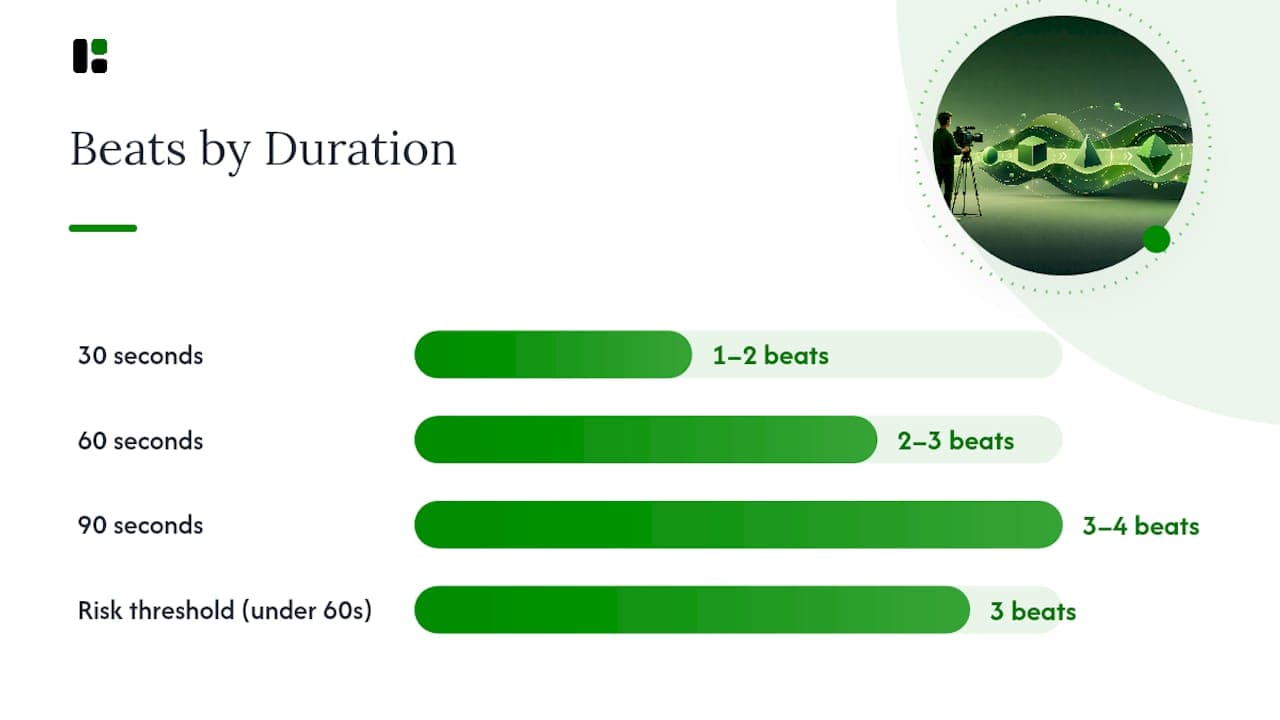
Body pacing depends on duration. A 30 second video supports one beat, maybe two if they're short. A 60 second video comfortably holds two to three beats. Push past three beats under 60 seconds and completion rates tend to drop, since viewers lose track of what the video is actually about. If a topic genuinely needs more than three beats, split it into a series instead of cramming it into one video.
CTAs should run three to five seconds and appear once, at the end, unless you're running a two-CTA structure for a longer tutorial (one mid-roll, one at close).
Word count comes down to speaking pace. Professional voiceover work is often estimated around 150 words per minute, but short-form creators usually talk faster and punchier than a voiceover artist, which shifts these numbers up:
| Duration | Approximate word count | Beats |
|---|---|---|
| 30 seconds | 60 to 80 words | 1 to 2 |
| 60 seconds | 120 to 160 words | 2 to 3 |
| 90 seconds | 180 to 240 words | 3 to 4 |
Those ranges are a starting point, not a guarantee. The only way to know if your script actually fits is to read it aloud at your real speaking pace and time it. Word counts miss pauses, breaths, and the half second you take before delivering a punchline, which is exactly why a stopwatch test beats a word counter every time.
- Hook: 0 to 3 seconds, no exceptions
- Body: scales with duration, capped at 3 to 4 beats even at 90 seconds
- CTA: 3 to 5 seconds, placed at the very end
- Buffer: leave 2 to 3 seconds of unscripted breathing room for transitions
Three Fill-In Short Video Script Templates You Can Copy Right Now
Each template below follows the same shape: timecode, spoken line, on-screen text, and one B-roll cue. Swap the bracketed placeholders for your own product, steps, or opinion and you have a shootable script in minutes.
-
Product demo template (0:00 to 0:45)
- 0:00 to 0:03 — Spoken: "[Problem your audience faces] is more annoying than it needs to be." On-screen text: "Tired of [problem]?" B-roll: quick shot of the frustrating moment.
- 0:03 to 0:20 — Spoken: "Here's how [product] fixes it in one step." On-screen text: name of the feature. B-roll: screen recording or hands-on shot of the product working.
- 0:20 to 0:35 — Spoken: "Now [result, stated concretely]." On-screen text: the result as a number or before/after. B-roll: the finished outcome.
- 0:35 to 0:45 — Spoken: "Try it at [link/CTA]." On-screen text: your CTA text. B-roll: logo or product shot.
-
Tutorial template (0:00 to 1:00)
- 0:00 to 0:04 — Spoken: "Here's how to [outcome] in under a minute." On-screen text: the outcome. B-roll: finished result, shown first.
- 0:04 to 0:25 — Spoken: "Step one: [action]." On-screen text: "Step 1." B-roll: close-up of the action.
- 0:25 to 0:45 — Spoken: "Step two: [action]." On-screen text: "Step 2." B-roll: close-up of the second action.
- 0:45 to 1:00 — Spoken: "That's it. [CTA]." On-screen text: CTA. B-roll: final result again.
-
Talking-head template (0:00 to 0:40)
- 0:00 to 0:03 — Spoken: "Everyone tells you [common belief]. That's wrong." On-screen text: the myth, crossed out. B-roll: straight to camera.
- 0:03 to 0:25 — Spoken: "Here's what actually happens: [your point, with a reason]." On-screen text: your key point, one line. B-roll: cut to supporting footage or a screenshot.
- 0:25 to 0:40 — Spoken: "Follow for more on [topic]. / Comment your take." On-screen text: CTA. B-roll: back to camera.
To trim any of these for a shorter platform cut, drop the middle beat first, not the hook or CTA. If you need a longer version, add a second proof point to the body rather than a whole new beat.
Pro Tip: Film the CTA and hook in one continuous take when you can. Editors can trim the middle beats freely, but a hook and CTA shot together in one breath keeps your energy consistent, and you'll save a full setup change on shoot day.
Two-Column Format: Getting the Script Shoot-Ready
A script written as a single paragraph forces your camera operator and editor to guess what goes on screen. The two-column AV format solves that by splitting visual instructions from spoken audio, with a timing column running down the middle.
- Left column (visual): shot type, on-screen text overlay, B-roll description
- Right column (audio): exact spoken line, any sound cue or music note
- Center column (timing): start and end time for each row, including any silent B-roll seconds with no dialogue
Converting the visual column into a shotlist is mostly a copy job once the script is in this format. Group similar shots into camera setups (all close-ups together, all screen recordings together) and label each one by asset type, then mark which moments are sound-on versus sound-off so your editor knows where captions carry the story alone.
Pro Tip: Add 1 to 2 seconds of pure B-roll with no dialogue between beats in your timing column. It gives editors room to breathe during cuts and stops the video from feeling like a script read aloud over footage.
Adapting One Script for TikTok, Reels, and YouTube Shorts
You don't need three different scripts for three platforms. You need one script with the beats reordered and the captions adjusted.
- TikTok rewards a fast, native-feeling hook in the first second and tends to favor 21 to 34 second videos with punchy on-screen text over full captioning.
- Instagram Reels performs well with a slightly more polished hook and full burned-in captions, since a large share of Reels viewers scroll with sound off.
- YouTube Shorts tolerates a slightly longer setup (up to 3 to 4 seconds) since its audience skews toward searching for an answer rather than passively scrolling.
- To repurpose one script across all three, reorder the proof beat earlier for TikTok, keep full captions for Reels, and add a text-based recap frame at the end for Shorts.
- If a script has more than three beats, split it into a two-part series instead of cramming both platforms' preferences into one cut. That decision alone tends to protect completion rate better than any caption tweak.
Desplega Labs Perspective: Templates as a Throughput Strategy
Scripted short videos consistently outperform winged, unscripted ones on retention, because a script forces the hook and CTA to exist before the camera turns on. Most creators who skip scripting don't lose quality. They lose the first three seconds, which is the only part of the video that matters for the algorithm's decision to keep showing it to more people.
We think the real value of a template isn't the words it gives you. It's the order it forces on you: hook before you shoot, proof before you cut, CTA before you post. That sequencing is what Assets tries to bake into automated workflows, since a CLI or API call that skips straight to rendering without a scripted structure underneath it just produces polished footage of nothing in particular.
— Desplega Labs
Scale Your Short Video Scripts With Assets.dev
Assets.dev turns the templates above into a repeatable production line instead of a one-off writing exercise. The platform learns your brand voice in seconds, then applies it automatically to every script and asset you generate afterward, so you're not rewriting tone from scratch on video ten.
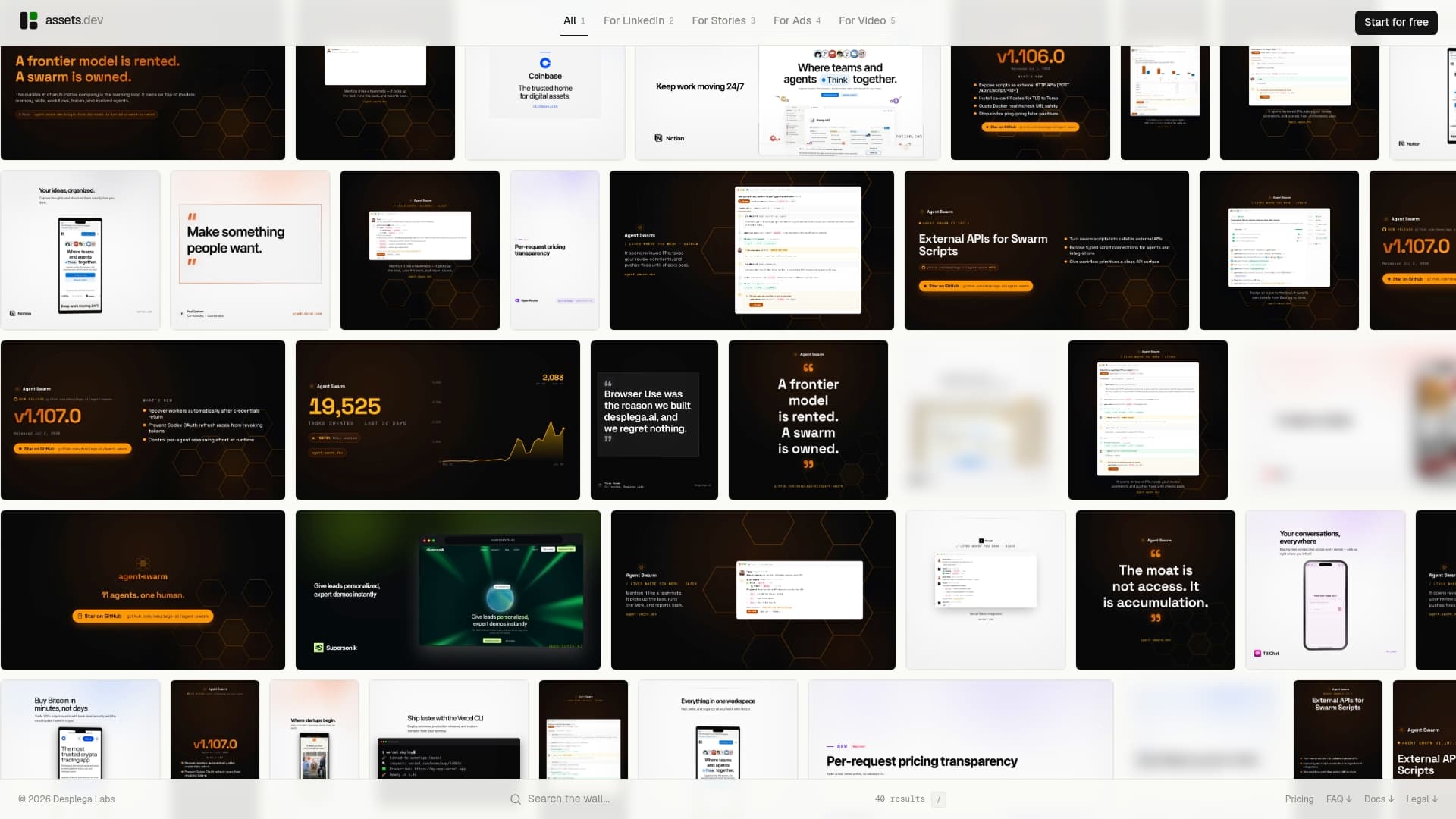
You get curated, ready-to-use templates alongside the option to generate your own, and everything runs through a web interface or through CLI, API, and MCP integrations if you're building scripting into an existing growth workflow. That matters most once you're producing more than a handful of videos a week and can't afford to reformat every script by hand for LinkedIn, Instagram, or X.
The free plan covers up to 10 videos or 100 image renderings with no card required, and the only paid tier is $9 a month once you outgrow that. Through July, new users on the platform get 1,000 credits instead of the usual 100. Start with the free plan, export a script and its production assets, and see how fast a brand-aware template actually films.
Quick Reading and Tool Links
For deeper detail beyond this template pack, the NemoVideo short-form structure guide covers hook types and beat timing in more depth. Boords' two-column AV template is worth downloading directly for production use. If your shoot involves drone footage, FPV Drone's videography guide covers shot planning for that gear specifically, and Ken Jones NYC's pre-production checklist is a solid companion once your script becomes a shotlist.
Sources
- Video Script Template for Short-Form Videos — NemoVideo
- Free video script template (two-column AV) — Boords
- Finding the perfect script length — TwoGiraffes
FAQ
How do you write a script for a short video?
Start with the hook (0 to 3 seconds), add two or three body beats with visuals attached to each line, then close with a CTA. Fill in on-screen text before spoken lines, since many viewers watch muted, then time the whole thing aloud before you shoot.
How do you write a 30 second video script?
Aim for 60 to 80 words total, one or two body beats maximum, and a CTA under five seconds. Read it aloud with a stopwatch, since word counts alone don't account for natural pauses in real delivery.
How do you write a 3 minute video script?
A 3 minute script runs closer to long-form than short-form, so it can support more beats than the 2 to 3 beat limit used for videos under 90 seconds. Break it into clear sections with its own mini-hook every 30 to 45 seconds to hold attention across the longer runtime.
How do you write a 5 minute video script?
Structure it in sections rather than beats: an opening hook, three or four content chunks each with its own micro-hook, and a closing CTA. At this length, an outline generator or a two-column AV template helps more than a single flowing paragraph, since you're tracking far more visual cues than a 30 or 60 second script requires.
Can Assets.dev help me produce these scripts at scale?
Yes. Assets.dev offers curated short-video templates plus brand-aware generation through its web platform, CLI, API, and MCP integrations, which suits creators producing multiple scripted videos per week across platforms like TikTok, Instagram, and YouTube.