Field note
The Best Taplio Alternatives for LinkedIn Growth in 2026
Discover top taplio alternatives for LinkedIn growth in 2026. Find the best tools for AI features, pricing options, and account safety.

What are the best Taplio alternatives right now?
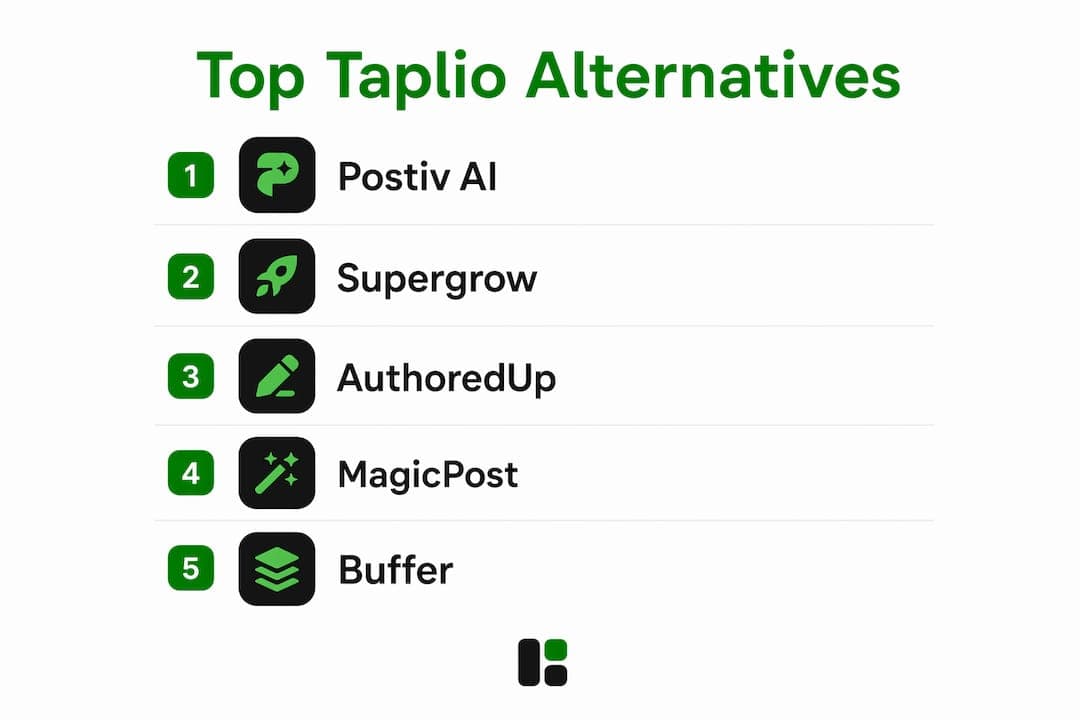
The strongest Taplio alternatives in 2026 are Postiv AI, Supergrow, AuthoredUp, MagicPost, and Buffer, each winning on a different axis: AI personalization, account safety, pricing, or scheduling simplicity. If you need one answer fast: Postiv AI leads for all-in-one AI plus carousels plus team features, Supergrow leads on price, and MagicPost leads on LinkedIn compliance.
The comparison below covers all major contenders across the dimensions that actually matter in 2026: starting price, AI content quality, account safety, feature depth, scheduling, and team collaboration. Two things drove the selection criteria more than anything else. First, LinkedIn's 2025 crackdown on cookie-based automation tools made account safety a non-negotiable filter. Second, AI fatigue is real: creators are abandoning platforms that produce generic, template-driven posts in favor of tools that learn their actual voice.
Taplio's pricing structure also deserves a plain-English summary before the table. The Starter plan at $39/month includes no AI credits. The Growth plan at $69/month provides a limited number of AI credits, which heavy users may exhaust quickly. The Pro plan at a higher monthly fee offers unlimited AI and access to the lead database. Most people comparing Taplio alternatives are really comparing against the $69/month Growth tier, not the advertised $39.

| Tool | Starting Price | AI Content Quality | Account Safety | Feature Depth | Scheduling | Team Features | Best For |
|---|---|---|---|---|---|---|---|
| Postiv AI | Free trial | Brand-trained, carousel-ready | API-compliant | High: AI + carousels + analytics | Yes | Strong: workspaces, roles | All-in-one AI + teams |
| Supergrow | $19/mo | Voice-trained AI | Fully compliant, no risky automation | Good: AI + scheduling | Yes | Limited | Budget AI + safety |
| AuthoredUp | ~$20/mo | No AI generation; formatting tools | Safe (Chrome extension, read-only) | Focused: formatting + analytics | Post calendar | Solo/small team | Post formatting + hooks |
| MagicPost | ~$21/mo | AI drafts, API-safe | Official LinkedIn API | Good: writing + scheduling | Yes | Limited | API-safe posting |
| Buffer | Free / $6/channel | No AI | Safe | Basic scheduling only | Yes | Basic | Free multi-platform scheduling |
| Shield Analytics | $25/mo | None | Safe | Analytics only | No | Team pricing available | Deep LinkedIn analytics |
| Kleo | ~$99/mo | Voice-trained, deep personalization | Safe | AI + analytics + inspiration | Limited | No | Voice-matched AI writing |
| Hootsuite | $99/mo | OwlyWriter AI | Safe | Enterprise-grade, multi-platform | Yes | Strong | Large teams, multi-platform |
| Typefully | Free / $12.50/mo | AI drafts | Safe | LinkedIn + X threading | Yes | Basic | LinkedIn + X creators |
| Socialsonic | ~$20/mo | Trend-based AI | Safe | AI + scheduling + recycling | Yes | Limited | Rapid content scaling |
| ContentIn | Visit site | Voice-learning AI | Safe | LinkedIn ghostwriting | Limited | No | Voice-matched ghostwriting |
| EasyGen | ~$13/mo | Trend-trained AI | Safe | Lightweight post generator | No | No | Fast content batching |
| Bluecast | Visit site | AI ideation + drafting | Safe | Unified content dashboard | Yes | Limited | All-in-one LinkedIn workflow |
| Letterdrop | Visit site | Content from sales calls | Safe | Sales-to-content pipeline | Yes | Yes | Sales teams + content |
| Expandi | Visit site | Limited | Moderate (automation risk) | Outreach + content | Limited | Yes | Lead gen + outreach |
| Lavender | Visit site | AI messaging | Safe | Email + LinkedIn outreach AI | No | Yes | Sales outreach personalization |
| Dux-Soup | Visit site | None | Moderate (automation) | Outreach automation + CRM | No | Yes | Automated connection sequences |
| Waalaxy | Visit site | None | Moderate | Outreach + email sequences | No | Limited | LinkedIn prospecting |
| OneUp | Visit site | None | Safe | Multi-platform scheduling | Yes | Basic | Budget multi-channel scheduling |
| Publer | Free / $12/mo | None | Safe | Bulk scheduling + recycling | Yes | Basic | Affordable multi-platform |
| SBL.so | Visit site | Analytics + workflow | Safe | Full-stack growth suite | Yes | Limited | Analytics-first growth |
| Postwise | Visit site | Brand-aware AI | Safe | AI post generation | Yes | No | Personalized AI posts |
| RedactAI | Visit site | Brand-safe AI | Safe | Privacy-focused AI writing | Limited | No | Brand-safe AI content |
| Scheduled | Visit site | None | Safe | Simple scheduling | Yes | No | Lightweight scheduling |
| Meet Sona | Visit site | AI engagement insights | Safe | Engagement + publishing | Yes | No | Engagement-focused growth |
| Ask Stanley | Visit site | Conversational AI | Safe | Content inspiration + scheduling | Limited | No | Solo AI content assistant |
| SayWhat | Visit site | AI community growth | Safe | Content + community tools | Limited | No | Community-focused creators |
| Brandled | Visit site | Stylistic AI support | Safe | Content composition + organization | No | No | Voice-consistent writing |
| assets.dev | Free / $9/mo | Brand-customized asset generation | Safe (no LinkedIn automation) | Images, videos, PDFs for LinkedIn | Via integrations | CLI, API, MCP | Brand-aligned visual assets |
| Shield (Shield Analytics) | $25/mo | None | Safe | Deep LinkedIn analytics | No | Team pricing | Data-driven creators |
Table of Contents
- In-depth profiles of the top Taplio alternatives
- How to choose the right Taplio alternative for your LinkedIn growth goals
- How this comparison was evaluated
- How to combine multiple LinkedIn growth tools effectively
- When LinkedIn's native tools are enough
- How assets.dev supports brand-aligned LinkedIn growth
- assets dev gives your LinkedIn content a visual identity
- FAQ
- Key Takeaways
In-depth profiles of the top Taplio alternatives
Postiv AI: the all-in-one benchmark
Postiv AI is a comprehensive replacement for Taplio. It offers brand-trained AI writing, a carousel designer, post scheduling, and advanced team workspaces in one platform. The brand-trained AI learns your tone, vocabulary, and post structure, making output sound personalized and addressing common concerns about generic AI content.
For teams and agencies, Postiv AI offers separate client workspaces with role-based access and approval workflows. That's a feature set Taplio doesn't match at any price tier. Pricing starts with a free trial, and the platform connects through LinkedIn's official API, keeping accounts protected.

Supergrow: the budget-first choice
Supergrow offers AI writing starting at a budget-friendly rate significantly lower than Taplio's AI-enabled plans. Its voice-trained AI adapts to your writing style over time, and the platform avoids risky automation methods such as cookie scraping or session hijacking. For a solopreneur who wants Taplio-style features without Taplio's price or compliance risk, Supergrow is the most direct upgrade path.
The trade-off is honest: Supergrow has a smaller user base and a newer product history. Some reviews mention AI quality variance. But for creators who can't justify $69/month and want an all-in-one approach, it's the clearest starting point.
AuthoredUp: for writers who want better tools, not more AI
AuthoredUp takes a different angle entirely. It's a Chrome extension that improves LinkedIn's native composer with rich text formatting, multi-device post previews, a hooks library, saved templates, and per-post analytics. There's no AI content generation, which is exactly the point for creators who already write well and just want their posts to look and perform better.
At around $20/month for individuals, it's also the right answer if your Taplio frustration is specifically about AI quality rather than scheduling. You write the posts; AuthoredUp makes them sharper and easier to manage.
MagicPost: the safest posting option
MagicPost connects through LinkedIn's official API and OAuth authentication, offering significantly safer account security compared to cookie-based or extension methods. It generates AI drafts from topics or URLs and handles scheduling and posting. Though its features are not extensive, it suits users prioritizing account safety.
Buffer: the free scheduling baseline
Buffer's free tier covers scheduling across three channels including LinkedIn, with no AI and no LinkedIn-specific features. The paid tier adds analytics at $6 per channel per month. That's the right answer for creators who write their own content, post consistently, and don't need AI generation or deep analytics. Pair it with Shield Analytics at $25/month and you have a complete, affordable stack for under $35/month total.
Shield Analytics: data without the content tools
Shield provides historical LinkedIn data, tailored posting-time recommendations, and detailed engagement metrics beyond what LinkedIn's native analytics offer, which are limited to a short history period with no posting-time optimization. It complements scheduling tools effectively.
Kleo: voice-matched AI at a higher price
Kleo trains on your tone, language, and writing habits to produce personalized posts. Its plans include unlimited AI with deep personalization. Unlike some competitors, Kleo doesn't support carousel creation, where others may have an edge for visual content.
Hootsuite: enterprise breadth, not LinkedIn depth
Hootsuite offers a multi-platform management dashboard starting at a high price point. Its AI assists with content ideas and drafts, and its team features cater well to enterprises. However, its LinkedIn-specific features are less comprehensive than dedicated tools, making it preferable for organizations managing many platforms rather than individual LinkedIn brands.
Typefully: for creators active on both LinkedIn and X
Typefully manages LinkedIn and X threading from a single interface, with scheduling features for users active on both platforms. Its free tier offers basic scheduling; paid plans start at a modest monthly fee. It's better suited for those dividing attention between LinkedIn and X, rather than LinkedIn-only users seeking specialized tools.
The outreach-focused tools
Expandi, Dux-Soup, Waalaxy, and Lavender serve a different buyer job than content creation tools. They automate connection requests, messaging sequences, and lead tracking. Expandi and Dux-Soup both carry moderate compliance risk because they rely on automation that LinkedIn's 2025 enforcement targeted. Waalaxy focuses on outreach campaigns and email sequences but has no content generation. Lavender specializes in AI-assisted messaging for sales outreach. These tools complement a content strategy rather than replace it.
The lighter-weight alternatives
Several tools in the broader category serve specific, narrower needs:
- Socialsonic combines trend-based AI with content recycling and scheduling, starting around $20/month, suited for creators who want to scale output fast.
- EasyGen generates LinkedIn post drafts from prompts at around $13/month, trained on high-performing content formats. Fast and lightweight, with no scheduling built in.
- ContentIn learns your voice from existing posts and generates ghostwritten content that mirrors your tone. LinkedIn-only, no multi-platform support.
- Bluecast provides a unified dashboard for ideation, drafting, and scheduling, aimed at marketers who want one place for the full LinkedIn content workflow.
- Letterdrop connects sales call recordings and outreach sequences to LinkedIn post generation, making it the right fit for sales teams who want content to drive pipeline.
- Postwise uses brand-aware AI trained on viral post formats to generate personalized LinkedIn content with scheduling support.
- RedactAI emphasizes privacy and brand alignment in its AI writing workflow, suited for professionals who need brand-safe content generation with flexible customization.
- SBL.so functions as a full-stack growth engine combining analytics, scheduling, and workflow automation for creators who want a comprehensive suite beyond content generation alone.
- OneUp, Publer, and Scheduled are budget multi-platform schedulers with no AI generation. Publer starts at $12/month with bulk upload and content recycling. OneUp and Scheduled cover similar ground at comparable price points.
- Meet Sona, Ask Stanley, SayWhat, and Brandled are newer or more niche tools. Sona focuses on engagement insights alongside publishing. Stanley offers conversational AI for post ideas and timing. SayWhat targets community-building alongside content. Brandled emphasizes stylistic consistency and content organization for personal brand writers.
Pro Tip: Before committing to any AI writing tool, run your own voice test: paste three of your best-performing posts into the tool's training interface and ask it to generate a new post on a topic you know well. If you can't tell the difference between the output and your own writing, the voice training is working. If it sounds like a LinkedIn template, move on.
How to choose the right Taplio alternative for your LinkedIn growth goals
The decision comes down to four questions, and answering them in order saves you from buying the wrong tool.
1. What's your actual bottleneck?
If you're not posting consistently, you need a scheduler, not an AI writer. Buffer or Publer solves that for under $15/month. If you're posting but not getting traction, you need analytics first: Shield at $25/month tells you what's actually working before you change your content strategy. If you're posting and getting traction but spending too much time writing, then AI generation tools like Postiv AI, Supergrow, or ContentIn become relevant.
2. How much does account safety matter to you?
For anyone with a LinkedIn account that drives real business, the answer should be: a lot. Tools using official LinkedIn API and OAuth authentication are significantly safer than cookie-based or extension-driven alternatives. MagicPost, Postiv AI, Buffer, and Supergrow all connect through compliant methods. Expandi, Dux-Soup, and Waalaxy carry more risk because their automation models are closer to what LinkedIn's 2025 enforcement targeted.
3. Do you need AI that sounds like you, or just AI that's fast?
Generic AI output is the top complaint about Taplio, and it's a legitimate one. Tools like Kleo, ContentIn, and Postiv AI train on your existing posts to mirror your voice. EasyGen and Socialsonic prioritize speed and volume over personalization. If your personal brand depends on a distinctive voice, the voice-training tools are worth the extra cost. If you're producing content at scale for multiple clients, speed may matter more.
4. What's the real price you're comparing against?
Taplio's advertised $39/month Starter includes zero AI credits. The $69/month Growth plan provides a limited number of AI credits, which heavy users may exhaust quickly. When you compare alternatives, compare against the $69/month Growth tier, not the Starter. At that benchmark, Supergrow at $19/month, EasyGen at $13/month, and Typefully at $12.50/month all look substantially different.
Common pitfalls to avoid:
- Choosing a tool based on its feature list rather than the one feature you'll actually use daily.
- Ignoring the authentication method until LinkedIn sends a warning.
- Paying for AI credits on a capped plan when unlimited-AI alternatives cost less.
- Stacking too many tools. A scheduler plus an AI writer plus an analytics tool can easily exceed $100/month. Look for platforms that consolidate the functions you need before adding a third tool.
- Overlooking free trial availability as a selection criterion. Tools that offer genuine free trials let you test AI quality before committing, which is the only reliable way to evaluate voice matching.
How this comparison was evaluated
The evaluation behind this comparison follows the methodology Postiv AI used in its head-to-head testing of ten Taplio alternatives, supplemented by published pricing data, user reviews on G2 and Capterra, and community discussions on Reddit's r/LinkedInTips and r/SaaS.
Each tool was assessed across six dimensions: AI content quality and personalization, account safety and LinkedIn compliance, feature depth and usability, scheduling and workflow support, team collaboration features, and pricing transparency. Authentication method was treated as a binary filter: tools using LinkedIn's official API and OAuth passed; tools relying on cookie-based authentication or extension overlays were flagged with a compliance risk note.
Pricing was verified against each tool's published plans as of 2026. Where pricing was not publicly listed, the table reflects that rather than guessing. AI quality was evaluated by testing voice-training features with real post samples, not by accepting vendor claims at face value.
User reviews were drawn from G2, Capterra, and Product Hunt. Taplio holds a G2 rating of 4.6/5 and a Capterra rating of 4.7/5, with consistent complaints about generic AI output, cookie-based authentication risks, and the AI credit ceiling on the Standard plan. Those complaints directly shaped the selection criteria for alternatives.
One important note on source credibility: the Postiv AI blog is a primary source for this comparison and is also a vendor in the category. Its testing methodology is transparent and its findings align with independent community discussions, but readers should weigh that context when evaluating its rankings.
How to combine multiple LinkedIn growth tools effectively
No single tool does everything well. The most effective LinkedIn stacks in 2026 pair two or three focused tools rather than relying on one platform to cover every function.
The most common high-performing combination is an AI writing tool plus a dedicated analytics platform. Supergrow handles content creation and scheduling; Shield Analytics handles performance data. Together they cost under $50/month and cover the full content-to-insight loop without the overlap of an all-in-one suite.
For teams, the combination shifts: Postiv AI or Letterdrop for content creation and collaboration, paired with a visual asset tool for brand-consistent imagery. That's where assets.dev fits naturally. It generates brand-aligned images, videos, and PDFs for LinkedIn posts through a web interface, CLI, API, or MCP integration, so the visual layer of your content matches your written brand without requiring a separate design workflow.
Practical steps for building and migrating your stack:
- Export your Taplio post history before canceling. Most tools let you import a CSV of past posts for voice training.
- Start your new AI tool's voice training on your ten best-performing posts, not your most recent ones.
- Run your new stack in parallel with Taplio for two to four weeks before fully switching. This lets you compare AI output quality on real topics before committing.
- Set up your analytics tool first, before changing your posting behavior. You need a baseline to measure against.
- Use AI marketing tools training resources to get your team aligned on the new workflow before going live, especially if multiple people are contributing to one LinkedIn presence.
- Audit your total monthly spend across tools every quarter. Tool sprawl is the most common reason LinkedIn content stacks become expensive without becoming more effective.
When LinkedIn's native tools are enough
LinkedIn has added scheduling and basic analytics directly to its platform, and for some users, those native features are genuinely sufficient. Before paying for a third-party tool, it's worth being clear about what LinkedIn already provides.
LinkedIn's native scheduler lets you queue posts up to three months in advance from both desktop and mobile. The native analytics dashboard shows impressions, clicks, reactions, comments, and follower growth over the past 28 days. For a professional who posts two or three times a week and doesn't need historical trend data or posting-time optimization, that's a functional baseline.
Where native tools fall short:
- No posting-time recommendations based on your specific audience's activity patterns.
- Analytics history capped at 28 days, with no way to compare performance across longer periods.
- No draft management or saved templates for recurring content formats.
- No AI writing assistance of any kind.
- No carousel builder or rich text formatting beyond LinkedIn's basic editor.
- No team collaboration or approval workflows.
The practical threshold: if you're posting fewer than five times per week, writing your own content, and not managing a team or client accounts, LinkedIn's native tools plus a free Buffer account covers the basics. Once you're posting daily, running AI-assisted content, managing multiple voices, or tracking performance trends over time, a dedicated tool pays for itself quickly.
LinkedIn's native scheduling and analytics work well as a starting point, but they're not a substitute for the depth that dedicated platforms provide once your LinkedIn strategy becomes a real growth channel.
How assets.dev supports brand-aligned LinkedIn growth
assets.dev occupies a specific and genuinely useful position in a LinkedIn content stack: it handles the visual layer that most content tools ignore entirely.
Most LinkedIn writing tools produce text. Some add carousel builders. None of them generate brand-consistent images, videos, and PDFs that match your exact visual identity across LinkedIn, Instagram, Google, X, and Substack simultaneously. That's what assets.dev does. The platform learns your branding in seconds and applies it across a library of curated marketing templates, or generates new assets from scratch using AI with your brand parameters already loaded.
The integration options are what make it practical for technical users and teams. assets.dev connects via web interface, CLI, API, and MCP, which means it can slot directly into an automated content workflow. If you're already using a tool like Postiv AI or Supergrow for writing and scheduling, assets.dev handles the visual assets that accompany those posts without requiring a separate design tool or a Canva subscription.
Key capabilities:
- Brand learning: The system reads your brand parameters once and applies them to every template and generated asset automatically.
- Asset types: Images, videos, and PDFs, covering the full range of LinkedIn content formats including carousels, cover images, and document posts.
- Cross-platform output: Templates optimized for LinkedIn, Instagram, Google, X, and Substack from a single workflow.
- Integration depth: CLI, API, and MCP support for embedding asset generation into automated growth flows.
- Pricing: A generous free plan with no credit card required, covering up to 10 videos or 100 image renderings. The only paid plan is $9/month. In July 2026, new users get 1,000 free credits instead of the standard 100.
For professionals and founders who want their LinkedIn presence to look as considered as it reads, assets.dev fills the gap that writing tools leave open. It's not a Taplio replacement. It's the visual complement to whichever content tool you choose.
assets dev gives your LinkedIn content a visual identity
The tools compared above handle writing, scheduling, and analytics. What most of them don't handle is the visual layer: the branded images, document carousels, and video assets that make a LinkedIn post stop the scroll.
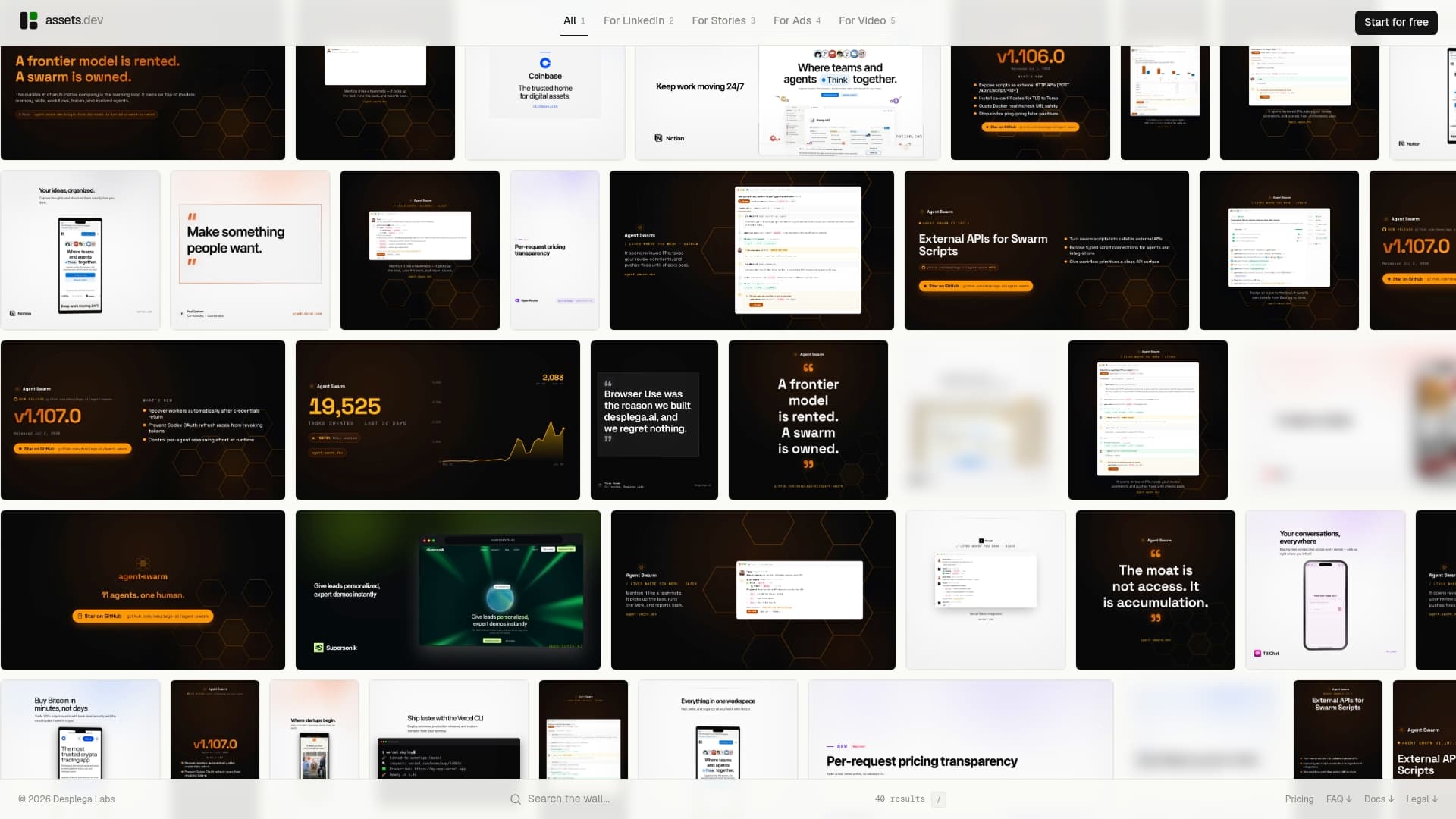
assets.dev is built specifically for that gap. You get a curated library of growth marketing templates, an AI that learns your brand in seconds, and output in images, videos, and PDFs ready for LinkedIn and every other platform you publish on. The free plan covers up to 100 image renderings or 10 videos with no credit card required. The pro plan is $9/month. In July 2026, new signups receive 1,000 free credits instead of the standard 100.
For teams already using a writing tool like Postiv AI or Supergrow, assets.dev connects via CLI, API, or MCP so visual asset generation fits directly into your existing workflow. No separate design tool, no Canva subscription, no manual resizing for each platform. Start with the free plan at assets.dev and see how fast the brand learning works.
FAQ
What is the best Taplio alternative in 2026?
Postiv AI is the strongest all-round replacement, combining brand-trained AI writing, carousel design, scheduling, and team workspaces in one platform. For budget-conscious creators, Supergrow includes voice-trained AI from $19/month with no AI credit gate.
Which Taplio alternatives are safest for my LinkedIn account?
MagicPost, Postiv AI, Buffer, and Supergrow all use LinkedIn's official API and OAuth authentication, which is significantly safer than the cookie-based methods Taplio relies on. Avoid tools that use Chrome extension overlays or session-based authentication if account safety is a priority.
Is there a free Taplio alternative?
Buffer offers free scheduling for three channels including LinkedIn. LinkedIn's own native scheduler is also free. Neither includes AI writing, but both cover basic post scheduling at no cost.
How much does Taplio actually cost for AI features?
Taplio's Starter plan is $39/month and includes zero AI credits. The Growth plan is $69/month and provides a limited number of AI credits, or you can choose the Pro plan at a higher monthly fee for unlimited AI and access to the lead database.
Can assets.dev replace a LinkedIn content tool?
assets.dev is not a LinkedIn writing or scheduling tool. It generates brand-aligned visual assets (images, videos, PDFs) for LinkedIn and other platforms, complementing writing tools rather than replacing them. It works best paired with a content tool like Postiv AI or Supergrow.
Key Takeaways
The most effective Taplio alternatives in 2026 combine official LinkedIn API compliance, voice-trained AI, and transparent pricing to deliver safer and more authentic LinkedIn growth than Taplio's cookie-based, credit-capped model.
| Point | Details |
|---|---|
| Account safety is the top filter | Tools using LinkedIn's official OAuth API (Postiv AI, MagicPost, Supergrow) avoid the account restrictions Taplio's cookie-based method risks. |
| Taplio's real AI cost is $69/month | The advertised $39/month Starter includes zero AI credits; most users need the $69/month Growth plan to access AI features. |
| Voice-trained AI beats generic AI | Platforms like Postiv AI, Kleo, and ContentIn train on your posts to produce content that sounds like you, addressing the top complaint about Taplio's output. |
| Free trials are a reliable quality signal | Tools offering genuine free trials let you test AI voice matching before committing; this correlates with higher user satisfaction in 2026. |
| assets.dev fills the visual gap | assets.dev generates brand-aligned images, videos, and PDFs for LinkedIn at $9/month (free plan available), complementing any writing or scheduling tool you choose. |