Field note
LinkedIn Post Formats: The 2026 Template Team Guide
Discover effective LinkedIn post formats to boost engagement. Learn how to use carousels, text, and video to connect authentically.
TL;DR:
- LinkedIn content is most effective when using a system of carousels for education, texts for connection, and videos for trust. Repeating and repurposing a core asset across formats boosts engagement, saves, and shares which predict quality leads better than impressions. Automating asset rendering with brand tokens streamlines production and ensures format diversity, driving sustained account growth.
Document carousels, text posts, and native video are the three LinkedIn post formats worth building a system around. The rule is simple: carousels for education, text for connection, video for trust. Rotate them as a system, not as one-offs.

Two signals matter most right now. First, LinkedIn's algorithm rewards dwell time and saves/shares far more than raw impressions. Second, external links in post bodies suppress reach. Put every link in the first comment.
The immediate move for any template team: pick one core asset, then render it as a carousel, a text post, and a 60-second video. That single repurposing loop is the foundation of everything below.
Stat: Document carousels report engagement rates of 4.2–6.8% in 2025–2026 samples, outperforming image posts and link posts by a wide margin.
Table of Contents
- What LinkedIn post formats are available, and when should you use each?
- When should you use each format based on your goal?
- What are the technical specs every template engineer needs to know?
- Six micro-templates marketing teams can drop into a library
- How do you automate LinkedIn formats at scale?
- How should you test formats and iterate?
- How do you turn one asset into multiple LinkedIn formats?
- Key Takeaways
- Why format diversity beats chasing a single winning post type
- assets dev makes LinkedIn format production repeatable
- Useful sources
- FAQ
What LinkedIn post formats are available, and when should you use each?
Every format has a job. The mistake most teams make is treating them as interchangeable.
| Format | Engagement Profile | Effort | Best Use Case |
|---|---|---|---|
| Text-only | High comments | Low | Opinion, story, hot take |
| Single image | Medium-high | Low-Medium | Data viz, quote graphic |
| Multi-image gallery | Medium | Medium | Event recap, showcase |
| Carousel (PDF) | Very high saves/dwell | Medium-High | Framework, tutorial, guide |
| Native video | High completion | High | Talking head, demo, trust |
| LinkedIn Live | Very high (live) | Very High | Q&A, panel, interview |
| Poll | High volume, low depth | Low | Research, conversation |
| Article/Newsletter | Medium reach, SEO | Very High | Long-form, subscriber list |
| Event post | Medium | Medium | Webinar, meetup |
| Celebration/Reshare | Low-Medium | Very Low | Milestone, commentary |
| Link post | Low (suppressed) | Low | Avoid in post body |
Text-only posts serve connection and controversy. A personal story or a sharp opinion with no image still drives the highest comment rates when the writing is strong. Posts over 1,200 characters get roughly 40% more dwell time than very short ones, so long-form text is not dead.
Carousels (PDF uploads) are the education format. They package step-by-step value into a swipeable sequence that earns saves and bookmarks. Format diversity compounds account-level performance: carousels drive discovery, text builds relationships, video deepens trust.
Native video builds authority and personality. Upload directly to LinkedIn. External video links get suppressed by the algorithm because LinkedIn wants users to stay on platform. Keep videos under 90 seconds; hook viewers in the first three seconds.
Polls generate volume but not depth. Use them for research and visibility, not authority building.
When should you use each format based on your goal?
Map format to psychological need before you open any template.
- Text → connection and controversy. Optimize for comments and mentions. CTA: ask a direct question in the last line.
- Carousel → education and saveable frameworks. Optimize for saves and dwell time. CTA: "Save this for later" on the final slide.
- Video → trust and authority. Optimize for view-through completion rate and follows. CTA: verbal prompt in the final five seconds.
- Poll → research and conversation. Optimize for vote volume and comment thread. Follow up with a text post sharing results.
- Article/Newsletter → SEO and subscriber growth. Optimize for click-through and subscriber adds.
Saves and shares are better predictors of downstream lead quality than impressions. Build your dashboards around them.
Pro Tip: When instrumenting template variants, wire each template's CTA copy to its target KPI. A carousel template should have a "save this" CTA token; a text template should end with a question token. This makes A/B testing CTA wording a one-variable change, not a full redesign.
What are the technical specs every template engineer needs to know?
Get these into your rendering pipeline defaults and stop guessing per post.
| Asset | Spec |
|---|---|
| Single image | 1200×1200px (square) or 1200×627px (landscape), JPG/PNG/GIF, max 10MB |
| Multi-image | Up to 9 images, same size per image, max 10MB each |
| Carousel (PDF) | 1080×1080px (square) or 1080×1350px (portrait), PDF/PPT/PPTX, max 300MB |
| Native video | 1080×1920px (vertical) or 1080×1080px (square), MP4/MOV, max 5GB |
| Carousel slide count | 8–12 slides (practical sweet spot) |
| Per-slide word count | 25–50 words; one idea per slide |
| Font size minimum | 24px for mobile readability |
Spec note: Carousel posts support up to 300 slides, but 8–12 is the practical range. Anything above 15 risks losing attention before the CTA slide.
Accessibility checklist to bake into every template:
- Alt text field required for every image asset (include as a metadata token in the rendering pipeline)
- Captions required for all video (auto-generated captions should be edited for accuracy before publishing)
- Transcripts stored as companion text files for video assets
- Minimum color contrast ratio of 4.5:1 for body text on slides
- Font size no smaller than 24px on carousel slides
- Test every PDF carousel on a physical phone screen before publishing
Six micro-templates marketing teams can drop into a library
These are parameterized. Brand color, logo, font, and CTA copy are tokens. Everything else is structure.
-
8-slide carousel framework. Slide 1: bold benefit-driven headline (brand color background, logo token). Slides 2–7: one idea per slide, max 40 words, icon or data point as visual anchor. Slide 8: CTA slide with "Save this" prompt and link-in-comment note. Rendering note: generate as PDF via API with
brand_color,logo_url,headline,idea_[1-6], andcta_copytokens. See carousel post ideas for live examples. -
1,500-character long-form text post. Structure: 3-line hook (bold claim + tension + payoff promise) → 7–9 line body (numbered list or short paragraphs) → 1-line CTA question. Token:
hook_claim,body_points[],cta_question. No image needed. Fully manual; no rendering pipeline required. -
60-second talking-head video brief. Seconds 0–3: state the single insight (no logo animation). Seconds 4–50: three supporting points, one per cut. Seconds 51–60: verbal CTA and "link in comments." Rendering note: export as MP4 1080×1920px; auto-caption via pipeline; store transcript as metadata. Check LinkedIn video best practices for hook and caption guidance.
-
Single-image data viz template. Layout: headline token top-left, data point centered (large type), source attribution bottom-right, brand logo bottom-left. Dimensions: 1200×1200px. Tokens:
headline,data_point,source_text,brand_color. Batch-render via API for weekly stat posts. -
Poll + follow-up story template. Poll post: one sharp question, two to four options, 1-week duration, no image. Follow-up text post (post after poll closes): "X% of you said Y. Here's what I think that means:" → 3-paragraph opinion. Both are manual; poll results feed the follow-up copy token.
-
Newsletter-share template. Single image (1200×627px) with newsletter title and edition number as tokens. Caption: 3-sentence teaser ending with "Full issue linked in comments." Tokens:
newsletter_title,edition_number,teaser_copy. Parameterized; batch-render for each issue.
How do you automate LinkedIn formats at scale?
The core flow: one canonical asset (a blog post, a research report, a recorded talk) → rendering pipeline → carousel PDF, text post copy, and video brief, all with brand tokens applied.
Practical automation pattern:
- Store brand tokens (color hex, logo URL, font family, CTA copy variants) in a central config file consumed by the rendering API
- Each template type maps to an API endpoint or CLI command:
render --template carousel-8slide --tokens brand.json --content content.json - Batch jobs name output files with a convention:
[date]_[format]_[topic-slug]_v[version]for version control and rollback - Asset metadata (slide count, character count, alt text, caption file path) stored alongside each rendered asset
Governance checklist before any post goes live:
- Accessibility tokens populated (alt text, caption file attached)
- Link placement verified: post body has zero external URLs; link stored as metadata and posted to first comment via automation job
- Brand token diff checked against approved config version
- Approval gate: one human sign-off on first render of any new template; subsequent batch renders auto-approved if tokens match
Pro Tip: Enforce the link-in-comment rule at the pipeline level. Store the destination URL as a metadata field on the asset, not in the post copy template. The automation job reads that field and posts the comment immediately after the main post publishes. This removes the human error of accidentally pasting a link into the post body.
How should you test formats and iterate?
Keep the experiment scope tight. One variable per test; everything else held constant.
- Slide count (8 vs. 12 slides on the same topic)
- Hook length (one line vs. three lines above the fold)
- CTA wording ("Save this" vs. "Tag someone who needs this")
- Image vs. text density on carousel slides (icon-heavy vs. text-heavy)
- Thumbnail copy on video (text overlay vs. no overlay)
- Link placement (first comment vs. no link at all)
Interpreting results:
- Use rolling 7-day windows, not single-post snapshots. One outlier post skews everything.
- Watch dwell time, saves, shares, and video completion rate first. Impressions and raw likes are secondary.
- A meaningful result on LinkedIn requires consistent posting cadence over at least four weeks per variable. Single-post conclusions are noise.
- Engagement velocity (how quickly a post receives interactions after publishing) is a stronger signal than total engagement count.
How do you turn one asset into multiple LinkedIn formats?
The repurposing flow is the production multiplier.
- Step 1: Start with a canonical long-form asset (blog post, research report, recorded talk).
- Step 2: Extract an outline of 8–10 key points.
- Step 3: Render as an 8–12 slide carousel PDF (template 1 above).
- Step 4: Compress the outline into a 1,500-character text post with a 3-line hook (template 2).
- Step 5: Record or render a 60-second video hitting the top three points (template 3).
- Step 6: Pull one data point for a single-image stat post (template 4).
- Step 7: Write a newsletter excerpt teaser (template 6) linking to the full piece in comments.
Distribution and timing:
- Carousels: 1–2 times per week. High production effort; space them out.
- Text posts: 2–4 times per week. Low effort; use them to fill the gaps between carousels and video.
- Native video: 1 time per week. Completion rates drop when audiences see too much video from one account.
- Always place external links in the first comment, never the post body.
- Aspect-ratio note: if repurposing a carousel for Instagram, re-render at 1080×1350px (portrait). The content tokens stay the same; only the template dimensions change.
Key Takeaways
Format mix, metric focus, and a repurposing workflow are the three levers that compound LinkedIn performance over time.
| Point | Details |
|---|---|
| Lead with carousels | Document carousels report 4.2–6.8% engagement rates, the highest of any format. |
| Prioritize saves and shares | Saves and shares predict lead quality better than impressions; build dashboards around them. |
| Repurpose one canonical asset | One source asset renders into carousel, text post, video, stat image, and newsletter teaser. |
| Link in first comment | External links in post bodies suppress reach; store URLs as metadata and post to first comment via automation. |
| assets dev for automation | assets dev provides API/CLI/MCP rendering, brand token management, and a curated LinkedIn template library. |
Why format diversity beats chasing a single winning post type
The most common mistake on LinkedIn is finding one format that works and then posting nothing else. A carousel that performs well this month will plateau. The algorithm surfaces variety; audiences tune out repetition.
The deeper issue is metric selection. Teams that optimize for impressions end up with reach and no pipeline. Saves and shares are the signal that someone found the content worth keeping. That is a fundamentally different audience behavior than a passive scroll-past.
Format diversity is not about doing more work. It is about building a system where each format earns a specific kind of attention. Carousels earn saves. Text posts earn comments and DMs. Video earns follows and trust. When all three run together, they reinforce each other at the account level.
The practical implication: build your template library around the repurposing flow, not around individual posts. One canonical asset, rendered into five formats, is more durable than five original posts in the same format.
assets dev makes LinkedIn format production repeatable
Most teams spend more time on file management and brand QA than on content strategy. assets dev flips that ratio.
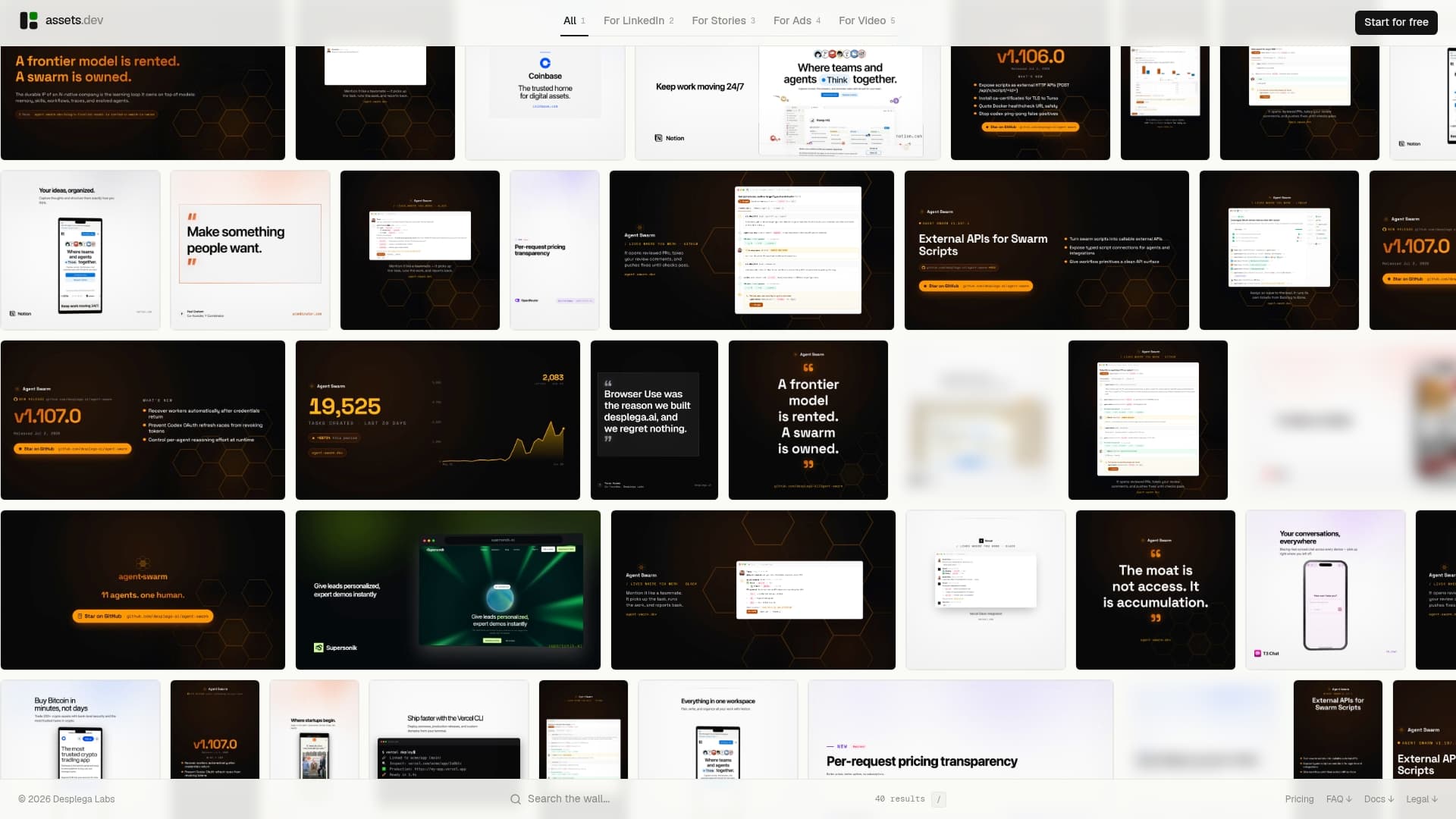
The platform gives you a curated library of LinkedIn templates (carousels, video briefs, image posts) where brand tokens (color, logo, font, CTA copy) are applied in seconds. The API, CLI, and MCP integrations slot directly into automated growth workflows, so batch rendering a week's worth of LinkedIn assets is a single pipeline job, not a manual design session. Accessibility tokens (alt text, caption files) are built into the rendering output.
The free plan includes up to 100 image renderings and 10 videos with no credit card required. During July, new accounts get 1,000 credits instead of 100. The only paid tier is $9/month (€9/month). Start rendering branded LinkedIn assets at assets.dev.
Useful sources
- LinkedIn Content Formats in 2026: What's Actually Working — algorithm signals, carousel engagement data, link-in-comment guidance
- How to Write a LinkedIn Post in 2026 — Neal Schaffer — text post structure, dwell time data, saves/shares priority
- Types of LinkedIn Posts: Every Format Explained — CannerAI — format-by-format breakdown, native video reach data
- LinkedIn Post Types: Complete Guide 2026 — ConnectSafely — spec tables, engagement benchmarks, format mix guidance
- LinkedIn Post Formats 2026 — JustPollen — carousel specs, post structure frameworks
- LinkedIn Carousel Examples — Buffer — 11 carousel formats, ad vs. organic rules, best practices
- assets dev carousel post ideas — internal template examples and production notes
- assets dev LinkedIn video specs — rendering pipeline defaults for video assets
- assets dev carousel size guide — slide dimensions and template defaults for 2026
FAQ
What LinkedIn post format gets the most saves?
Carousel (document) posts consistently generate the most saves because they package step-by-step frameworks into a swipeable format readers bookmark for later reference.
How many slides should a LinkedIn carousel have?
The practical sweet spot is 8–12 slides: enough depth to earn saves, short enough to keep people swiping to the CTA slide.
Does putting a link in a LinkedIn post hurt reach?
Yes. LinkedIn suppresses posts with external links in the post body. Place every link in the first comment immediately after publishing.
How often should you post each LinkedIn format?
Carousels work well at 1–2 times per week, text posts at 2–4 times per week, and native video at roughly once per week. Mixing formats keeps the algorithm and your audience engaged.
Can assets dev automate LinkedIn post rendering?
Yes. assets dev provides API, CLI, and MCP integrations that let teams batch-render carousels, image posts, and video briefs with brand tokens applied, fitting directly into automated growth workflows.