Field note
Best Instagram Carousel Templates for Creators in 2026
Discover the best Instagram carousel templates to elevate your brand! Create custom designs swiftly with assets.dev—boost engagement today!
assets dev is the fastest way to get brand-tailored, editable Instagram carousel templates: upload your brand kit, pick a carousel layout, and export a publish-ready set of slides in minutes. Start by creating a free account at assets.dev — no credit card required — and let the platform learn your colors, fonts, and logo before you touch a single slide.
The core advantages worth knowing upfront: templates are pre-sized for Instagram's 1:1 and 4:5 ratios, exports come as PNG, JPEG, or PDF, and the CLI/API/MCP integrations slot directly into automated posting workflows. Carousels consistently outperform single-image posts on saves and reach, so getting the template layer right pays off across every campaign.
Table of Contents
- Which Instagram carousel template fits your goal?
- How do you choose the right carousel template?
- How to customize a carousel template fast
- What are the right export settings for Instagram carousels?
- Which carousel formats actually drive saves and swipe-throughs?
- What should you check for pricing and licensing?
- Why assets dev speeds up carousel production
- Where do you find niche-specific carousel templates?
- How do you connect carousel templates to scheduling tools?
- Key Takeaways
- When templates beat designing from scratch
- assets dev: start free, scale with automation
- Useful sources
- FAQ
Which Instagram carousel template fits your goal?
The template type you pick should match what you want the viewer to do after the last slide. Here's a fast-match list:
- Checklist carousel — best for educators and coaches who want saves. Viewers bookmark it to reference later. Look for templates with a bold header slide and clean icon rows per item.
- Myth vs. Fact — works well for brands correcting misconceptions. Structure: myth on the left slide, fact on the right, CTA on the final slide.
- Step-by-step tutorial — ideal for product demos or skill-building content. Each slide = one step. Pick a template with a slide-number indicator so viewers track progress.
- Before/After — strong for fitness, design, and home brands. Two-slide pairs with a consistent split layout drive swipe-through naturally.
- Mini case study — suited for B2B marketers and consultants. Slides follow a Problem → Approach → Result arc. Look for templates with a data-callout block on the results slide.
- Product showcase — for e-commerce and DTC brands. One product angle per slide, consistent background color, price or CTA on the final card.
When previewing any template, check three things: the hero (first) slide has a clear hook, the visual flow is consistent across all slides, and the slide count fits common effective ranges for most goals. Creative idea lists confirm that a moderate number of slides hit the sweet spot for engagement without losing viewers mid-swipe.
How do you choose the right carousel template?

Speed matters, but a bad template costs more time than starting fresh. Run these five checks before downloading anything:
Goal alignment. Does the template's structure match your content type? A storytelling layout with large imagery won't serve a data-heavy checklist post.
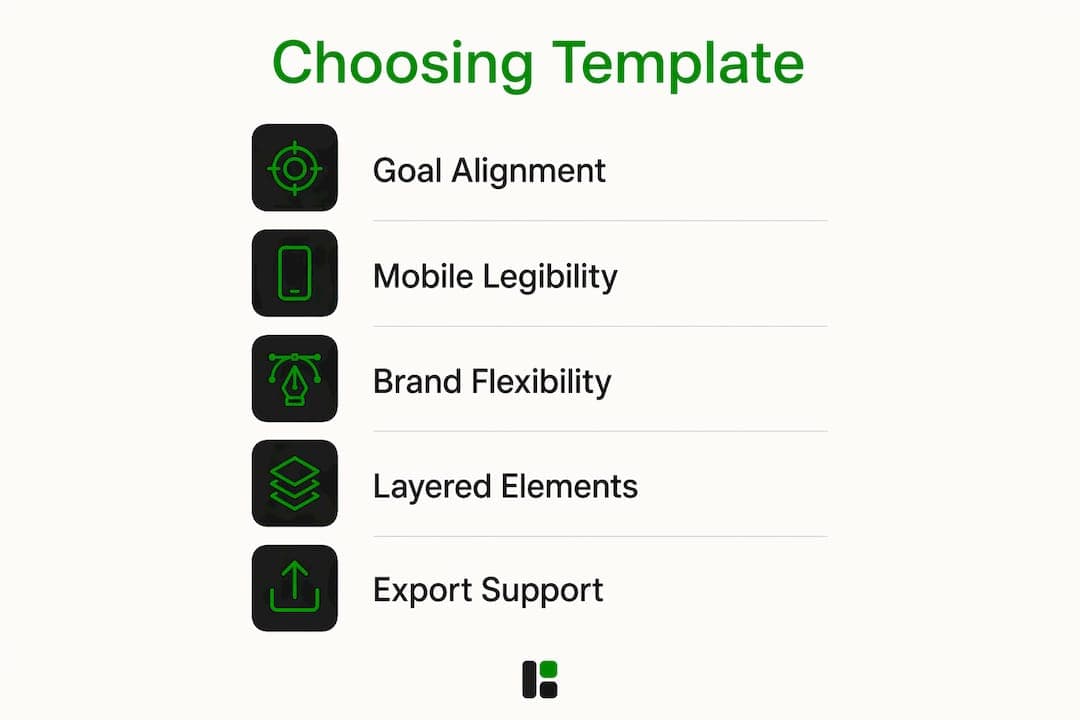
Mobile legibility. Open the preview on your phone, not your desktop. Body text below 18px disappears on a 6-inch screen. Titles should be at least 28–32px.
Brand flexibility. Can you swap every color, font, and image without breaking the layout? Locked elements or embedded fonts that aren't editable are a red flag.

Layered, editable elements. Templates with grouped layers (background, text, icon, image) let you batch-edit slides in seconds. Flat, merged designs force you to rebuild each slide manually.
Export format support. Confirm the platform exports PNG or JPEG at 1080×1080px (1:1) or 1080×1350px (4:5). PDF export matters if you're repurposing the carousel as a downloadable asset.
Match the format to your platform goal: checklist and lesson-based carousels drive saves; before/after and product carousels drive profile visits and link clicks.
How to customize a carousel template fast
Follow this sequence and you'll have a publish-ready carousel in under 20 minutes.
- Upload your brand kit. Add your logo, hex color codes, and font files before touching the template. assets dev reads your brand assets and applies them automatically across all slides.
- Replace placeholder imagery. Swap stock photos for your own product shots or on-brand visuals. Keep image style consistent — same lighting, same color temperature — across every slide.
- Set type scale for mobile. Headline: 28–36px. Body: 18–22px. Caption/label: 14–16px. Anything smaller than 14px is invisible at arm's length.
- Edit copy per slide. One idea per slide. If a slide needs more than two sentences of body text, split it into two slides.
- Check alignment and visual flow. Step through every slide in sequence. The eye should travel the same path on each card — left-to-right or center-anchored, not both.
- Save a template variant. Once customized, save the branded version as your master. Future carousels start from this, not the original blank template.
Pro Tip: Set safe margins on all sides to avoid cropping; Instagram may cut text near the edges in previews on some devices.
What are the right export settings for Instagram carousels?
Getting the export wrong means blurry slides or awkward crops. Here's the checklist:
- Aspect ratio: 1:1 (square, 1080×1080px) for feed consistency; 4:5 (portrait, 1080×1350px) for more screen real estate and slightly higher reach.
- File type: JPEG for photos and image-heavy slides (smaller file, faster upload). PNG for slides with text, logos, or transparent elements where sharpness matters.
- Color profile: sRGB. Instagram converts everything to sRGB on upload — exporting in another profile shifts your colors.
- PDF export: use this when repurposing the carousel as a lead magnet or downloadable guide. Not for direct Instagram upload.
- File size: keep each image under 8MB. Instagram recompresses larger files and the quality loss shows.
For posting, Instagram's carousel flow works like this: tap the + button, select Post, tap the multiple-images icon, and add slides in the order you want them to appear. Instagram supports up to 20 images per carousel post. Your cover slide is the first image in the sequence — make it high-contrast with a clear hook. The final slide should always carry a CTA: "Save this," "Share with a teammate," or a question that invites comments.
Add alt text to each slide before publishing. It helps accessibility and gives Instagram's algorithm additional context about your content.
Which carousel formats actually drive saves and swipe-throughs?
High-performing carousel formats share one trait: they reward the viewer for swiping. The formats below do that consistently.
- Myth vs. Fact — creates cognitive tension. Viewers swipe to resolve it.
- Checklist — inherently list-driven. Viewers save it to use later.
- Lessons Learned — personal storytelling arc. Hook with the failure, resolve with the insight.
- Problem → Solution — mirrors how viewers already think. Each slide removes friction.
- Mini case study — proof-based. Numbers on the results slide stop the scroll.
- Before/After — visual contrast does the work. No copy needed on the comparison slides.
| Format | Why it works | Recommended slide count |
|---|---|---|
| Myth vs. Fact | Resolves tension; drives shares | 6 |
| Checklist | Saves-bait; reference value | 5–8 |
| Lessons Learned | Emotional arc; builds trust | — |
| Problem → Solution | Mirrors viewer's mindset | 5–8 |
| Mini case study | Credibility; proof-driven | 6–9 |
| Before/After | Visual payoff; swipe-through | 4–6 |
Pro Tip: Your first slide is the only one most viewers see. Write the hook as a specific claim or a provocative question — not a topic label. "3 pricing mistakes killing your conversions" outperforms "Pricing Tips" every time.
Checklist and lesson-based formats are especially useful for campaign consistency, since the same template structure can be repopulated for different topics without redesigning from scratch.
What should you check for pricing and licensing?
Licensing mistakes are easy to make and expensive to fix. Before you download or use any template commercially, verify these points:
- Free vs. premium: free templates often restrict commercial use or require attribution. Read the license, not just the price tag.
- Commercial use: confirm the license explicitly covers selling products, running ads, or client work. "Personal use only" licenses are common on free tiers.
- Attribution: some free templates require a credit line in the caption or on the slide itself. If that conflicts with your brand, upgrade to a paid tier.
- Embedded assets: fonts and stock photos bundled in a template may carry their own licenses. Using them in a paid ad can violate the font foundry's terms even if the template itself is commercially licensed.
- Redistribution: you generally cannot resell or redistribute a template as-is, even after customizing it.
| License type | Personal use | Commercial use | Client work | Attribution required |
|---|---|---|---|---|
| Free (basic) | Yes | Often no | No | Often yes |
| Free (commercial) | Yes | Yes | Sometimes | Sometimes |
| Premium / paid | Yes | Yes | Yes | No |
| SaaS subscription | Yes | Yes | Yes | No |
For agencies and teams, check seat counts and render limits before committing to a plan. Pairing templates with automation at scale means render quotas matter as much as the template library itself.
Why assets dev speeds up carousel production
assets dev is built specifically for recurring marketing assets, which makes it a different category from general-purpose design tools. The platform learns your brand in seconds — upload a logo and a color palette, and every template adjusts automatically.
Key features that map directly to carousel workflows:
- Curated, high-quality templates pre-sized for Instagram's 1:1 and 4:5 formats
- AI-assisted brand matching that applies your colors, fonts, and logo across all slides without manual adjustment
- Multi-format exports: PNG, JPEG, PDF, and video assets from the same template
- CLI/API/MCP integrations so carousel production slots into automated growth workflows
- Free plan: up to 100 image renderings, no credit card required. In July, that jumps to 1,000 credits free.
The workflow is short: upload your brand kit → choose a carousel template → edit or auto-generate slide variants → export for Instagram → schedule via your connected tool. See the full pricing breakdown to compare the free plan against the $9/month pro tier.
Where do you find niche-specific carousel templates?
Generic templates work for general content, but niche-specific layouts save significant time because the visual language is already calibrated for the audience.
Fashion and lifestyle: look for templates with editorial-style typography, full-bleed imagery, and muted or high-contrast palettes. Figma's community library has a range of free fashion carousel kits. assets dev's template library covers lifestyle and brand-forward formats with brand-matching built in.
Fitness and wellness: bold sans-serif fonts, high-energy color blocks, and progress-indicator layouts (Day 1 / Day 30) perform well. Before/after templates are the workhorse format here.
Business and B2B: data-callout blocks, clean grid layouts, and professional typography. Mini case study and checklist formats dominate. assets dev's business templates are designed for LinkedIn and Instagram simultaneously, so the same asset works across platforms.
Education and coaching: step-by-step and lesson-based layouts with slide-number indicators and consistent icon sets. These templates benefit most from batch production — create the structure once, swap the topic.
For dynamic rendering and A/B testing across template variants, specialized marketing platforms add another layer of optimization beyond static template libraries.
How do you connect carousel templates to scheduling tools?
Designing a carousel and posting it manually every time is the bottleneck most creators hit around week three of a consistent posting schedule. The fix is connecting your template workflow to a scheduler.
The general integration path: export your carousel slides as a numbered image set (slide-01.png, slide-02.png, etc.) → upload the set to your scheduling tool as a multi-image post → set the publish time and add your caption and hashtags in the scheduler's draft view.
assets dev's CLI and API integrations take this further. You can trigger carousel generation from a script, pass in your content variables (topic, key stat, CTA text), and receive export-ready slides without opening a browser. That's the difference between posting consistently and posting at scale. For teams managing multiple clients or brand accounts, the agency integration options support multi-account workflows with shared brand kits.
Key Takeaways
The fastest path to high-performing Instagram carousels is pairing the right template format with a brand-aware platform and a consistent export-and-schedule workflow.
| Point | Details |
|---|---|
| Match format to goal | Checklist and Myth vs. Fact drive saves; Before/After and product carousels drive profile visits. |
| Export at correct specs | Use 1080×1080px (1:1) or 1080×1350px (4:5), sRGB, JPEG or PNG, under 8MB per slide. |
| Customize for mobile first | Set headlines at 28–36px, body text at 18–22px, and maintain 5% safe margins on all sides. |
| Check licensing before use | Free templates often restrict commercial use or require attribution — confirm before publishing ads. |
| assets dev free plan | Up to 100 image renderings (1,000 in July) with no credit card required, plus CLI/API/MCP integrations. |
When templates beat designing from scratch
The conventional wisdom says templates are a shortcut for people who can't design. That's wrong. Templates are a production decision, not a skill signal.
For creators publishing two or more carousels a week, designing from scratch is a tax on time that compounds fast. The real question isn't "template or custom?" — it's "what's the cost of inconsistency?" A brand that looks different every week loses recognition faster than one that posts a templated carousel on a reliable schedule.
Where custom design genuinely earns its cost: brand launches, campaign hero assets, and interactive or animated posts that require bespoke motion design. These are one-time or low-frequency investments. Everything else — educational content, product updates, weekly tips, and case study recaps — is a template job.
The criteria worth applying: if you're producing more than four carousels a month, templates pay for themselves in hours saved. If your brand is still in its first 90 days and visual identity is still being defined, spend the design budget on a brand system first, then template everything downstream from it.
assets dev: start free, scale with automation
Recurring carousel production shouldn't require a designer on call for every post. assets dev gives you a library of curated, brand-aware carousel templates that adapt to your visual identity the moment you upload your brand kit — no manual color-matching, no font hunting.
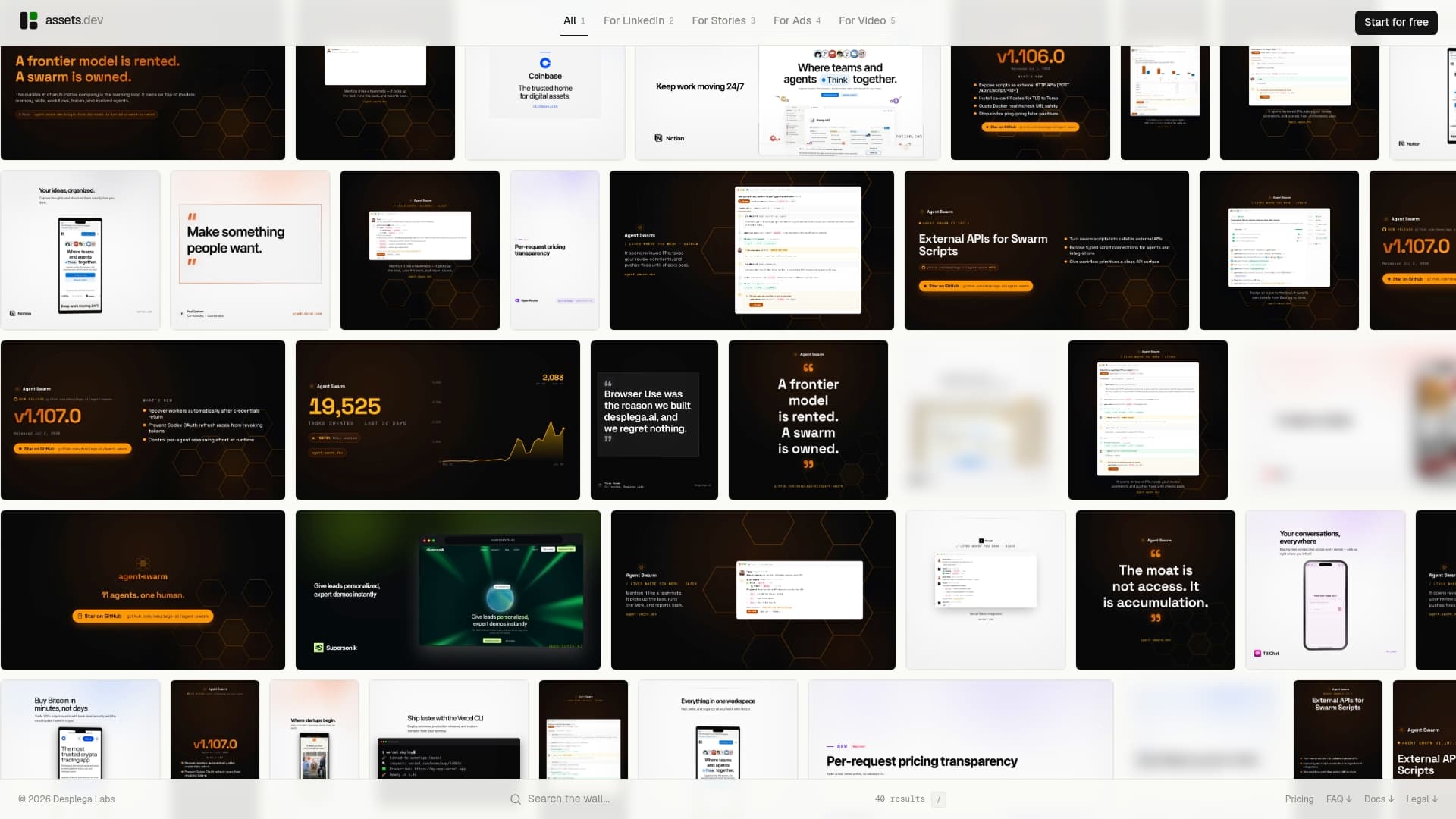
The free plan covers a certain number of image renderings with no credit card required, and seasonal promotions may occasionally increase the free quota to support batching content. When volume grows, the pro plan is $9/month with full CLI, API, and MCP access for automated workflows. Start your free account at assets.dev and have your first branded carousel ready to post today.
Useful sources
- Instagram Carousel Post Ideas for Business — Aslan Agency: the most practical breakdown of high-performing carousel formats and why they generate saves over likes.
- A Guide to Crafting Seamless Instagram Carousel Posts — Sprout Social: authoritative posting mechanics, UI walkthrough, and best practices for assembling and publishing carousels.
- Instagram Carousel Post Ideas: 12 Examples — Feedbird: concrete slide-structure examples for creators who want ready-to-adapt formats.
- Social Media Marketing Strategy: Your 2026 Guide — BeyondClix: covers how checklist and lesson-based carousels fit into broader campaign planning.
- Valiz: reference for dynamic template rendering and A/B testing in marketing stacks.
- Instagram Carousel Templates — Figma Community: free and premium Figma carousel kits across a wide range of styles and industries.
FAQ
Where can I get Instagram carousel templates?
assets dev offers brand-aware carousel templates you can customize and export directly for Instagram. Free options are also available on Figma's community library and through general design platforms.
How do you create an Instagram carousel post?
Tap the + button in Instagram, select Post, then tap the multiple-images icon to add your slides in order. Instagram supports up to 20 images per carousel post.
What is the best format for Instagram carousels?
Checklist, Myth vs. Fact, and Problem → Solution formats consistently generate the most saves and swipe-throughs. Export at 1080×1080px or 1080×1350px in JPEG or PNG for best quality.
How many images can you add to an Instagram carousel?
Instagram allows up to 20 images or videos in a single carousel post, giving creators enough room for detailed tutorials or multi-part storytelling.
Can I use free carousel templates for commercial posts?
Not always. Many free templates restrict commercial use or require attribution. Always read the license before using a template in a paid ad or client campaign — a premium or SaaS plan typically removes those restrictions.