Field note
Best Canva Alternatives for Growth Teams in 2026
Discover the best Canva alternatives for growth teams in 2026. Find tools that automate branding and produce assets seamlessly.
TL;DR:
- assets dev is ideal for growth teams needing automated, brand-locked marketing assets across multiple formats and platforms. Its native CLI, API, and MCP integrations support programmatic rendering, ensuring consistent brand enforcement at high volume.
For growth teams that need automated, brand-tailored assets at volume, assets dev is the strongest pick. Three reasons: it learns your brand in seconds and locks it in across every render, it runs natively via CLI, API, and MCP so it fits directly into automated campaign pipelines, and it outputs images, videos, and PDFs for LinkedIn, Instagram, Google, X, and Substack from a single platform.
The broader field of Canva alternatives breaks into a few useful categories: developer-first template engines built around API/CLI workflows, enterprise design-system platforms with deep brand governance, and ad-focused rapid-template tools optimized for creative variation at speed. Each solves a different problem. The comparison below is built around the criteria that actually matter for growth marketing: automation support, brand-lock controls, and multi-format output.
- Automation (API/CLI/MCP): Can the tool render assets programmatically without a human in the loop?
- Brand control: Does the platform enforce your palette, fonts, and layout rules across every output?
- Multi-format output: Images, video, and PDFs for every major platform, not just social cards.
Table of Contents
- How do the top Canva alternatives compare at a glance?
- Short profiles: how each alternative fits a growth workflow
- How to choose the right Canva alternative for growth marketing
- What's the final recommendation for growth teams?
- What support and onboarding options do these tools offer?
- What security and compliance features should you check?
- How do mobile apps factor into your workflow?
- How do these tools compare on UI and ease of use?
- Key Takeaways
- Why automation and brand-learning actually matter
- assets dev: built for the growth team that ships daily
- FAQ
- Where to learn more
How do the top Canva alternatives compare at a glance?
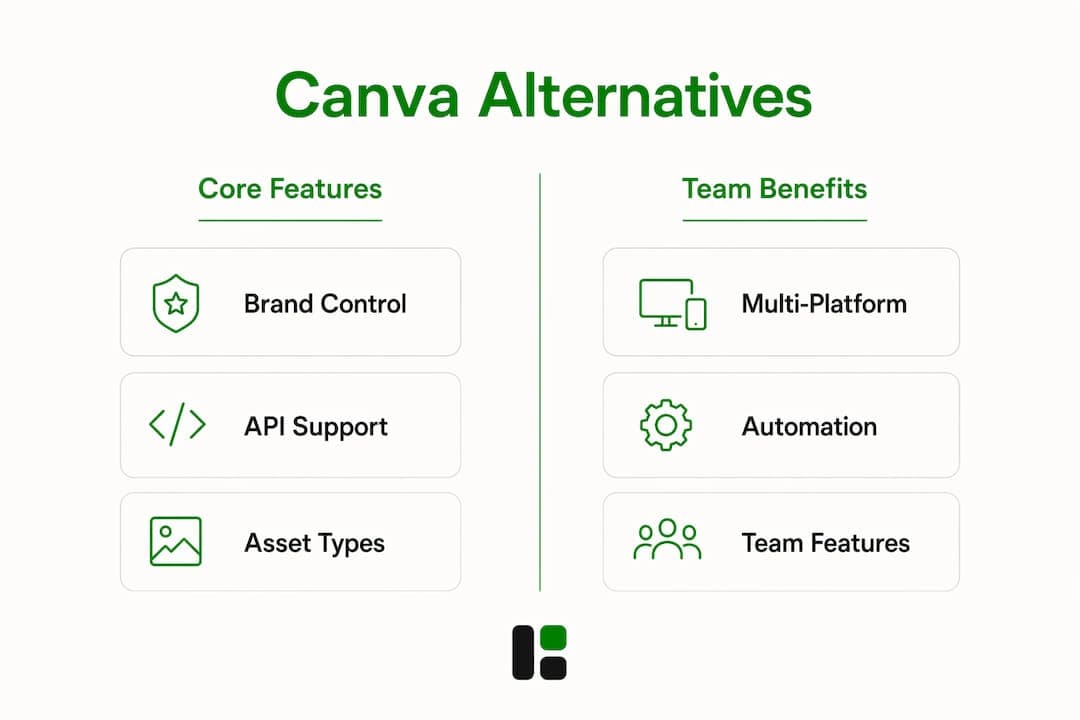
| Tool / Category | Best for | Brand control | API / CLI / Automation | Asset types | Multi-platform templates | Team features | Pricing shape | Ease of use |
|---|---|---|---|---|---|---|---|---|
| assets dev | Growth teams, growth hackers, solo founders | Deep brand-learning, locked palettes & fonts | CLI + API + MCP native | Images, video, PDFs | LinkedIn, Instagram, Google, X, Substack | Shared brand profile, team renders | Free (100 images or 10 videos, 1,000 in July); Pro €9/mo | Low learning curve for marketers |
| Adobe Express | Creative professionals, brand teams | Brand kit with fonts, colors, logos | Limited; Adobe integrations | Images, short video, PDFs | Social, print, web | Brand kit sharing | Free tier; paid subscription | Low to moderate |
| RelayThat | Marketing teams needing layout automation | Layout rules, brand presets | No native API/CLI | Images | Social, display ads | Workspace sharing | Paid plans only | Very low |
| Visme | Content marketers, educators | Brand kit, style guides | Zapier integration | Images, video, presentations, PDFs | Social, presentations, web | Team workspaces | Free tier; paid plans | Low to moderate |
| VistaCreate | Small businesses, social media managers | Brand kit | No native API | Images, short video | Social, print | Team folders | Free tier; paid plans | Very low |
| Snappa | Marketers, bloggers | Basic brand kit | No native API | Images | Social, display, blog | Team sharing | Free tier; paid plans | Very low |
Short profiles: how each alternative fits a growth workflow
assets dev
assets dev is purpose-built for growth marketing, not general design. The platform's brand-learning system reads your guidelines and applies them to every template render automatically, which means you are not manually resetting colors and fonts for each campaign.
- Best for: Growth hackers, B2B marketers, solo founders running recurring multi-platform campaigns.
- Brand control: Automatic brand-learning; locked palettes, fonts, and layout rules enforced per render.
- Automation: CLI, API, and MCP integrations let you trigger batch renders inside any automated growth flow.
- Asset types: Images, videos, PDFs.
- Platforms: LinkedIn, Instagram, Google, X, Substack.
- Pricing: Free plan with no credit card required (up to 100 image renderings or 10 videos; 1,000 in July during the promotion); Pro plan at €9/month.
- Growth workflow fit: Ideal for teams that run weekly or daily content cycles and need consistent, on-brand output without a designer in the loop every time.
Figma
Figma is a design-system platform first. Its component libraries and design tokens give large teams precise brand governance, and its REST API supports programmatic asset export. The catch: it requires developer setup time and is not optimized for marketing asset volume.
- Best for: Product and UX teams managing design systems; engineering-heavy orgs.
- Brand control: Full design-system tokens and component libraries.
- Automation: REST API and plugin ecosystem; not a native batch-render tool.
- Pricing: Free tier available; paid plans per editor seat.
- Growth workflow fit: Strong for design governance, weak for high-volume marketing renders without custom tooling.
Adobe Express
Adobe Express sits between consumer simplicity and professional brand control. Its brand kit covers fonts, colors, and logos, and it connects to the broader Adobe Creative Cloud ecosystem. Consistent branding across formats requires both design governance and technical pipelines, and Adobe Express handles the governance side well without the pipeline.
- Best for: Creative professionals already in the Adobe ecosystem.
- Automation: Limited; relies on Adobe integrations rather than a native API.
- Asset types: Images, short video, PDFs.
- Pricing: Free tier; paid subscription for full brand kit and premium assets.
- Growth workflow fit: Good for polished one-off assets; not built for programmatic batch rendering.
RelayThat
RelayThat automates layout resizing across formats using brand presets, which is genuinely useful for teams that need the same creative in 12 sizes. No native API or CLI, though, so it stays manual at the trigger level.
- Best for: Marketing teams that resize a lot but do not need programmatic rendering.
- Pricing: Paid plans only; no meaningful free tier.
Visme
Visme covers a wider content range than most: presentations, infographics, social graphics, and video. Its Zapier integration adds some automation, but it is not a developer-native tool. Multi-format video and photo production workflows benefit from platforms that handle handoffs cleanly, and Visme does that reasonably well for presentation-heavy teams.
- Best for: Content marketers who produce presentations and reports alongside social assets.
- Automation: Zapier; no native API.
- Pricing: Free tier; paid plans for brand kit and team features.
VistaCreate and Snappa
Both are lightweight social template editors with very low learning curves. Neither offers API access or meaningful brand-lock controls. They work for occasional social posts; they do not scale for growth teams running automated campaigns.

As campaign complexity grows, automation and brand governance become the decisive factors, not template counts or how fast you can onboard. VistaCreate and Snappa are honest tools for simple use cases; they are not growth infrastructure.
How to choose the right Canva alternative for growth marketing
The single most important question: does the tool support programmatic asset generation via API, CLI, or MCP that enforces brand controls without manual intervention? Everything else is secondary.
Evaluation checklist:
- Import your brand kit (logo, fonts, palette) and confirm the system locks them automatically.
- Trigger a render via API or CLI during the trial, not just through the UI.
- Export assets in every format your campaigns need (images, video, PDFs).
- Measure render time and cost per asset at a realistic weekly volume.
- Test team roles: can a non-designer trigger renders without breaking brand rules?
- Check template versioning: can you update a master template and push changes to all variants?
Questions to ask before committing:
- What are the API rate limits at your expected monthly render volume?
- How does the platform handle brand-lock overrides (permitted copy fields vs. locked design elements)?
- What is the SLA for API uptime?
- Are there per-asset charges beyond the subscription tier?
- How long does onboarding take for a developer to wire the API into an existing pipeline?
- What approval workflows exist for team renders?
Red flags: no API or CLI access, no design-system import, surprise per-asset fees above the plan tier, limited video export formats, no team role controls.
Pro Tip: Run a single batch render via CLI during your trial. Pick one real campaign, automate 20–50 asset variants, and measure how many needed manual correction. That number tells you more than any feature checklist.
Programmatic render tests during evaluation surface hidden costs and template fidelity issues before a full migration. Teams that skip this step routinely underestimate the developer time required to wire APIs and version templates at scale.
What's the final recommendation for growth teams?
assets dev is the primary pick for growth teams that need automated, brand-tailored assets across images, video, and PDFs. The combination of brand-learning, CLI/API/MCP support, and a multi-platform template library built specifically for marketing outputs is not replicated by general design tools.
There are cases where a different path makes more sense. Teams that need pixel-level creative control for brand campaigns should consider an enterprise design-system platform with full design-token governance. Teams that need offline desktop vector tooling for print or packaging work need a dedicated vector application. And teams that produce primarily long-form presentations may find a document-first tool more natural.
Pro Tip: Before committing, run a single campaign proof-of-concept: use the CLI or API to render one week's worth of assets for one channel. Measure render time, brand fidelity, and how many assets needed a human correction. That POC is your real evaluation.
One honest note on scaling: assets dev's free plan covers a limited number of image renders and videos. Once you exceed that, the Pro plan handles expanded volume. Know your weekly render count before you start so the quota math is clear from day one.
What support and onboarding options do these tools offer?
assets dev offers documentation for CLI, API, and MCP integrations, with the MCP integration page covering how to embed the platform into automated pipelines. For most growth marketers, the web UI is usable without any onboarding; developer integration typically takes a few hours for a basic API setup.
Figma has an extensive help center, community forums, and third-party courses. Adobe Express benefits from Adobe's broad support ecosystem. Lighter tools like Snappa and VistaCreate offer chat support and knowledge bases suited to their simpler feature sets. For enterprise-level brand governance needs, agencies specializing in brand identity workflows can provide structured onboarding alongside any platform.
What security and compliance features should you check?
For growth teams handling client brand assets or campaign data, the baseline requirements are data encryption in transit and at rest, role-based access controls, and clear data retention policies. assets dev operates as a SaaS platform; specific compliance certifications are not publicly listed, so confirm your organization's requirements directly with the vendor before scaling.
Figma and Adobe Express both publish SOC 2 compliance documentation and enterprise security controls. For teams in regulated industries, enterprise tiers of design platforms typically include SSO, audit logs, and data residency options.
How do mobile apps factor into your workflow?
Most growth marketers do not render batch campaigns from a phone, but mobile access matters for approvals, quick edits, and reviewing outputs on the go. Adobe Express and VistaCreate have capable mobile apps. Figma's mobile app is primarily for viewing and commenting. assets dev is optimized for web and CLI/API workflows; mobile is not its primary surface, which is the right trade-off for a tool built around programmatic rendering.
Snappa and RelayThat offer mobile-accessible web interfaces rather than dedicated apps.
How do these tools compare on UI and ease of use?
Snappa and VistaCreate have the lowest learning curves: drag-and-drop editors with minimal configuration. Adobe Express sits in the middle, familiar to anyone who has used a consumer design tool. Figma has the steepest curve, designed for professional designers who think in components and constraints.
assets dev takes a different approach entirely. The UI is minimal by design: pick a template, confirm your brand profile, and render. The complexity lives in the API and CLI layer, not the visual editor. For a growth marketer who wants to get 50 LinkedIn posts out the door without touching a design tool, that is a feature, not a limitation. Template-based systems combined with API-driven distribution are what actually move the needle on social reach and efficiency at scale.
Key Takeaways
For growth teams, the right design platform is the one that automates the most repetitive rendering work while keeping every asset on-brand, without surprise costs at volume.
| Point | Details |
|---|---|
| Automation comes first | Prioritize API/CLI/MCP support over template count; programmatic rendering is what scales. |
| Brand-lock is non-negotiable | A platform that enforces palettes, fonts, and layout rules automatically prevents brand drift at volume. |
| Run a real render test | Automate one campaign batch during the trial and count how many assets needed manual correction. |
| Watch the quota math | assets dev's free plan covers 100 image renders or 10 videos, with a July increase to 1,000; know your weekly volume before scaling. |
| assets dev for growth workflows | assets dev is the recommended pick for automated, brand-tailored, multi-format asset production across LinkedIn, Instagram, Google, X, and Substack. |
Why automation and brand-learning actually matter
The conventional wisdom in design tool comparisons is to lead with template counts and UI polish. That framing makes sense for a freelancer building a one-off pitch deck. It does not make sense for a growth team running 200 asset variants a month across six platforms.
The real bottleneck is not creativity. It is the gap between "we have a brand" and "every asset we produce actually reflects that brand, every time, without a designer reviewing each one." Brand-learning that enforces controls at the render level closes that gap. API access means a developer can wire the render trigger into a Slack workflow, a CRM event, or a scheduled pipeline. Those two things together are what reduce manual design work in high-velocity campaigns.
Onboarding for CLI/API integrations typically takes a few hours for a developer familiar with REST APIs. The brand-learning setup in assets dev is faster than that: the system reads your guidelines and applies them immediately. The investment is front-loaded and small; the payoff compounds with every campaign cycle.
assets dev: built for the growth team that ships daily
If your team ships marketing assets on a recurring schedule across LinkedIn, Instagram, Google, X, or Substack, assets dev removes the manual layer between your brand and your output. Curated, high-quality templates, automatic brand-learning, and native CLI/API/MCP integrations mean you can trigger a full campaign batch from your pipeline without opening a design tool.
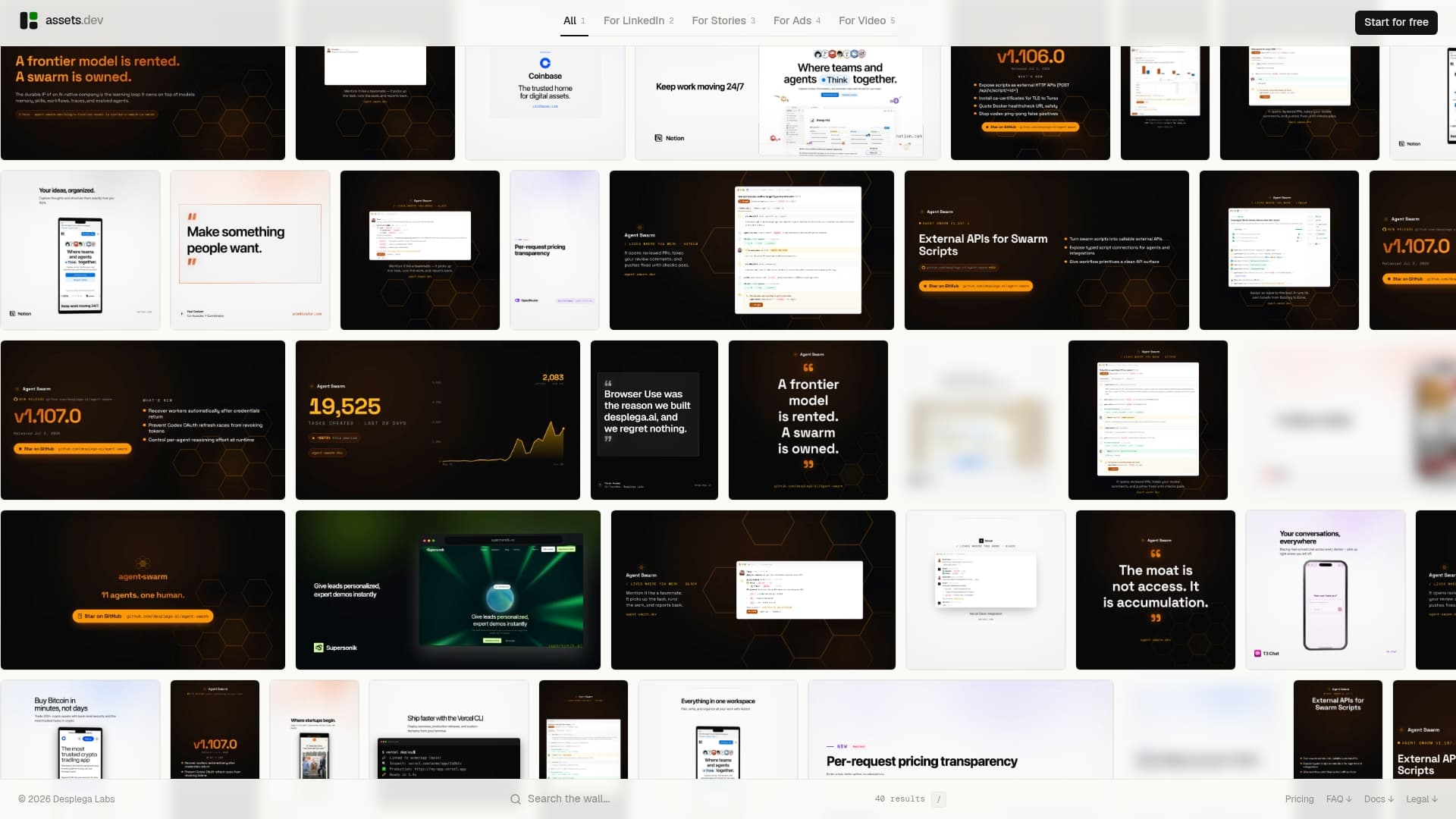
The free plan requires no credit card and covers up to 100 image renderings or 10 videos, expanding to 1,000 in July. The Pro plan is €9/month. Start with a single campaign: pick a template, connect your brand profile, and run 10–50 renders via the API or CLI. That one test will tell you exactly what your weekly workflow looks like at scale.
FAQ
What makes assets dev different from other Canva alternatives?
assets dev is built exclusively for growth marketing assets and supports CLI, API, and MCP integrations for programmatic rendering. Most Canva-like tools are general design editors without native automation pipelines.
Which Canva alternative is best for API-driven asset generation?
assets dev is the strongest option for API and CLI-driven batch rendering, with native MCP support for embedding asset generation into automated campaign workflows.
Does assets dev have a free plan?
Yes. The free plan covers up to 100 image renderings or 10 videos, increasing to 1,000 in July, with no credit card required.
When does Figma make more sense than assets dev?
Figma is the better choice when a team needs full design-system token management, pixel-level component control, or collaborative UX prototyping, rather than high-volume marketing asset rendering.
What are the red flags to watch for when evaluating design tools?
No API or CLI access, hidden per-asset charges above the plan tier, no design-system import, and limited video export formats are the clearest signs a tool will not scale for growth marketing workflows.
Where to learn more
- assets dev platform: Core product page covering templates, brand-learning, and multi-platform outputs.
- assets dev pricing: Free-plan quotas and Pro plan details.
- assets dev MCP integrations: Technical documentation for CLI, API, and MCP pipeline embedding.
- Zapier: best Canva alternatives: Independent analysis of migration drivers and platform trade-offs for professional teams.
- Expedition: brand identity workflows: Agency resource on design-system discipline and brand governance for scaled campaigns.