Field note
Best AI Video Generators in 2026: Ranked and Compared
Discover the best AI video generators of 2026! Compare features, pricing, and performance to find the perfect tool for your needs.
What are the best AI video generators right now?
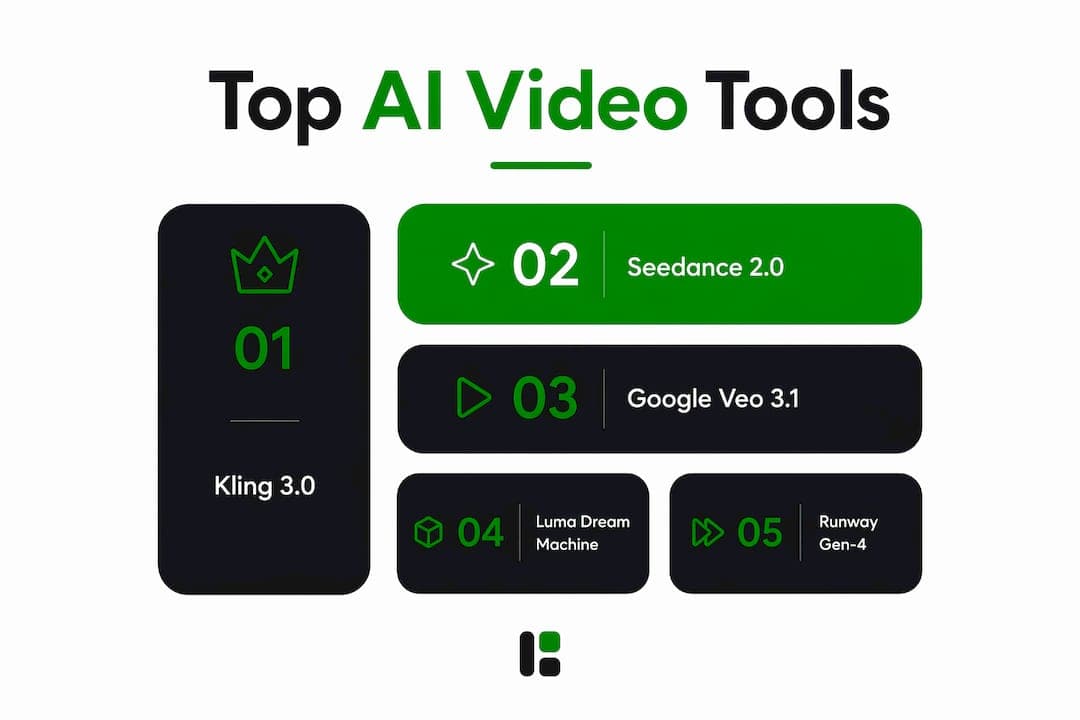
Kling 3.0 is a leading AI video generator for many creators in 2026, offering a strong balance between quality and cost for ten-second 1080p clips with synchronized audio. For enterprises that need SLA-backed infrastructure, Google Veo 3.1 is the safer pick. Seedance 2.0 leads on raw benchmark scores but is better suited to teams comfortable with pay-as-you-go credit systems.
The table below covers the full competitive field across the dimensions that actually matter for production decisions.
| Tool | Best For | Pricing | Free Tier | Text-to-Video | Image-to-Video | Max Resolution | Multi-Shot | Lip Sync | Sound Generation |
|---|---|---|---|---|---|---|---|---|---|
| Kling AI | Budget creators, dialogue scenes | — | Daily limit | Yes | Yes | 1080p | Up to six shots | Yes (multi-character) | Yes (native) |
| Seedance 2.0 | Social, marketing, pre-viz | Pay-as-you-go; 50 free credits | 50 credits | Yes | Yes | 1080p | Limited | Limited | Yes (native) |
| Google Veo 3.1 | Enterprise, brand ads | ~$0.05 per second (Lite) | Via Google AI Premium | Yes | Yes | 1080p | Limited | Yes (dialogue) | Yes (native) |
| OpenAI Sora 2 | Cinematic one-offs (short-term) | — | None | Yes | Yes | 1080p | Limited | Limited | Yes (native) |
| Runway Gen-4 | Studios, agency workflows | — | Limited | Yes | Yes | 1080p | Yes | No | No |
| Pika Labs | Viral social effects | — | Daily limit | Yes | Yes | 1080p | Limited | No | No |
| Adobe Firefly | Adobe ecosystem users | — | Limited | Yes | Yes | 1080p | Limited | No | No |
| Hailuo Minimax | Narrative, character consistency | ~$10/mo | Limited | Yes | Yes | 1080p | Limited | No | No |
| Luma Dream Machine | Dynamic camera work | Freemium | Generous | Yes | Yes | 1080p | Limited | No | No |
| LTX Studio | Creative control, storyboarding | Freemium | Yes | Yes | Yes | 1080p | Yes | No | No |
| Vidu | High-volume, multi-reference | Subscription | Limited | Yes | Yes | 1080p | Yes | No | No |
| Descript | Transcript-based editing | — | Limited | Limited | No | 1080p | No | No | No |
| Wondershare Filmora | Entry-level creators | — | Limited | Yes | Yes | 4K | No | No | No |
| VEED | Marketing teams, templates | — | Limited | Yes | Limited | 1080p | No | No | No |
| Capsule | Branded video workflows | Subscription | Limited | Limited | No | 1080p | No | No | No |
| Eddie AI | Rough cuts, fast editing | Subscription | Limited | No | No | 1080p | No | No | No |
| OpusClip | Repurposing long-form content | — | Limited | No | No | 1080p | No | No | No |
| invideo AI | Promo and social videos | — | Limited | Yes | Limited | 1080p | No | No | No |
| Vyond | Animated explainers | — | No | Yes | Limited | 1080p | No | No | No |
| Synthesia | Avatar-based training videos | — | Limited | Yes | No | 1080p | No | Yes | Yes |
| LiveAvatar by HeyGen | Interactive avatar video | Subscription | Limited | Yes | No | 1080p | No | Yes | Yes |
| revid.ai | Personalized video at scale | Subscription | Limited | Yes | Limited | 1080p | No | No | No |
Pro Tip: If you are unsure where to start, Kling's free daily tier and Luma's generous free plan let you run real test generations before spending a dollar. Compare outputs on your actual content type, not demo reels.
Detailed profiles of the leading AI video tools
Generation-first tools: text and image to video
Kling AI offers strong value in the category, providing ten-second 1080p clips with audio included at competitive pricing. The standout 2026 feature is Omni mode: two characters, each with phoneme-accurate lip sync on its own audio track, in a single generation pass. No separate lip-sync tool required. Kling also supports multi-shot prompting of up to six shots and aspect ratios of 16:9, 9:16, and 1:1, which covers every major distribution format.

Seedance 2.0 from ByteDance sits at the top of the Artificial Analysis with-audio leaderboard (Elo ~1,219 as of late June 2026). Its prompt adherence is exceptional, especially for camera movement instructions: push, pull, dolly, follow. You describe the shot and it usually delivers. The native audio sync eliminates a full post-production pass, and the pay-as-you-go model means unused credits carry forward indefinitely. Fifty free credits on signup, no card required.
Google Veo 3.1 is the enterprise default. It runs on Google Cloud with IAM integration, SynthID content provenance watermarking, and SLA-backed uptime. The Lite tier starts at roughly $0.05 per second, making it the cheapest credible Western option. On the MovieGenBench dataset, Veo 3.1 performs best on overall preference and prompt adherence. For product videos, fashion commerce, and vertical brand ads where character and product consistency matter most, it is the go-to model.
OpenAI Sora 2 produces highly realistic video motion and physics but is limited by its planned shutdown later in 2026, making it suitable only for short-term creative uses rather than stable production workflows.
Luma Dream Machine is optimized for one thing: camera motion. Dollies, cranes, orbits, handheld moves, all generated with a naturalness that outperforms most competitors. For any project where the camera move is the creative decision, Luma belongs in the conversation. The free tier is among the most generous on this list.
Hailuo Minimax is recognized for maintaining character consistency across shots, preserving micro-expressions better than many competitors, making it a strong option for narrative projects with recurring characters.
Runway Gen-4 is where studios live. The editing and collaboration tools are genuinely mature: motion brush, camera control presets, keyframe controls, and multi-user workflows. Runway's iterative editing environment lets teams refine outputs without starting over, which is the feature that actually matters for agency production. No native audio, but the workflow depth compensates for teams that handle audio in post.
Pika Labs carved out a real niche with Pikaffects: melt, inflate, explode, crush. These stylized transformations are not available anywhere else, and for viral social content they are the reason to choose Pika over a more capable but less distinctive model. Fast iteration, social-native formats, and a low barrier to entry.
Editing and repurposing tools
Descript takes a different approach entirely. It treats video as a transcript first. Edit the text, and the video edits itself. The AI video clip generation is secondary to the transcript workflow, which makes it the strongest option for podcast-to-video repurposing and interview content.

OpusClip automates the most tedious part of content repurposing: finding the highlights. Feed it a long-form video and it surfaces the clips most likely to perform on social platforms. For creators running a YouTube channel who also want a consistent TikTok or Instagram Reels presence, OpusClip removes the manual clipping step entirely.
VEED serves marketing teams who need templated video fast. The AI enhancements layer on top of a template-driven workflow, so the learning curve is minimal. Not the tool for cinematic production, but very capable for social ads, product announcements, and quick branded content.
Wondershare Filmora sits at the accessible end of the editing spectrum. AI tools are embedded throughout the interface for common tasks like background removal, auto-captioning, and scene detection. It supports up to 4K output, which puts it ahead of several generation-first tools on maximum resolution.
Eddie AI focuses on getting a rough cut done fast. Upload footage, and it assembles a first cut using AI. The output is not polished, but for creators who spend hours on assembly edits, it cuts that time substantially.
Avatar and presentation tools
Synthesia is the category leader for avatar-based video. Realistic AI spokespersons with synced speech, multiple language support, and a library of scenes built for corporate communications and training. The output looks produced, not generated, which matters for internal communications where credibility is the goal.
LiveAvatar by HeyGen extends the avatar concept into interactive and asynchronous use cases. The lip sync is clean, the expressions are realistic, and the platform supports both live streaming and pre-recorded avatar video. Enterprises and educators are the primary audience.
Specialized and niche tools
Vidu is the volume play. Multi-reference consistency at reasonable cost, with fast inference. For teams running matrix content accounts or needing consistent characters across many clips, Vidu's reference-based generation keeps assets coherent without manual work.
invideo AI handles the marketing brief well: text prompt in, promotional video out. The templates are solid, the AI adapts imagery and copy to the prompt, and the output suits social media and product pages. Not a cinematic tool, but a reliable one for the use case it targets.
Vyond is the animation specialist. A rich library of animated characters and scenes, purpose-built for corporate explainers and training content. If the brief calls for animation rather than photorealistic video, Vyond is the most complete option on this list.
Capsule and revid.ai both target branded video workflows. Capsule focuses on consistent brand presentation across video assets; revid.ai emphasizes personalization at scale and automated summarization for agencies producing tailored content in volume.
LTX Studio offers a storyboard-first approach with granular creative control over shot composition and scene structure. For creators who want to direct the AI rather than prompt and hope, the level of control is notable.
Adobe Firefly integrates seamlessly with Creative Cloud apps like Premiere Pro and After Effects, offering workflow efficiency for Adobe users, though its output quality is generally lower than some leading models.
How to choose the right AI video generator for your project
The choice comes down to four questions, answered in order.
What is the primary output format? Social short-form, long-form narrative, corporate training, and cinematic production each point to a different tool. Pika and invideo AI are built for social. Runway and Kling handle longer narrative work. Synthesia and Vyond own the corporate and animated explainer space.
Does the clip need native audio? This is now a primary differentiator. Veo 3.1 and Seedance 2.0 generate music, ambient sound, and dialogue in a single pass. Kling includes audio in its per-second price. Runway, Luma, and Pika do not generate audio natively, which means a separate post-production step. For marketing teams where audio atmosphere matters as much as visuals, native audio generation is worth prioritizing.
What is the actual budget per clip? Kling 3.0 Standard at roughly $0.84 for ten seconds is the cheapest credible option with audio. Veo 3.1 Lite at about $0.05 per second is the cheapest Western option. Sora 2 Pro runs roughly $0.75 per second, which is hard to justify given the API sunset. Runway and Luma carry subscription premiums that make sense only if you are paying for their tooling.
How important is API stability for your workflow? Enterprise builders should weight this heavily. Sora 2's API sunset creates real strategic risk for any team that has built a pipeline on it. Veo 3.1 on Vertex AI, Runway's mature API, and Kling's commercial track record are the safer foundations. For teams at agencies where AI is driving measurable productivity gains, locking into a model that is being retired is an avoidable problem.
On workflow integration: mixing models by shot type is now standard practice among professional teams. Use Veo 3.1 for product shots requiring character consistency, Kling for dialogue scenes, and Luma for dynamic camera moves. Model-agnostic pipelines that switch between generators let you optimize quality, cost, and feature fit per scene rather than committing to one tool's limitations for an entire project.
Pro Tip: Run your actual brief through two or three free tiers before committing to a subscription. Demo reels are curated. Your specific prompt type, whether it's a talking head, a product shot, or an action sequence, will behave differently across models than the marketing examples suggest.
How these tools were evaluated
The rankings and recommendations in this article draw on publicly available benchmark data, pricing analysis, and editorial testing across uniform prompt types.
Benchmark data: Elo scores from the Artificial Analysis Video Arena text-to-video-with-audio leaderboard provided a quantitative baseline for model quality comparisons. The MovieGenBench dataset from Meta, covering 1,003 prompts, informed assessments of prompt adherence and overall preference for Veo 3.1.
Pricing analysis: Per-second and per-clip costs were calculated from published pricing pages as of july 2026. Where pricing is credit-based, costs were converted to per-clip equivalents using standard generation lengths for comparability.
Prompt consistency: Evaluations used uniform prompt types across categories: a dialogue scene with two speakers, a product shot with controlled camera movement, a dynamic action sequence, and a static talking-head clip. This approach surfaces model-specific strengths and weaknesses that cherry-picked demos obscure.
Practical criteria: API maturity, regional availability, free tier generosity, and update frequency were assessed from public documentation and vendor announcements. User interface and ease of use were evaluated against the needs of the target audience: creators and marketers who are not necessarily engineers.
Update currency: Pricing and availability data reflects conditions as of july 2026. AI video models update frequently; check vendor pages before committing to a subscription.
What to expect from customer support across these platforms
Support quality varies more than pricing pages suggest. Runway and Adobe Firefly, as established SaaS products with enterprise tiers, offer structured support channels including email ticketing and dedicated account management at higher plan levels. Response times for paid tiers are generally within one business day.
Kling and Seedance 2.0, both from Chinese technology companies, primarily offer support through community Discord servers and in-app feedback forms. Response quality is often good, but formal SLA-backed support is not publicly listed for most tiers. Enterprise buyers should clarify this before signing.
Google Veo 3.1 on Vertex AI inherits Google Cloud's support infrastructure, including tiered SLAs and IAM-integrated access controls. For regulated industries or teams with procurement requirements, this is a meaningful advantage over consumer-grade tools.
Synthesia and HeyGen both offer structured onboarding and dedicated support for business plans, which reflects their focus on enterprise communications use cases. Vyond similarly provides account management for its higher tiers.
Smaller or newer tools like revid.ai, Capsule, and Eddie AI typically rely on community support and email. Expect longer response windows and less formal escalation paths. For teams where support responsiveness affects production timelines, this is worth factoring into the decision.
Output formats and compatibility across major platforms
Most top-tier AI video generators export in MP4 with H.264 encoding as the default, which covers every major distribution platform: YouTube, Instagram, TikTok, LinkedIn, and X. Some tools add H.265 (HEVC) for higher compression efficiency at equivalent quality, useful for teams managing storage at scale.
Resolution and aspect ratio support varies more than format support. Kling covers 16:9, 9:16, and 1:1 natively, which handles landscape, vertical, and square formats without cropping. Runway and Veo 3.1 also support multiple aspect ratios. Pika and invideo AI are optimized for social-native vertical formats. Wondershare Filmora supports up to 4K export, which is relevant for teams producing content for large-screen display or future-proofing archives.
Frame rate options typically include 24fps for cinematic output and 30fps for standard video. Some platforms, including Runway, offer 60fps for specific use cases. Audio export formats are generally AAC within the MP4 container; tools with native audio generation like Veo 3.1 and Seedance 2.0 include the audio track in the standard export without additional steps.
For teams integrating AI-generated clips into existing editing workflows, compatibility with Premiere Pro, DaVinci Resolve, and Final Cut Pro is straightforward for MP4 outputs. Adobe Firefly has the tightest integration with Premiere Pro via Creative Cloud. Descript exports in formats compatible with major NLEs, and its transcript-based workflow produces clean cuts that import cleanly.
An honest take on where AI video generation actually stands
The category has moved fast enough in 2026 that the conventional wisdom from even twelve months ago is wrong in several important ways.
The biggest misconception is that raw realism is the right axis for choosing a tool. Sora 2 wins on photorealism. It also has a confirmed shutdown date. The practical question for anyone building a content workflow is not "which model looks most real?" but "which model solves the specific bottleneck in my production process?" For most marketing teams, that bottleneck is audio post-production, not visual quality. Veo 3.1 and Seedance 2.0 eliminate that step. Kling eliminates the cost problem. Runway eliminates the collaboration problem. Realism is rarely the bottleneck.
The second misconception is that AI video is a replacement for traditional production. It is not, and treating it that way leads to disappointment. AI video generation is a premium rapid prototyping tool, best used for ideation, rough cuts, and pre-visualization. The teams getting the most out of these tools are using them to compress the gap between brief and first review, not to eliminate the production process entirely.
The third thing most articles miss: native audio is not a convenience feature. It is a workflow transformation. A clip that arrives with matched ambient sound, music, and dialogue removes an entire production stage. For teams producing at volume, that compounds quickly. The tools that have not built native audio yet are already behind on the feature that matters most for 2026 production workflows.
Mixing models is the professional approach, and it is now practical. Switching between Veo for product shots, Kling for dialogue, and Luma for camera-driven sequences within a single project is not complicated. It is just a pipeline decision. The teams treating AI video as a single-tool commitment are leaving quality on the table.
assets dev offers a different route for marketing video assets
The tools compared above are purpose-built for video generation and editing. assets dev takes a different approach: it is a curated platform for marketing growth assets, including video, built around high-quality templates that adapt to your brand in seconds.
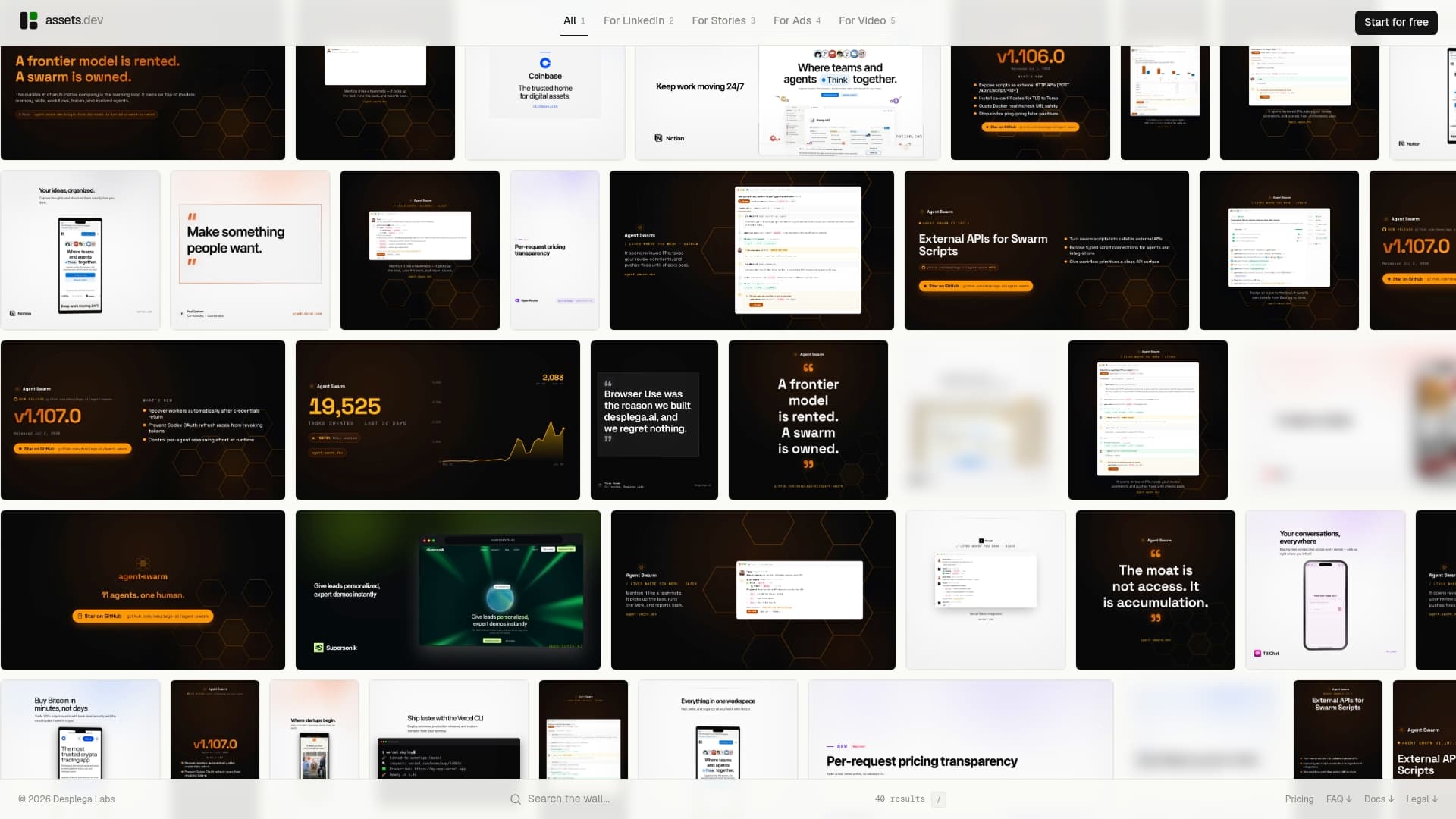
Where the tools above require you to generate from scratch and then adapt the output for each platform, assets dev starts from templates already optimized for LinkedIn, Instagram, Google, X, and Substack. The system learns your branding immediately and applies it across every asset type: videos, images, and PDFs. CLI, API, and MCP integrations mean it fits directly into automated growth workflows without manual steps.
The free plan covers up to 10 videos and 100 image renderings, no credit card required. The only paid tier is $9 per month. Through july, new accounts get 1,000 free credits instead of the standard 100. For creators and marketers who need consistent, on-brand video assets at volume rather than one-off cinematic generations, assets dev is worth a look alongside the generation tools above. See the full pricing breakdown before committing to any subscription.
FAQ
Can AI video generators make realistic videos?
Yes, with caveats. Sora 2 and Veo 3.1 produce photorealistic output with coherent physics and lighting, but quality varies by prompt complexity and subject type. Character faces and hands remain the most common failure points across all current models.
How do you generate AI videos for free?
Kling, Luma Dream Machine, and Hailuo Minimax all offer free tiers with daily generation limits. Seedance 2.0 provides 50 free credits on signup with no card required. Google Veo 3.1 is accessible via Google AI Premium, which includes a trial period.
Can ChatGPT make videos?
ChatGPT Pro and Plus subscribers can access Sora 2 video generation directly within ChatGPT. The output quality is high, but the Sora API sunsets september 24, 2026, so it is best used for one-off creative work rather than production pipelines.
Which AI video tool is best for marketing teams?
Veo 3.1 and Seedance 2.0 lead for marketing use cases because both generate native audio alongside video, eliminating post-production audio work. For teams needing consistent branded templates rather than raw generation, assets dev provides a complementary approach with platform-specific video templates.
What is the best AI video generator for budget-conscious creators?
Kling 3.0 Standard at roughly $0.84 for a ten-second 1080p clip with synchronized audio is the strongest value option for 2026. Hailuo Minimax at about $10 per month is the most affordable subscription for creators seeking consistent character generation.
Key Takeaways
Kling 3.0 is the best AI video generator for most creators in 2026, combining strong value with a per-clip price of roughly $0.84 for ten seconds at 1080p with audio included.
| Point | Details |
|---|---|
| Best overall value | Kling 3.0 Standard delivers 1080p video with native audio at roughly $0.84 per ten-second clip, the best value option among widely available models in 2026. |
| Enterprise default | Google Veo 3.1 on Vertex AI offers SLA-backed infrastructure, IAM integration, and SynthID provenance at about $0.05 per second on the Lite tier. |
| Avoid Sora 2 for pipelines | OpenAI confirmed the Sora 2 API sunsets september 24, 2026, making it unsuitable as a production pipeline foundation despite its realism lead. |
| Native audio is the key differentiator | Veo 3.1 and Seedance 2.0 generate synchronized dialogue, ambient sound, and music in one pass, removing a full post-production stage. |
| assets dev for template-driven video | assets dev provides brand-adapted marketing video templates for LinkedIn, Instagram, and other platforms, with a free plan covering up to 10 videos and no card required. |